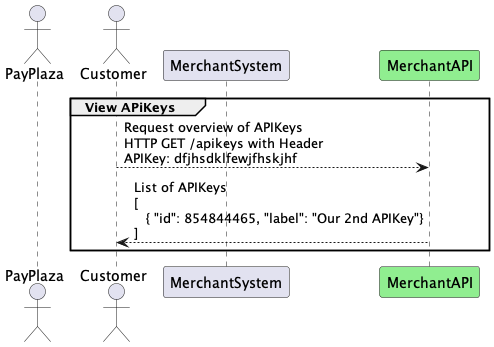
Authentication
The MerchantAPI is protected from unauthorized access. In order for a
customer to identify itself when invoking any operation of the
MerchantAPI, the HTTP request MUST contain a header with the name
API-Key. Make sure the case and all the characters match this exactly.
The value of that header MUST be the API key, which CM.com POS Payments
provided during the onboarding.
Failure to Authenticate
-
Any request sent to the MerchantAPI without the
API-Keyheader will get an HTTP401 Unauthorizedresponse. -
Any request sent to the MerchantAPI with an invalid
API-Keyheader will get an HTTP403 Forbiddenresponse.
APIKey Rotation
In order to mitigate security concerns customers are enabled and encouraged to frequently change their APIKey. After a customer has received their initial APIKey securely from CM.com POS Payments they are able to handle APIKey rotation themselves via a dedicated endpoint in the MerchantAPI.
This /apikeys endpoint supports:
-
Getting an overview of current APIKeys issued to the organization
-
Requesting a new APIKey for the organization
-
Revoke access for a specific APIKey
Getting started
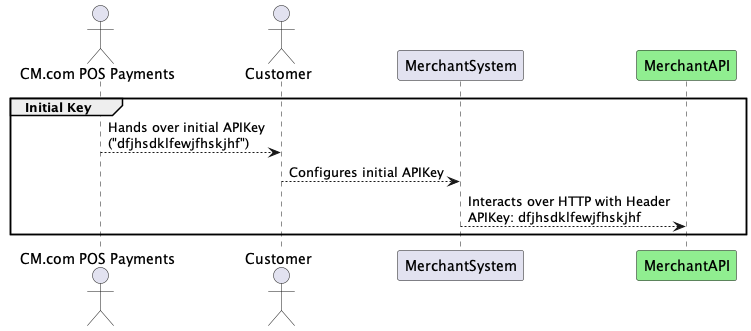
Interaction with the APIKey-endpoint is protected with an APIKey itself. In order to get access initially CM.com POS Payments will generate a first APIKey and transfer that securely to the Customer.
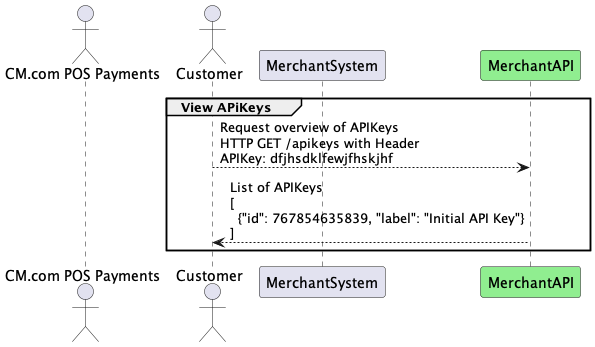
Customers will be able to see an overview of their current APIKeys.
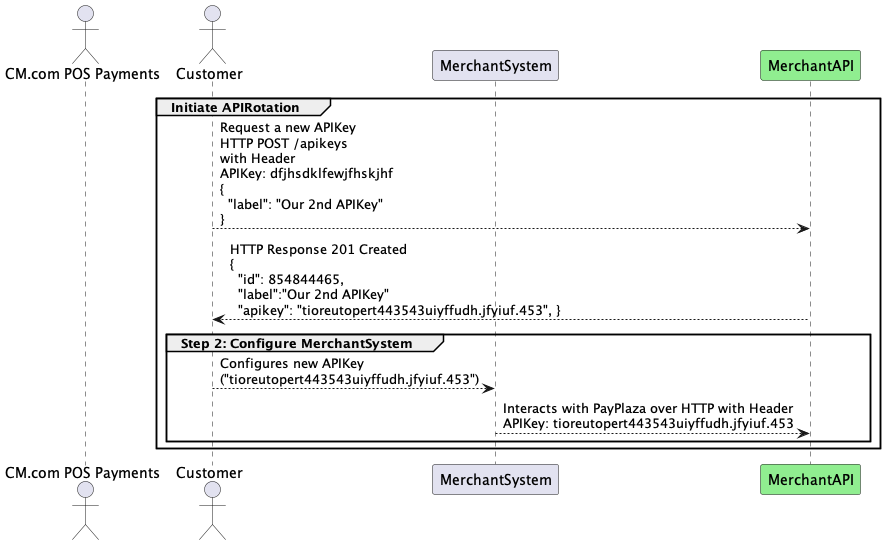
Starting APIKey Rotation
The process can be done completely by the Customer themselves without assistance of CM.com POS Payments employees and this can be done as follows:
-
Customer generates a new APIKey
-
Customer updates their MerchantSystem to use the new APIKey
-
Customer revokes access on the old APIKey
Example JSON Body for a request for a new APIKey
{
  "label": "2022 2nd half"                  // REQUIRED
  "validity" : {                            // OPTIONAL
    "from" : "2022-07-01T00:00:00+00:00",
    "until": "2023-01-01T00:00:00+00:00"
  }
Example JSON Response to a request for a new APIKey
{
  "id": 854844465,
  "label":"Our 2nd APIKey",
  "apikey": "tioreutopert443543uiyffudh.jfyiuf.453"
}
Rules
-
Customers MUST provide a
Labelfor the new APIKey. -
APIKeys MAY be used indefinitely.
-
APIKeys CAN be created with a validity period, which will cause an APIKey to expire after certain period.
-
The actual APIKey will be shown only ONCE in the reply. The overview will not contain the actual key.
After an additional key has been generated, the overview will show all valid keys.
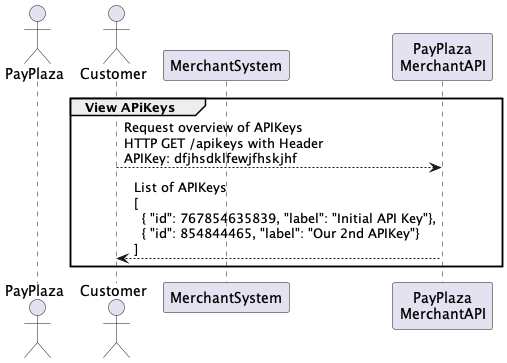
Example JSON Response to a request for an overview of APIKeys
[
  {
    "id": 767854635839,                         // REQUIRED
    "label": "Initial API Key",                 // REQUIRED
    "lastUsage": "2022-05-06T11:53:46+02:00"    // OPTIONAL
  },
  {
    "id": 854844465,                            // REQUIRED
    "label": "2022 2nd half",                   // REQUIRED
    "validity" : {                              // OPTIONAL
      "from": "2022-07-01T00:00:00+00:00",
      "until": "2023-01-01T00:00:00+00:00"
    }
  }
]
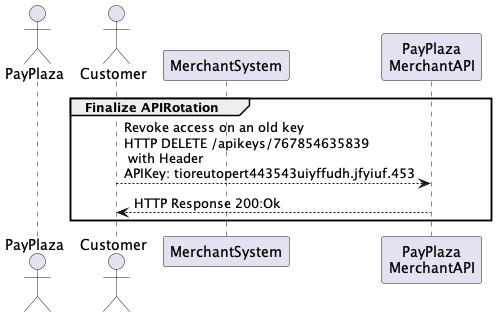
Rules
-
A customer can NOT revoke access to their last APIkey
-
A customer can NOT revoke access on the APIKey they are using for the request to revoke a key