Location messages
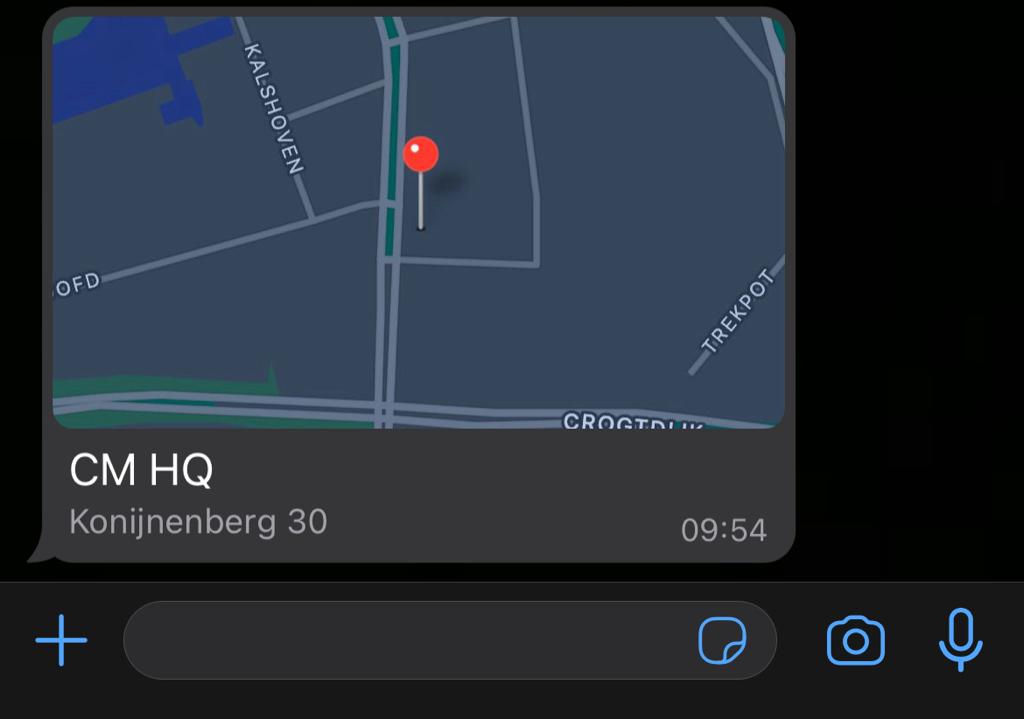
A location message shows a map pin in the conversation, with an optional label and address. Users can tap the pin to open the location in their maps app.
To ask a user to share their location with you, use a location request message. To receive locations from users, see WhatsApp inbound.
Location object
Add a location item to richContent.conversation.
| Field | Type | Required | Description |
|---|---|---|---|
latitude | string | Yes | Latitude in decimal degrees, for example 51.603802. |
longitude | string | Yes | Longitude in decimal degrees, for example 4.770821. |
label | string | No | Name shown at the pin, for example a store name. |
searchQuery | string | No | Address shown below the label. |
Example
Location message
{
  "messages": {
    "authentication": {
      "productToken": "YOUR_PRODUCT_TOKEN"
    },
    "msg": [
      {
        "from": "00316098765432",
        "to": [
          { "number": "00316012345678" }
        ],
        "body": {
          "type": "auto",
          "content": "Fallback text"
        },
        "allowedChannels": ["WhatsApp"],
        "richContent": {
          "conversation": [
            {
              "location": {
                "latitude": "51.603802",
                "longitude": "4.770821",
                "label": "CM HQ",
                "searchQuery": "Konijnenberg 30, 4825 BD Breda"
              }
            }
          ]
        }
      }
    ]
  }
}