Interactive messages
Interactive messages give users structured ways to respond: picking from a list, tapping a button or completing a form. They can only be sent within the customer service window. To send interactive content outside the window, use an interactive template.
| Type | interactive.type | Use it to… |
|---|---|---|
| List message | list | Let the user choose from a menu of up to 10 options. |
| Reply button message | button | Offer up to 3 quick replies. |
| CTA URL button message | button | Show a single button that opens a URL, instead of a long raw link. |
| Location request message | location_request_message | Ask the user to share their location. |
| Flows message | flow | Open a WhatsApp Flow: forms and multi-screen journeys. |
| Call permission request | call_permission_request | Ask the user for permission to call them on WhatsApp. |
| Media carousel message | carousel | Show 2–10 horizontally scrollable cards with media and buttons. |
To ask a user for their phone number, see Request phone number from users. For product-related interactive messages, see Catalogue & Product messages.
The user's response is delivered to your MO webhook. See Interactive responses.
Message structure
Add an interactive item to richContent.conversation. Most interactive types share the following structure:
| Field | Description |
|---|---|
type | The interactive type. See the table above. |
header | Optional header. Supported header types depend on the interactive type. |
body.text | Message text. |
footer.text | Optional footer text. |
action | The interactive element: list sections, buttons or other parameters, depending on the type. |
Header types
| Interactive type | Supported header types |
|---|---|
| List message | text (max. 60 characters) |
| Reply buttons | text, image, video, document |
| CTA URL button | text, image, video, document |
| Flows message | text |
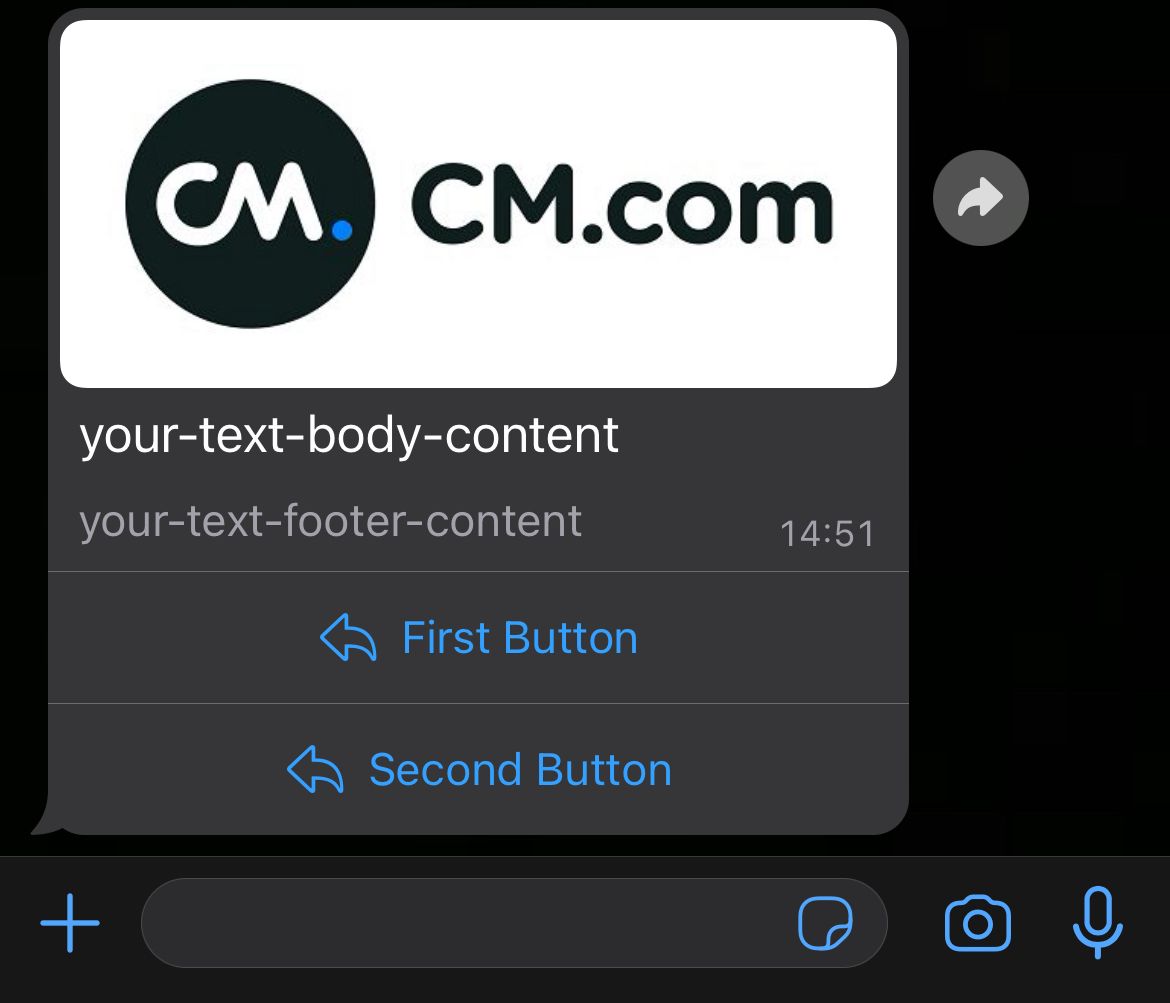
For a media header, set header.type to the media type and add a media object (mediaName, mediaUri, mimeType). Audio headers are not supported.
Complete request
The examples on this page show the interactive item only. Place it in a request as follows:
{
  "messages": {
    "authentication": {
      "productToken": "YOUR_PRODUCT_TOKEN"
    },
    "msg": [
      {
        "from": "00316098765432",
        "to": [
          { "number": "00316012345678" }
        ],
        "body": {
          "type": "auto",
          "content": "Fallback text"
        },
        "allowedChannels": ["WhatsApp"],
        "richContent": {
          "conversation": [
            {
              "interactive": {
                "type": "button",
                "body": {
                  "text": "Would you like to receive order updates on WhatsApp?"
                },
                "action": {
                  "buttons": [
                    { "type": "reply", "reply": { "id": "updates-yes", "title": "Yes, please" } },
                    { "type": "reply", "reply": { "id": "updates-no", "title": "No, thanks" } }
                  ]
                }
              }
            }
          ]
        }
      }
    ]
  }
}
List message
A list message shows a button that opens a menu. The user selects one row.
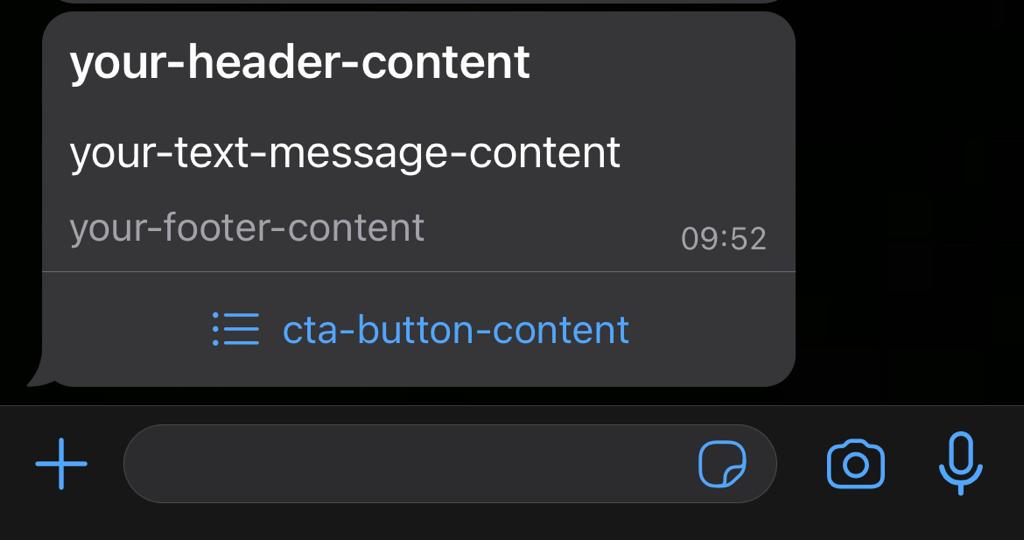
| Field | Required | Limit | Description |
|---|---|---|---|
header.text | No | 60 characters | Header text. Only text headers are supported. |
body.text | Yes | Message text. | |
footer.text | No | Footer text. | |
action.button | Yes | Label of the button that opens the list. | |
action.sections[].title | Yes | 24 characters | Section title. |
action.sections[].rows[].id | Yes | 200 characters | Unique row ID. Returned in the user's reply. |
action.sections[].rows[].title | Yes | 24 characters | Row title. |
action.sections[].rows[].description | No | 72 characters | Row description. |
A list can contain up to 10 rows in total.
{
  "interactive": {
    "type": "list",
    "header": {
      "type": "text",
      "text": "Our opening hours"
    },
    "body": {
      "text": "Which store would you like to visit?"
    },
    "footer": {
      "text": "CM.com"
    },
    "action": {
      "button": "Choose a store",
      "sections": [
        {
          "title": "North Brabant",
          "rows": [
            { "id": "store-breda", "title": "Breda", "description": "Konijnenberg 30" }
          ]
        },
        {
          "title": "North Holland",
          "rows": [
            { "id": "store-amsterdam", "title": "Amsterdam", "description": "City centre" }
          ]
        }
      ]
    }
  }
}
Reply button message
A reply button message shows up to 3 buttons. When the user taps a button, its id is returned in the reply.
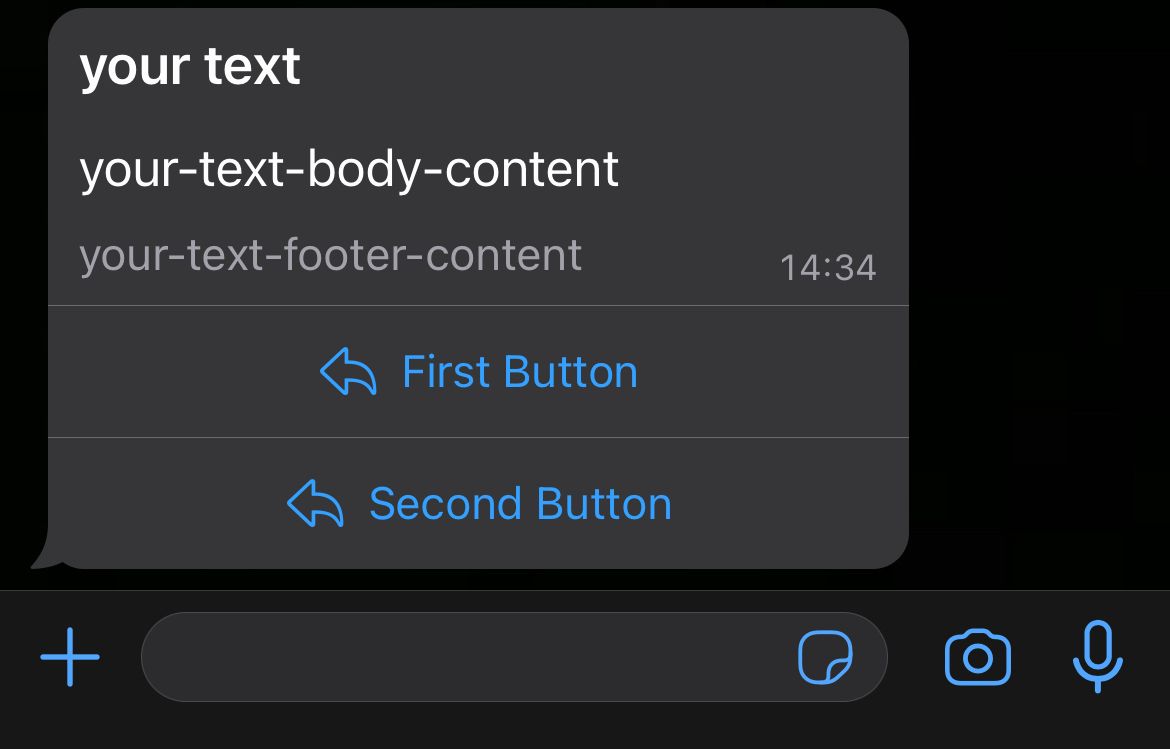
| Field | Required | Limit | Description |
|---|---|---|---|
header | No | text, image, video or document header. | |
body.text | Yes | Message text. | |
footer.text | No | Footer text. | |
action.buttons[].type | Yes | reply | |
action.buttons[].reply.id | Yes | 256 characters | Unique button ID. Returned in the user's reply. |
action.buttons[].reply.title | Yes | 20 characters | Button label. Must be unique within the message. No emoji or Markdown. |
{
  "interactive": {
    "type": "button",
    "header": {
      "type": "text",
      "text": "Delivery update"
    },
    "body": {
      "text": "Your parcel is ready for delivery. When would you like to receive it?"
    },
    "footer": {
      "text": "Reply within 24 hours"
    },
    "action": {
      "buttons": [
        { "type": "reply", "reply": { "id": "delivery-today", "title": "Today" } },
        { "type": "reply", "reply": { "id": "delivery-tomorrow", "title": "Tomorrow" } }
      ]
    }
  }
}
{
  "interactive": {
    "type": "button",
    "header": {
      "type": "image",
      "media": {
        "mediaName": "CM.com - Be part of it.",
        "mediaUri": "https://www.cm.com/cdn/web/blog/content/logo-cmcom.png",
        "mimeType": "image/png"
      }
    },
    "body": {
      "text": "Your parcel is ready for delivery. When would you like to receive it?"
    },
    "action": {
      "buttons": [
        { "type": "reply", "reply": { "id": "delivery-today", "title": "Today" } },
        { "type": "reply", "reply": { "id": "delivery-tomorrow", "title": "Tomorrow" } }
      ]
    }
  }
}
CTA URL button message
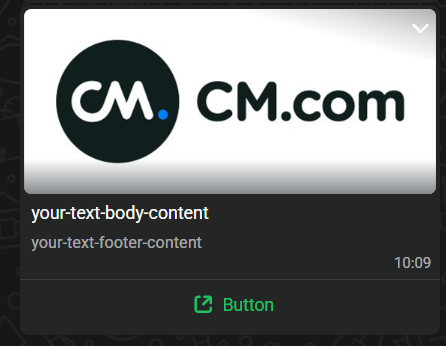
A call-to-action (CTA) URL button message shows a single button that opens a URL. Use it instead of a raw link, which users may be hesitant to tap.
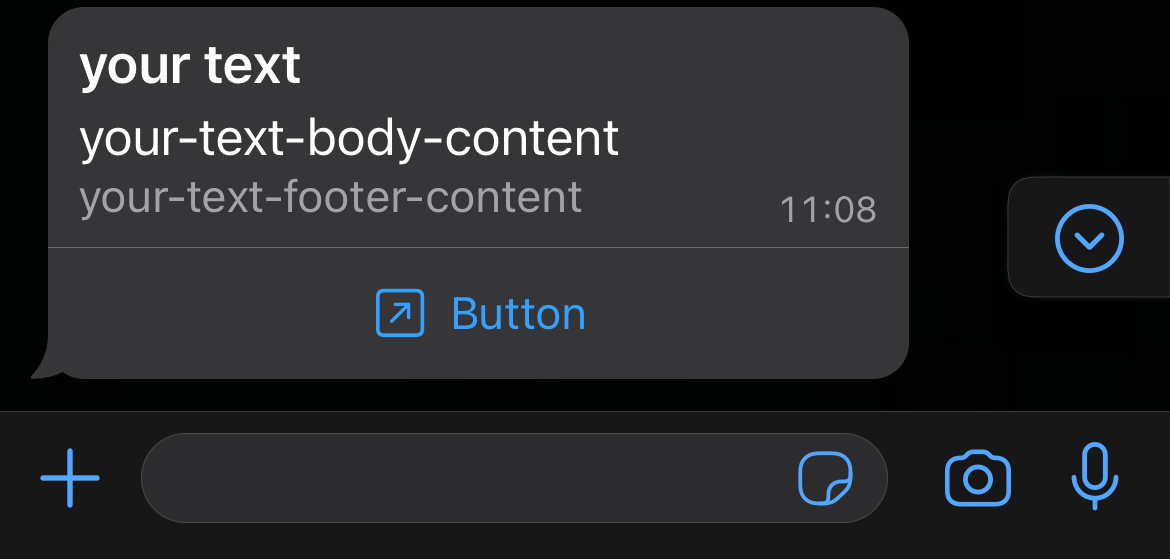
| Field | Required | Description |
|---|---|---|
header | No | text, image, video or document header. |
body.text | Yes | Message text. |
footer.text | No | Footer text. |
action.buttons[].type | Yes | openurl |
action.buttons[].id | Yes | Unique button ID. |
action.buttons[].title | Yes | Button label. |
action.buttons[].url | Yes | URL opened when the user taps the button. |
WhatsApp supports one URL button per message. If you supply more than one, only the first is sent.
{
  "interactive": {
    "type": "button",
    "header": {
      "type": "text",
      "text": "Your invoice"
    },
    "body": {
      "text": "Your invoice for October is ready."
    },
    "footer": {
      "text": "CM.com"
    },
    "action": {
      "buttons": [
        {
          "type": "openurl",
          "id": "view-invoice",
          "title": "View invoice",
          "url": "https://www.example.com/invoices/2026-10"
        }
      ]
    }
  }
}
{
  "interactive": {
    "type": "button",
    "header": {
      "type": "image",
      "media": {
        "mediaName": "Invoice",
        "mediaUri": "https://www.example.com/images/invoice.png",
        "mimeType": "image/png"
      }
    },
    "body": {
      "text": "Your invoice for October is ready."
    },
    "action": {
      "buttons": [
        {
          "type": "openurl",
          "id": "view-invoice",
          "title": "View invoice",
          "url": "https://www.example.com/invoices/2026-10"
        }
      ]
    }
  }
}
Location request message
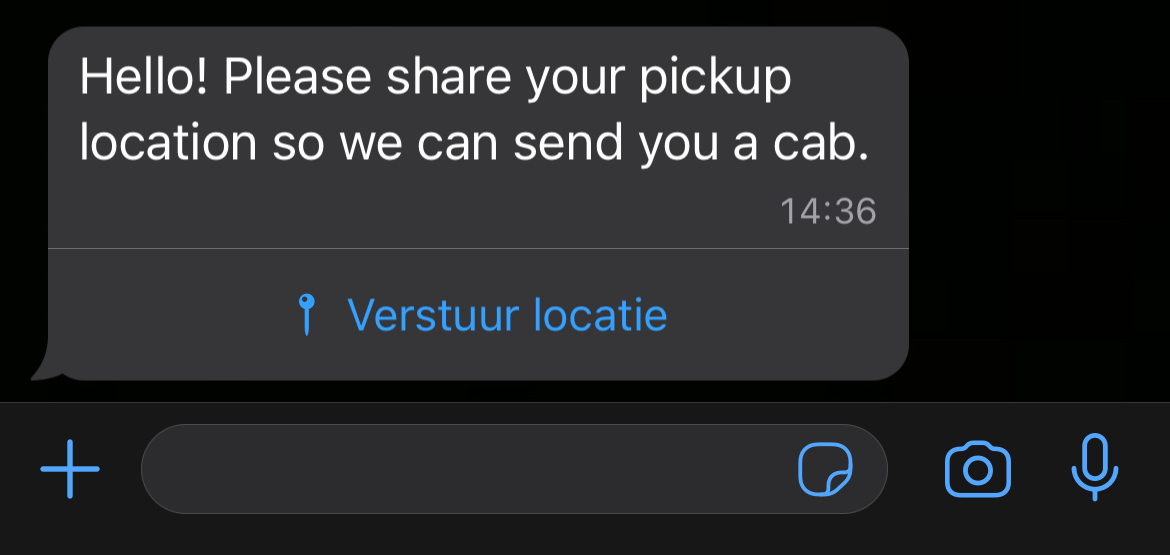
A location request message contains a Send location button. When the user taps it, WhatsApp opens a screen where they can share their location. The location is delivered to your MO webhook as a location message.
| Field | Required | Description |
|---|---|---|
body.text | Yes | Message text. |
action.name | Yes | send_location |
{
  "interactive": {
    "type": "location_request_message",
    "body": {
      "text": "Hello! Please share your pickup location so we can send you a cab."
    },
    "action": {
      "name": "send_location"
    }
  }
}
Flows message
A Flows message opens a WhatsApp Flow: a form or multi-screen journey you have built in WhatsApp Manager. The data the user submits is delivered to your MO webhook as a Flows reply.
| Field | Required | Description |
|---|---|---|
header | No | text header. |
body.text | Yes | Message text. |
footer.text | No | Footer text. |
action.name | Yes | flow |
action.parameters.flow_message_version | Yes | Must be 3. |
action.parameters.flow_id | Yes* | ID of the Flow. *Provide either flow_id or flow_name, not both. |
action.parameters.flow_name | Yes* | Name of the Flow. *Provide either flow_id or flow_name, not both. |
action.parameters.flow_token | No | Your own token. It is returned in the Flows reply so you can correlate the response. |
action.parameters.flow_cta | Yes | Label of the button that opens the Flow. |
action.parameters.flow_action | No | navigate or data_exchange. |
action.parameters.flow_action_payload | No | For navigate: the first screen to show and optional initial data. |
{
  "interactive": {
    "type": "flow",
    "header": {
      "type": "text",
      "text": "Book an appointment"
    },
    "body": {
      "text": "Choose a date and time that suits you."
    },
    "footer": {
      "text": "CM.com"
    },
    "action": {
      "name": "flow",
      "parameters": {
        "flow_message_version": "3",
        "flow_id": "your-flow-id",
        "flow_token": "your-flow-token",
        "flow_cta": "Book now",
        "flow_action": "navigate",
        "flow_action_payload": {
          "screen": "YOUR_FIRST_SCREEN_ID",
          "data": {
            "optional-field": "optional-value"
          }
        }
      }
    }
  }
}
Call permission request message
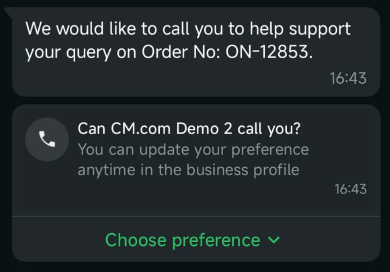
Before you can call a WhatsApp user, you need their explicit permission. A call permission request asks the user to grant it, either temporarily or permanently. Only the user can grant or revoke permission. The user's response is delivered to your MO webhook as a call permission reply.
To request permission outside the customer service window, use a call permission request template.
Limits
| Limit | Value |
|---|---|
| Temporary permission | Valid for 7 days (168 hours). |
| Permanent permission | Does not expire, but the user can revoke it. |
| Permission requests | Max. 1 per 24 hours and 2 per 7 days per user. Both limits reset after any connected call. |
| Connected calls | Max. 100 per business phone number per 24 hours. |
| Unanswered calls | After 2 consecutive unanswered calls, the user is asked to reconsider the permission. After 4, the permission is revoked automatically. |
Fields
| Field | Required | Description |
|---|---|---|
header | No | Header. |
body.text | No | Message text. Strongly recommended, so the user understands why you want to call. |
footer.text | No | Footer text. |
action.name | Yes | call_permission_request |
{
  "interactive": {
    "type": "call_permission_request",
    "body": {
      "text": "Our support team would like to call you about your recent request. Do you allow us to call you on WhatsApp?"
    },
    "action": {
      "name": "call_permission_request"
    }
  }
}
You can send this message to a phone number or to a Business-scoped User ID, only to[].number changes.
Media carousel message
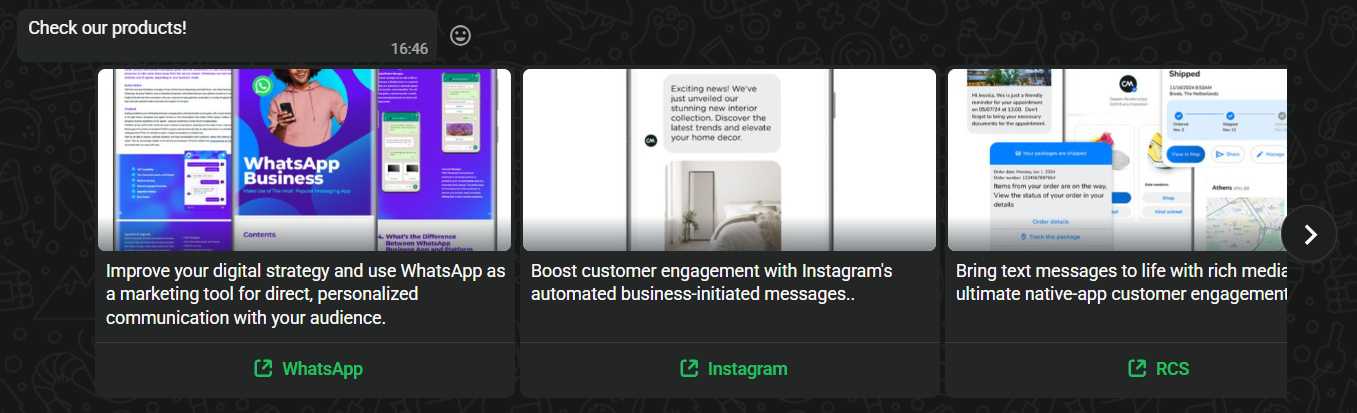
A media carousel shows 2–10 horizontally scrollable cards. Each card has an image or video header, optional body text and buttons.
Rules
- The message must contain between 2 and 10 cards.
- The message-level
body.textis required. Message-level headers and footers are not supported. - Each card must have an
imageorvideoheader. Other header types are not supported. - Card body text is optional.
- Each card has either one CTA URL button or one or more quick-reply buttons. The button type and number of buttons must be the same on every card. For example, if one card has 2 quick-reply buttons, every card must have exactly 2.
Fields
| Field | Required | Description |
|---|---|---|
body.text | Yes | Message text, shown above the cards. |
action.cards[].card_index | Yes | Position of the card, starting at 0. |
action.cards[].type | Yes | Card type, for example cta_url. |
action.cards[].header.type | Yes | image or video. |
action.cards[].header.image.link | Yes | Public URL of the image (or header.video.link for video). |
action.cards[].body.text | No | Card text. |
action.cards[].action.name | Yes | cta_url for a URL button. |
action.cards[].action.parameters.display_text | Yes | Button label. |
action.cards[].action.parameters.url | Yes | URL opened when the user taps the button. |
{
  "interactive": {
    "type": "carousel",
    "body": {
      "text": "Check out our channels!"
    },
    "action": {
      "cards": [
        {
          "card_index": 0,
          "type": "cta_url",
          "header": {
            "type": "image",
            "image": {
              "link": "https://www.cm.com/cdn/web/en/download-whatsapp-business-guide-new.png"
            }
          },
          "body": {
            "text": "Use WhatsApp for direct, personalised communication with your audience."
          },
          "action": {
            "name": "cta_url",
            "parameters": {
              "display_text": "WhatsApp",
              "url": "https://www.cm.com/whatsapp/"
            }
          }
        },
        {
          "card_index": 1,
          "type": "cta_url",
          "header": {
            "type": "image",
            "image": {
              "link": "https://www.cm.com/cdn/web/en/instagram-newsletters-announcements.jpg"
            }
          },
          "body": {
            "text": "Boost customer engagement with Instagram's automated business-initiated messages."
          },
          "action": {
            "name": "cta_url",
            "parameters": {
              "display_text": "Instagram",
              "url": "https://www.cm.com/instagram-messaging/"
            }
          }
        },
        {
          "card_index": 2,
          "type": "cta_url",
          "header": {
            "type": "image",
            "image": {
              "link": "https://www.cm.com/cdn/web/en/rcs-features.png"
            }
          },
          "body": {
            "text": "Bring text messages to life with rich media."
          },
          "action": {
            "name": "cta_url",
            "parameters": {
              "display_text": "RCS",
              "url": "https://www.cm.com/rcs/"
            }
          }
        }
      ]
    }
  }
}