Adding Messaging Channels
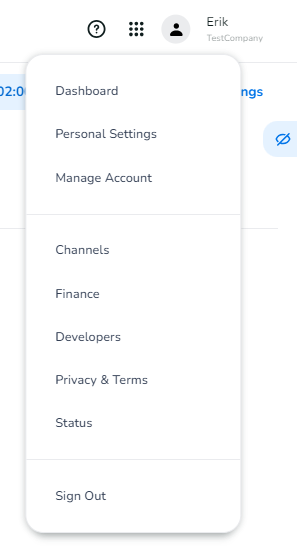
In the dashboard, you can click on your avatar for a drop-down menu. You'll find "Channels" as an option in this menu. You can also use the "My Channels" link in the main dashboard. Channels allows you to add and configure messaging channels. There is even an API that allows you to do some of the configuration programmatically.
The complexity of adding a channel depends a great deal on the channel itself. For some channels, you'll need to provide a lot of information. Sometimes you will need to wait for approval from the channel supplier, for others just providing an e-mail address or a phone number is enough.
Some of the more complex channels require us to do some preliminary work for you before you can use them. Each channel has detailed instructions on the onboarding process, and you can always reach out to our sales or support colleagues for help.
The Channels dashboard also allows you to configure a webhook per profile, number or account. Incoming messages will get forwarded to the configured webhooks, to allow you to process the incoming messages for your configured channels.
Similar to the webhook for incoming messages, there is also an option to configure a webhook for Delivery Status Reports. For some channels, you can even configure a webhook to receive events, like a post mention for Instagram.