Delivery Setup - Shopify
This guide explains what you, as the customer, need to provide to enable the integration between Shopify and product feed.
-
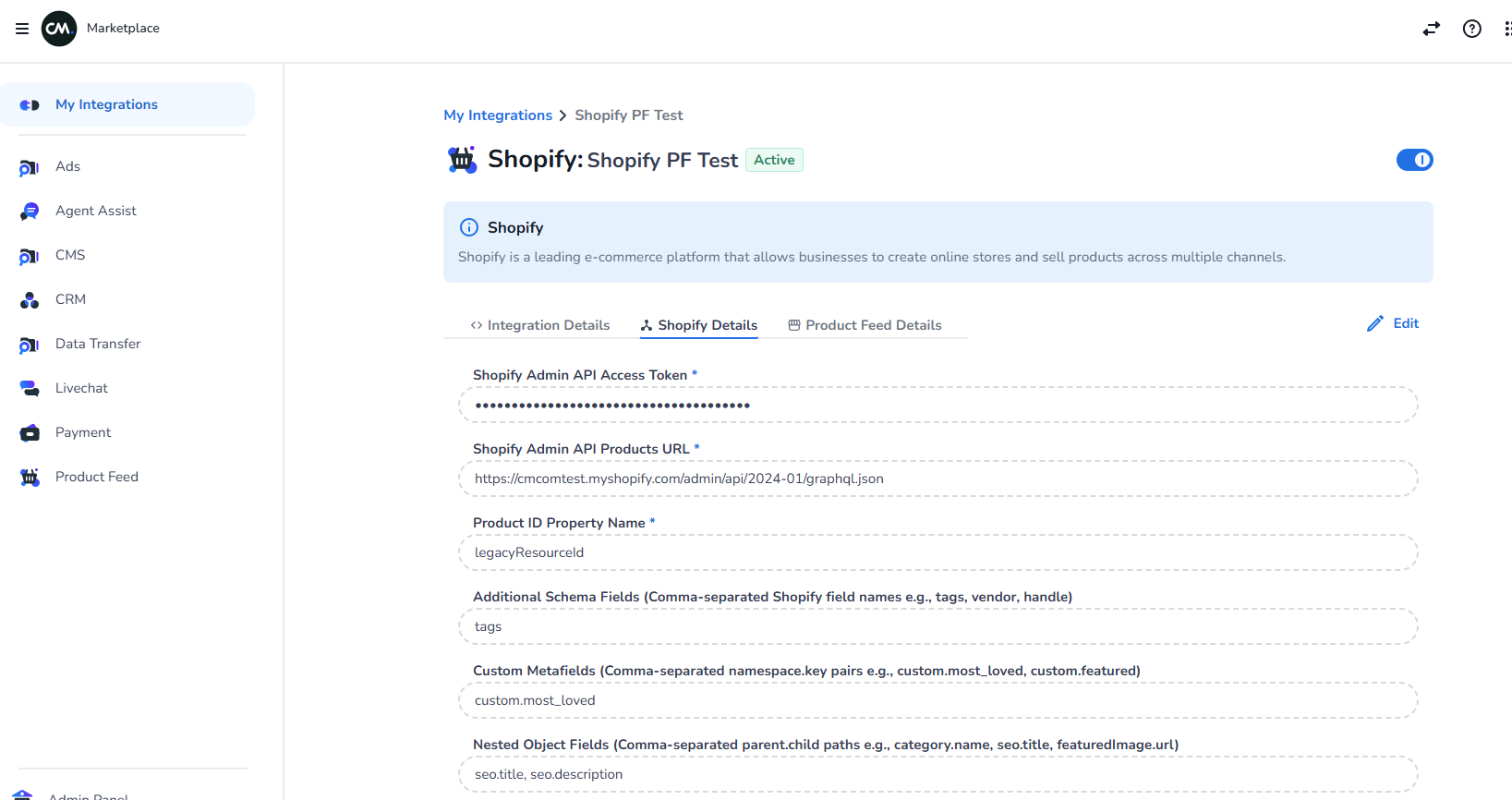
Details under ShopifyDetails
-
Feed URL — Enter the Shopify Admin API products endpoint in the format:
https://{store}.myshopify.com/admin/api/2026-04/graphql.json
Replace {store} with the customer's Shopify subdomain.
2. Access Token — Enter the Admin API Access Token provided by the customer (starts with shpat_).
3. Product ID Property Name — Enter the field name used as the unique product identifier. Typically id or legacyResourceId.
4. Additional Schema Fields — Enter comma-separated nested field paths in parent.child format. Typically category.name, seo.title, seo.description.
5. Custom Metafields — Enter comma-separated metafield paths in namespace.key format. Typically custom.most_loved, custom.featured.
6. Nested Object Fields — Enter comma-separated nested field paths in parent.child format. Typically category.name, seo.title, seo.description.
This is case sensitive.
How to identify which field belongs to which category
Before configuring the fields above, use the following GraphQL introspection queries to discover the available fields on the customer's store.
Get product-level fields — use the results for Additional Schema Fields and Nested Object Fields:
curl --location 'https://{store}.myshopify.com/admin/api/2026-04/graphql.json' \
--header 'X-Shopify-Access-Token: shpat_your_access_token' \
--header 'Content-Type: application/json' \
--data '{"query":"{ __type(name: \"Product\") { fields { name } } }","variables":{}}'
Get product variant-level fields — variant fields (e.g. barcode, weight) also go under Additional Schema Fields:
curl --location 'https://{store}.myshopify.com/admin/api/2026-04/graphql.json' \
--header 'X-Shopify-Access-Token: shpat_your_access_token' \
--header 'Content-Type: application/json' \
--data '{"query":"{ __type(name: \"ProductVariant\") { fields { name } } }","variables":{}}'
Get metafield namespaces and keys — use the results for Custom Metafields in namespace.key format:
curl --location 'https://{store}.myshopify.com/admin/api/2026-04/graphql.json' \
--header 'X-Shopify-Access-Token: shpat_your_access_token' \
--header 'Content-Type: application/json' \
--data '{"query":"{ products(first: 5) { edges { node { title metafields(first: 50) { edges { node { namespace key } } } } } } }","variables":{}}'
For metafields, configure as namespace.key — for example if the response returns namespace: "custom" and key: "most_loved", enter custom.most_loved.
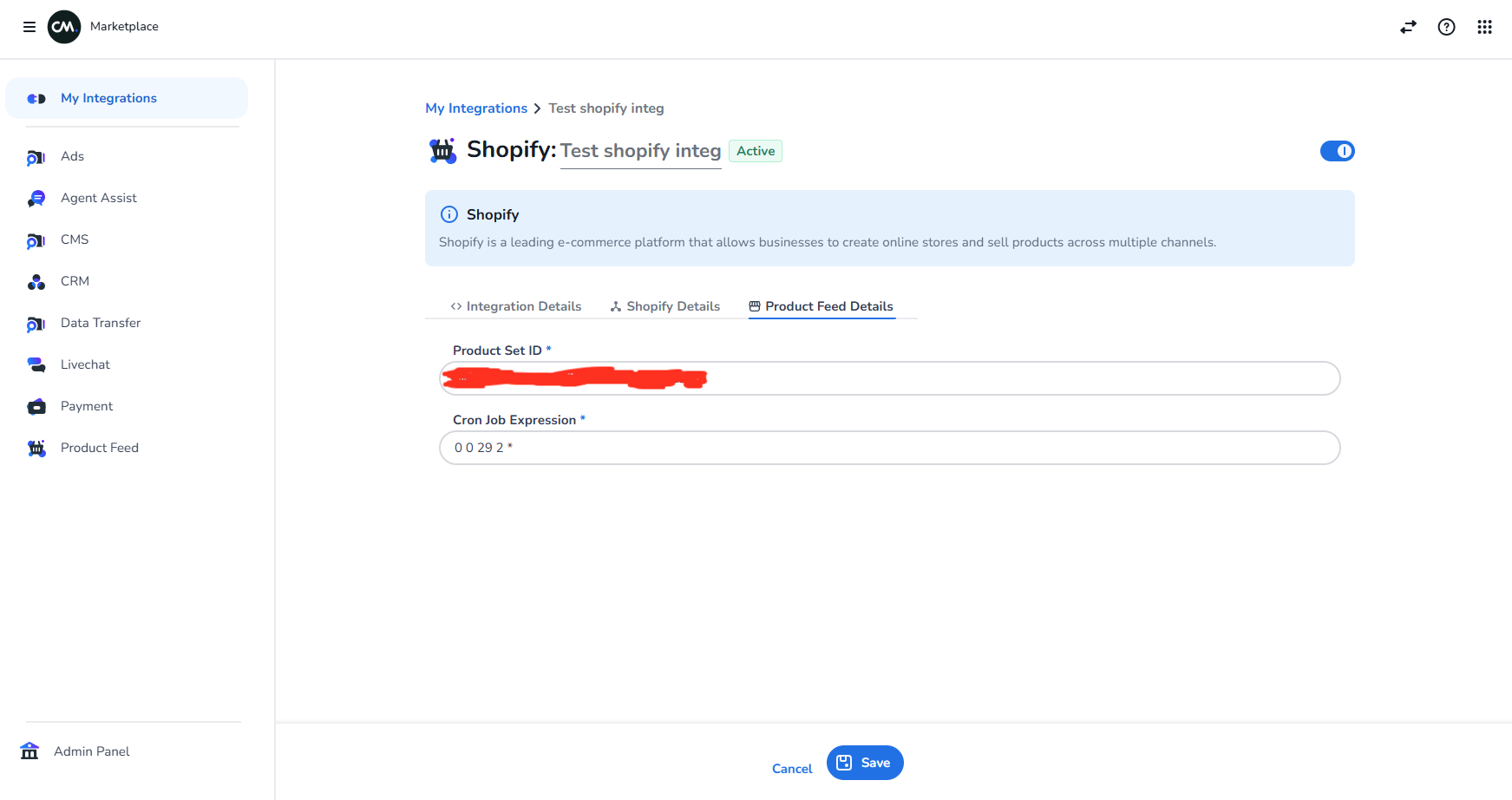
2. Details under Product Feed Details
- Create a new Product Set in CM Product Feed.
- In Product Set ID, enter the Product Set ID which is created on CM Product Feed.
It must be a GUID.
You can't edit Product Set ID once the integration is created.
-
Enter the CRON job.
-
Click Save.