Customer Setup - Shopify
This guide explains the steps you, as the customer, need to take in your Shopify Admin to enable the integration with CM Product Feed.
1. Create a Custom App in Shopify
-
Log in to your Shopify Admin (
https://{your-store}.myshopify.com/admin)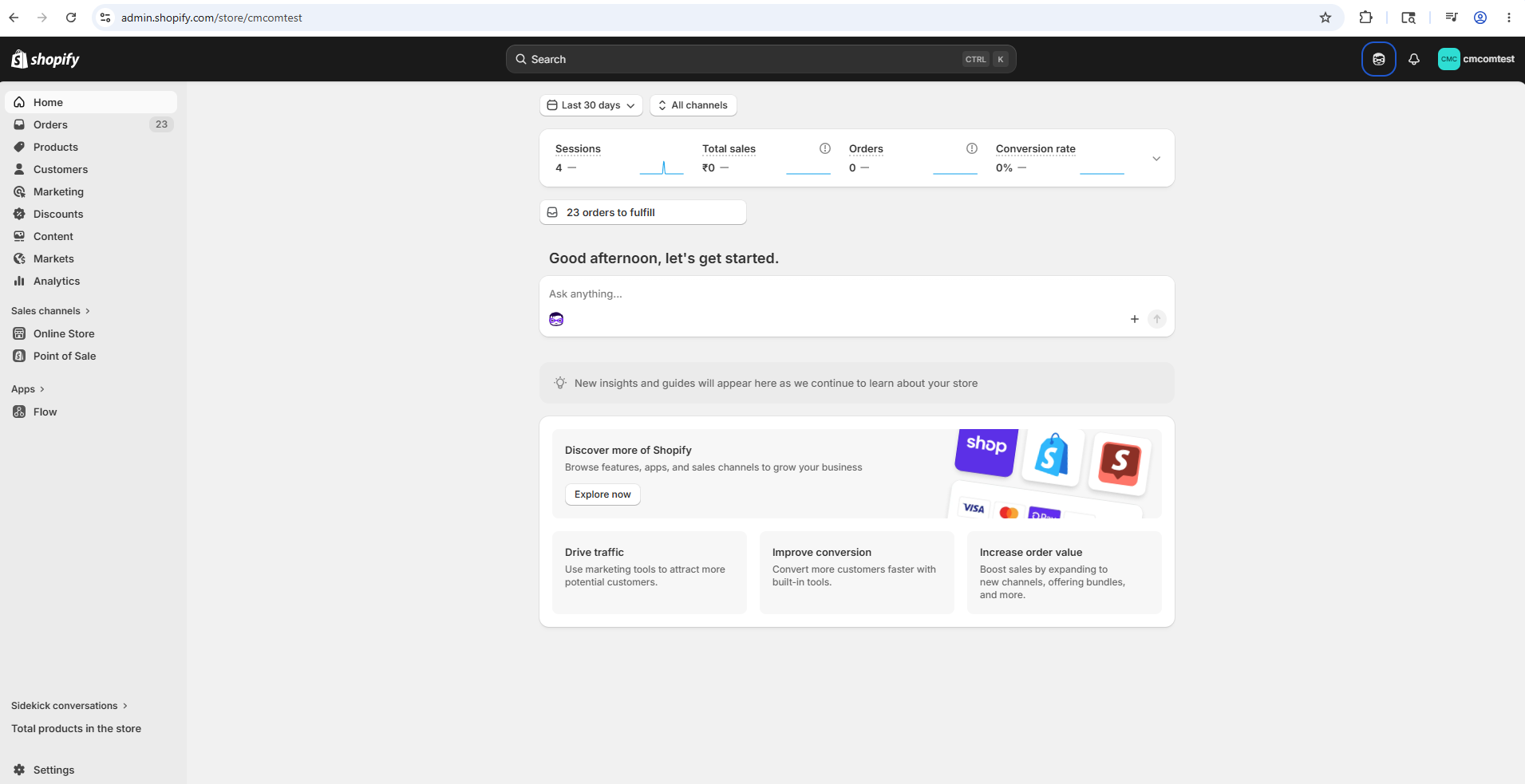
-
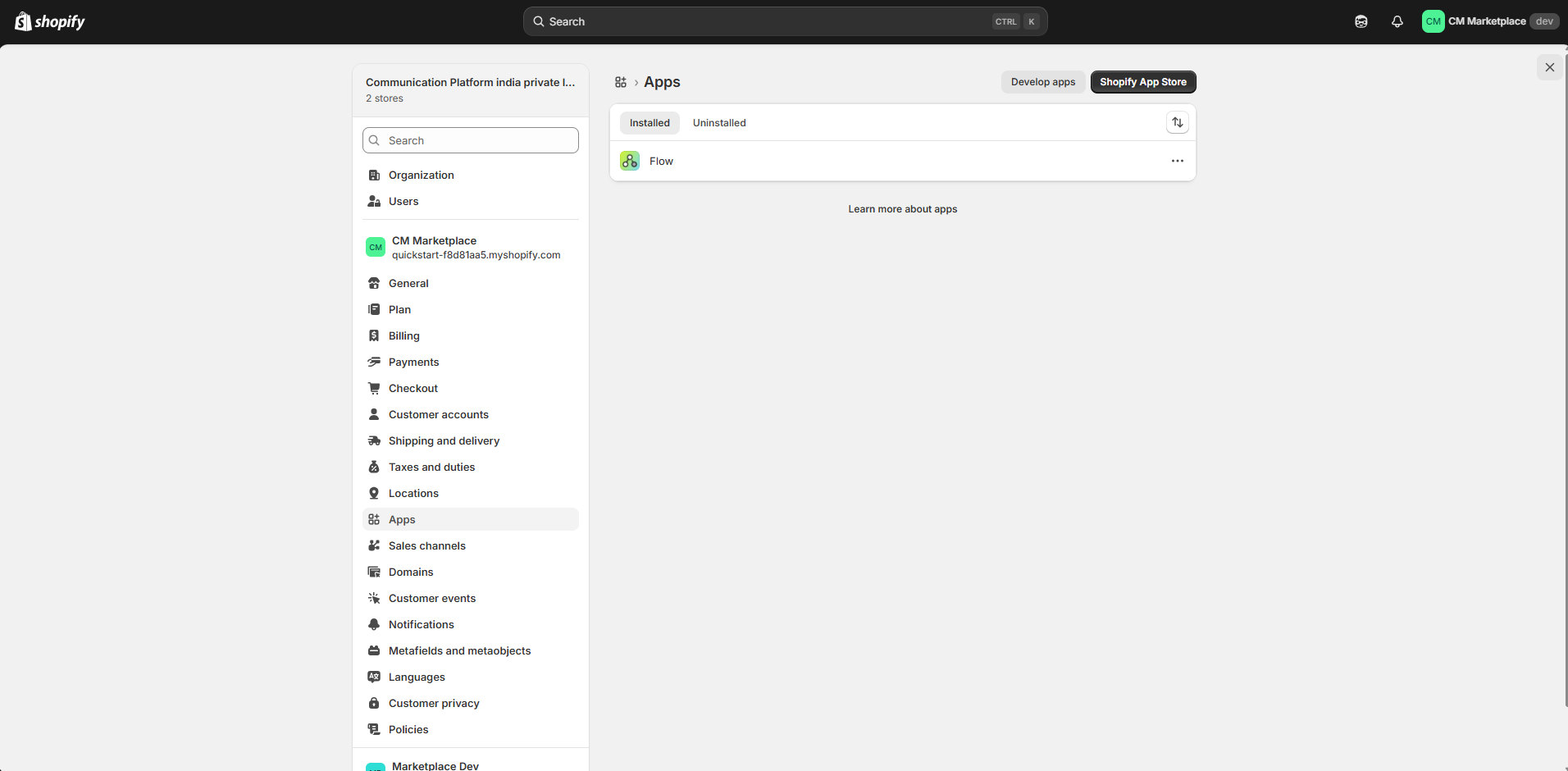
Go to Settings → Apps
-
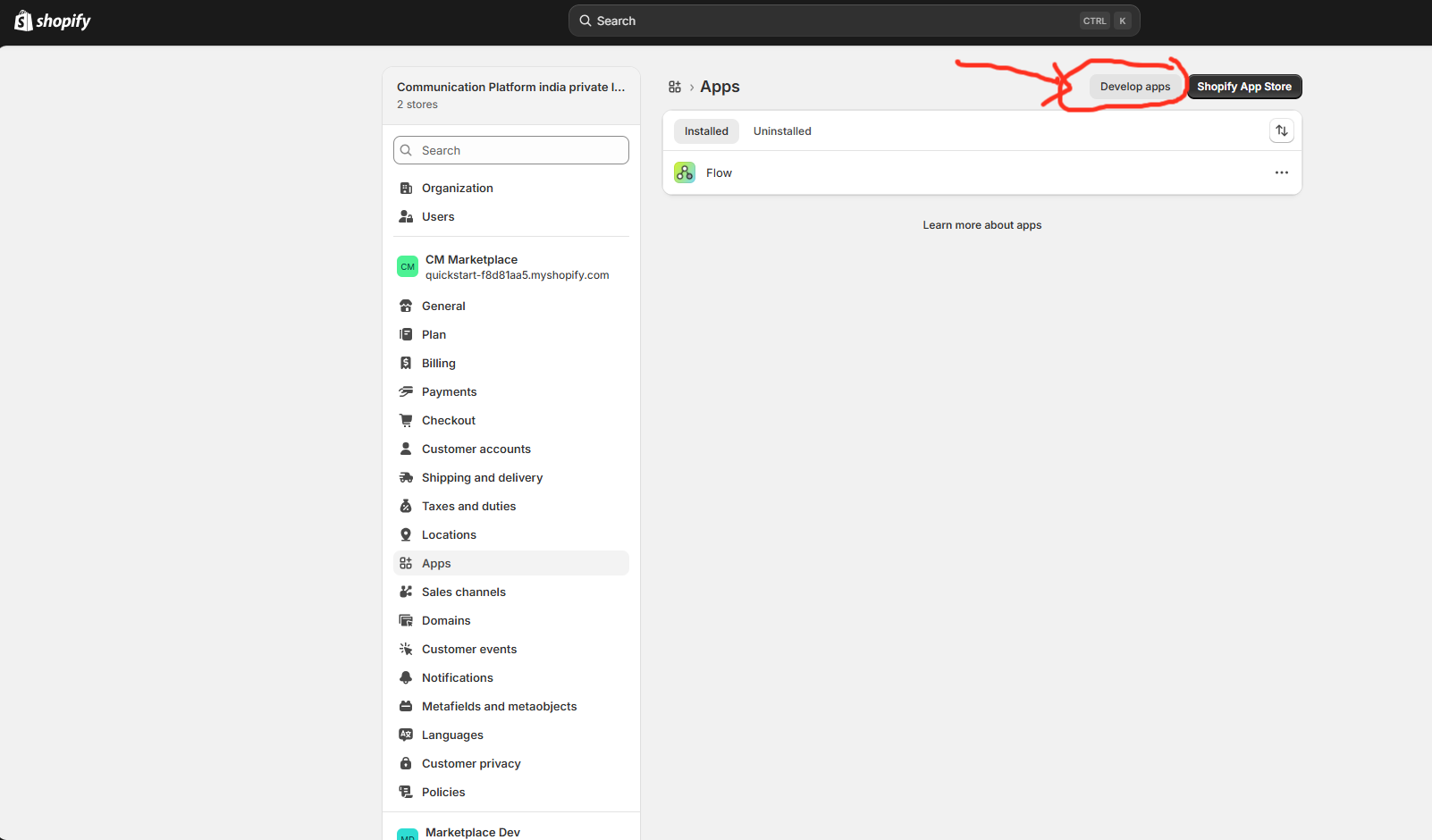
Click Develop apps (top right)
-
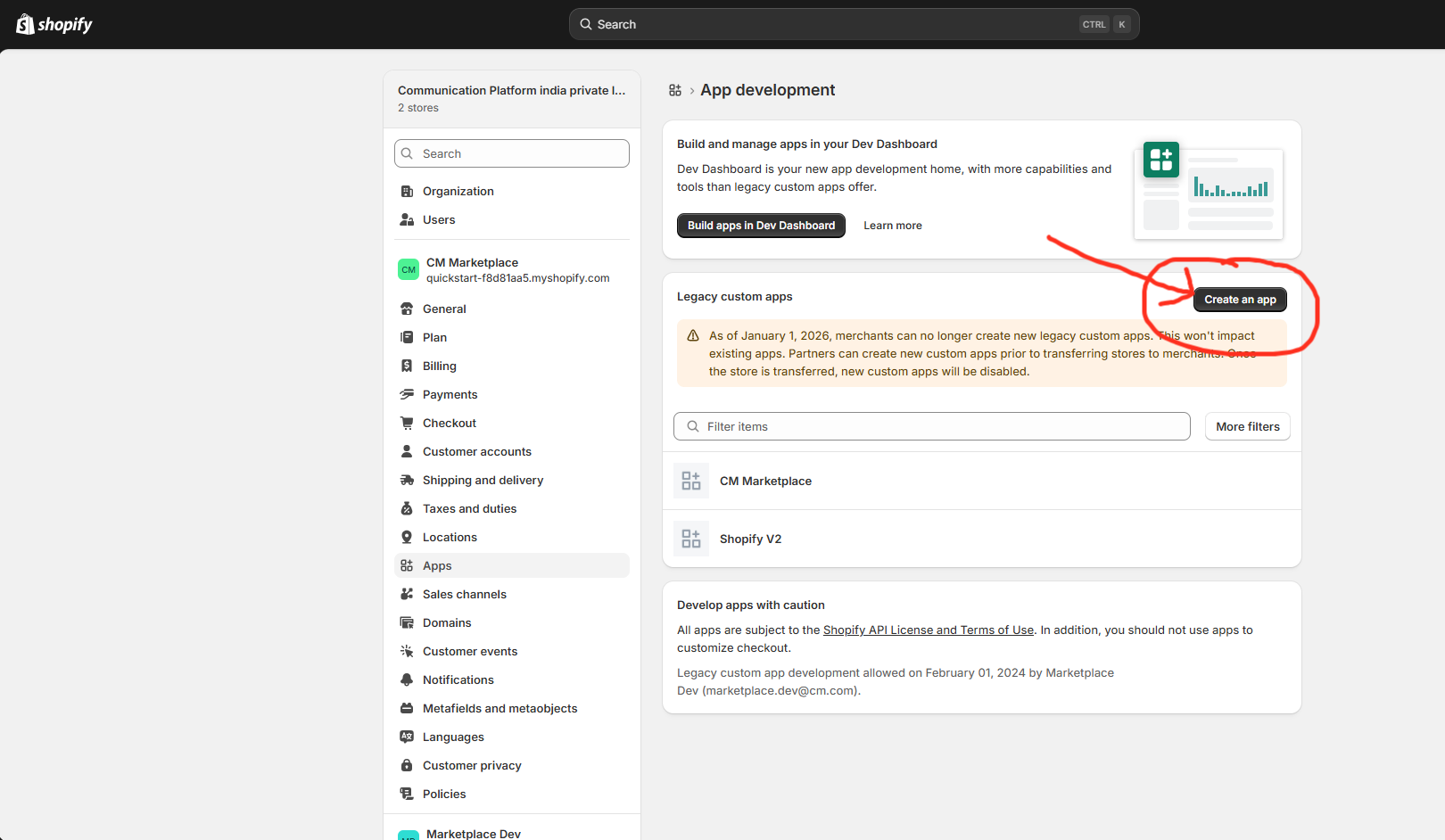
Click Allow custom app development if prompted
-
Click Create an app
-
Enter an app name (e.g.
CM Marketplace Product Feed), select appropriate App Developer email click Create app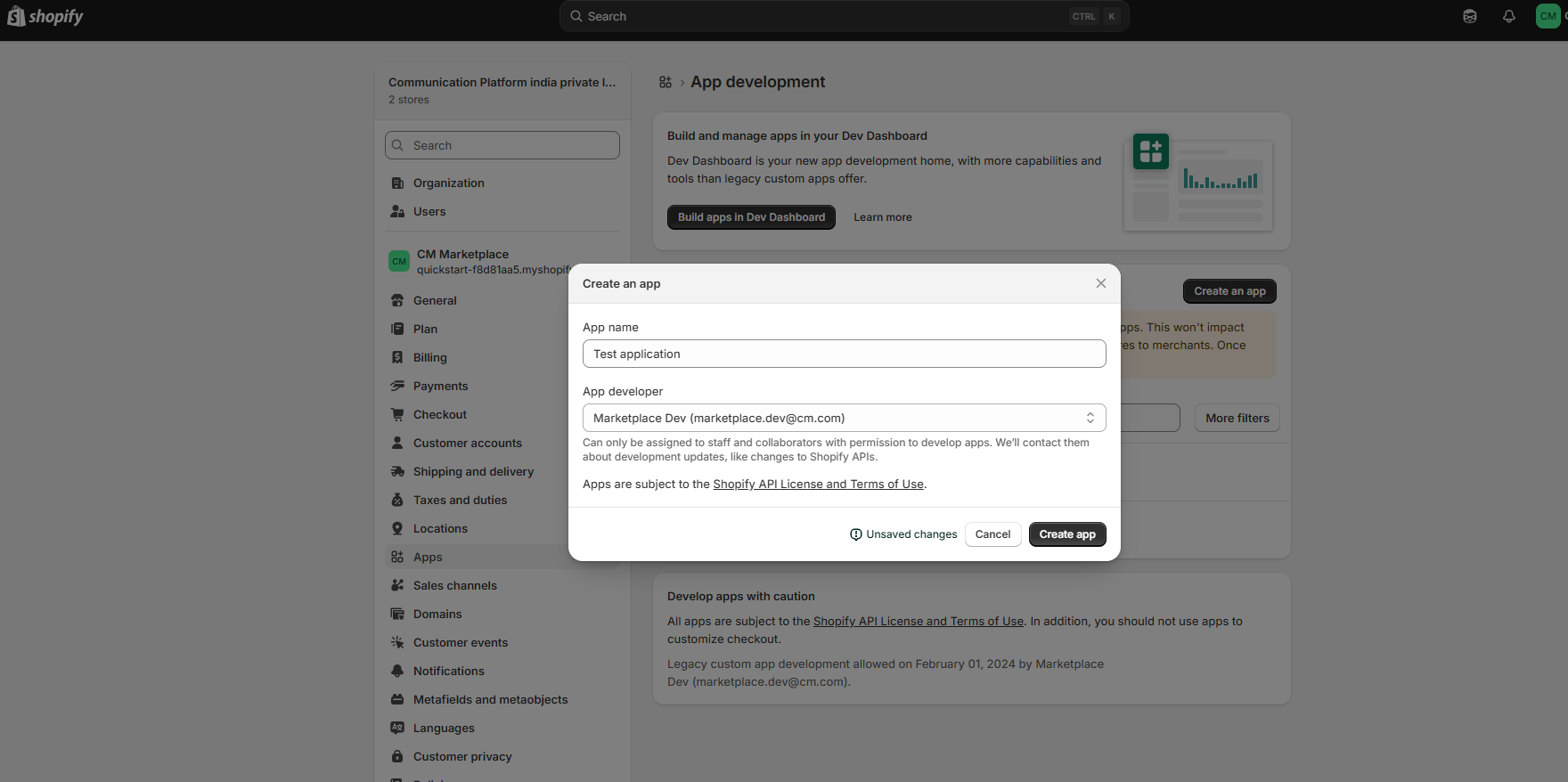
2. Configure API Scopes
-
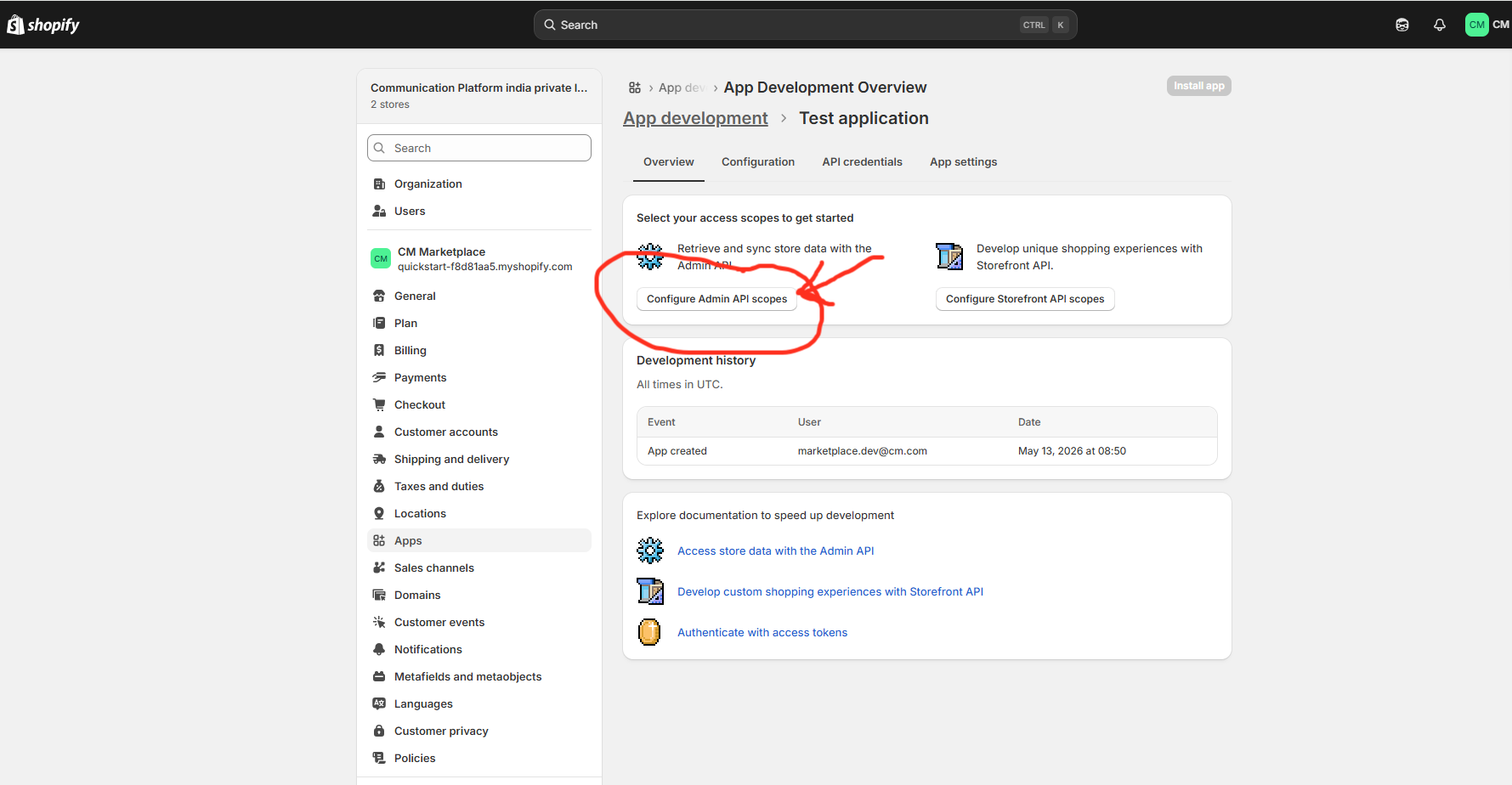
In your newly created app, click Configure Admin API scopes
-
Search for and enable the following permission:
-
✅
read_products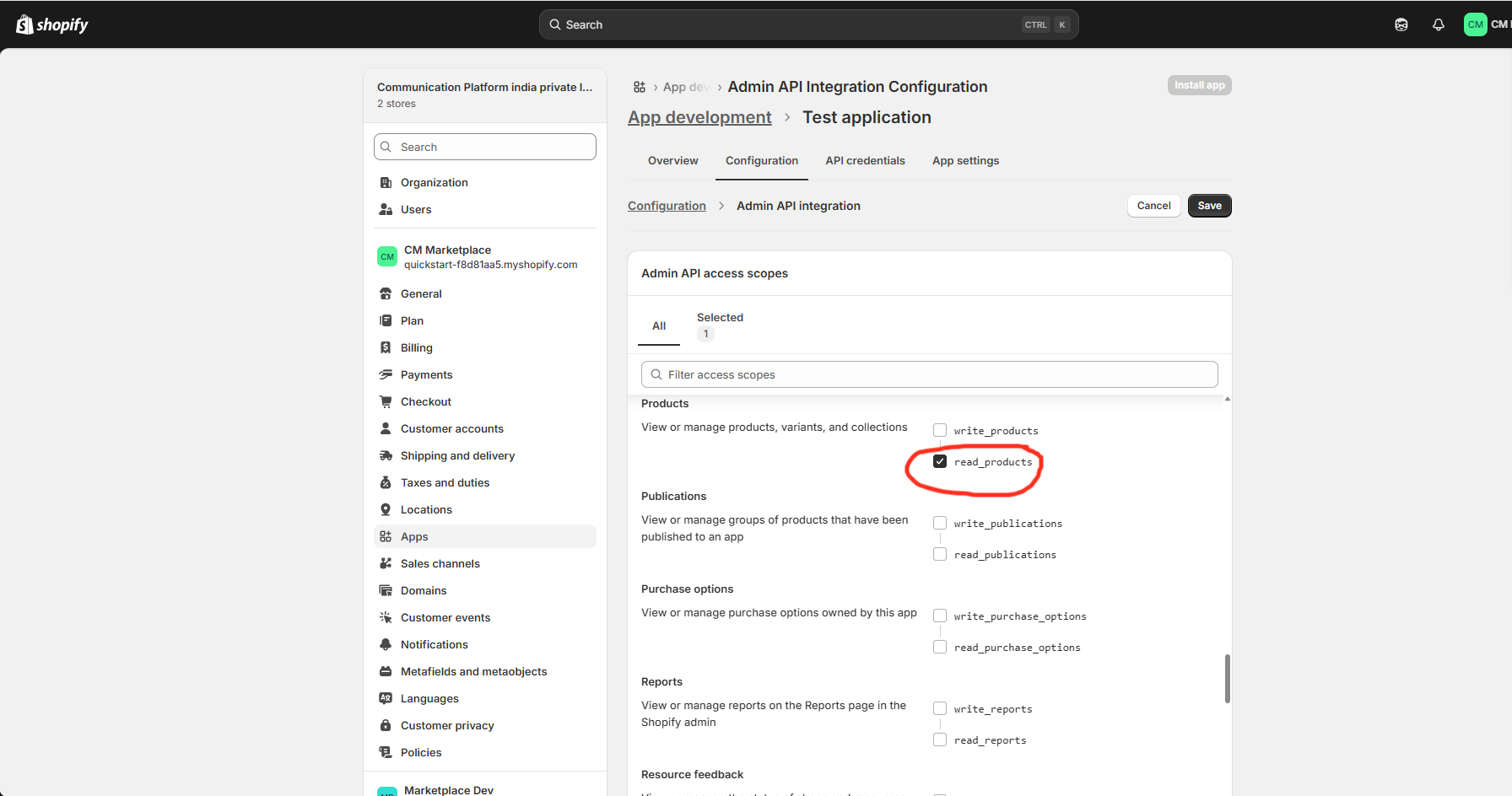
-
-
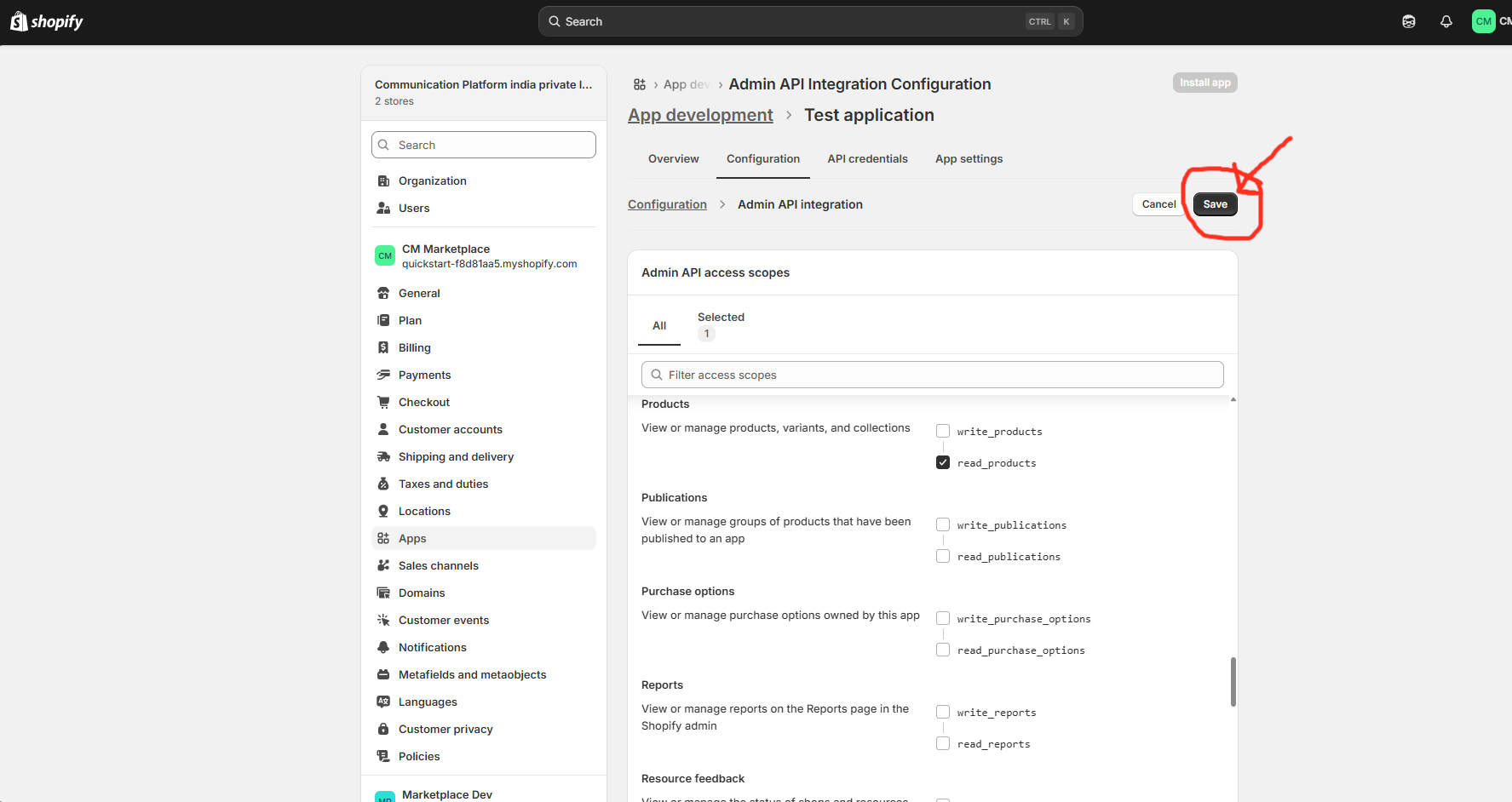
Click Save
3. Generate the Access Token
-
Click the API credentials tab
-
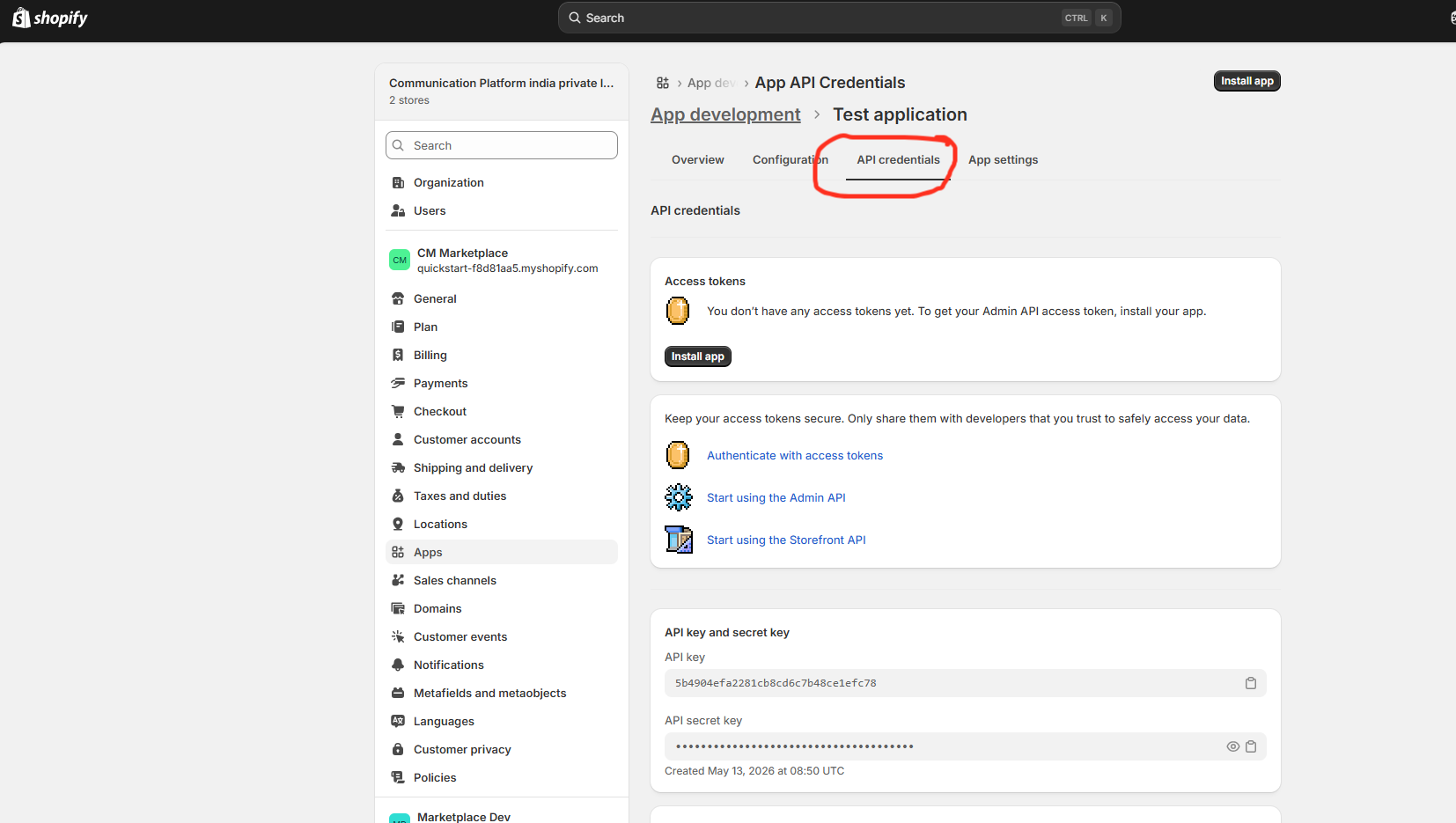
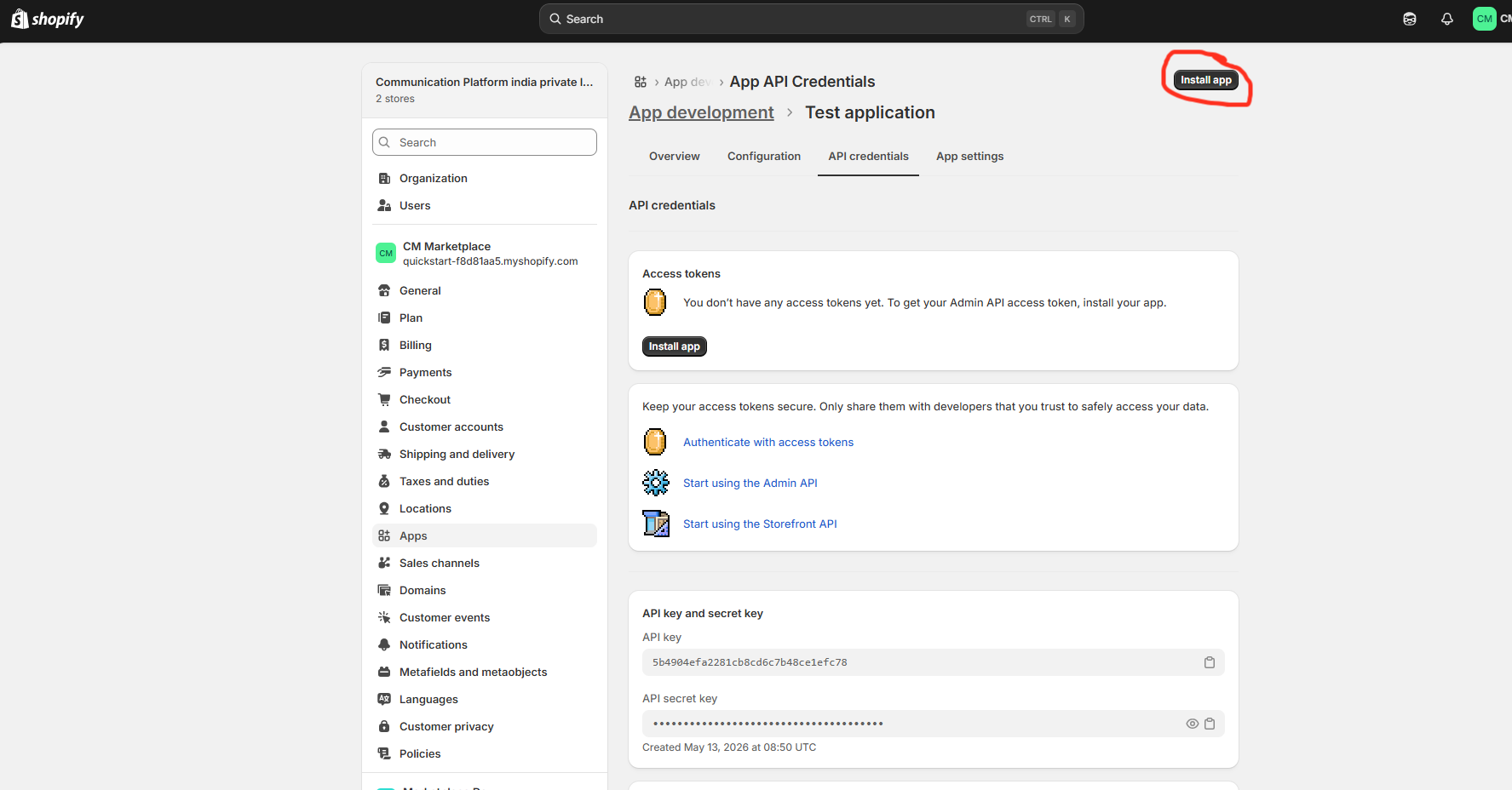
Under Admin API access token, click Install app
-
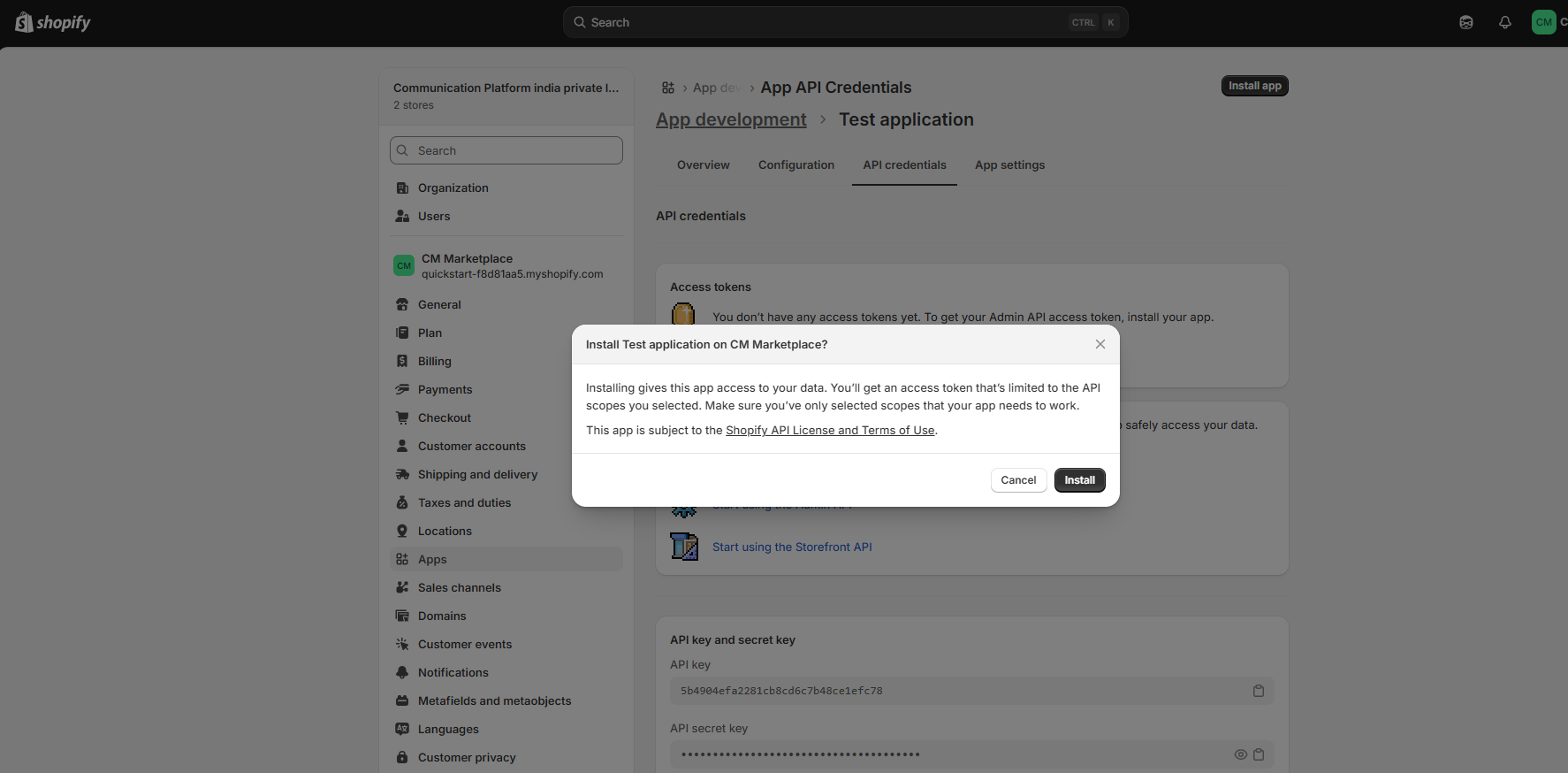
Confirm by clicking Install
-
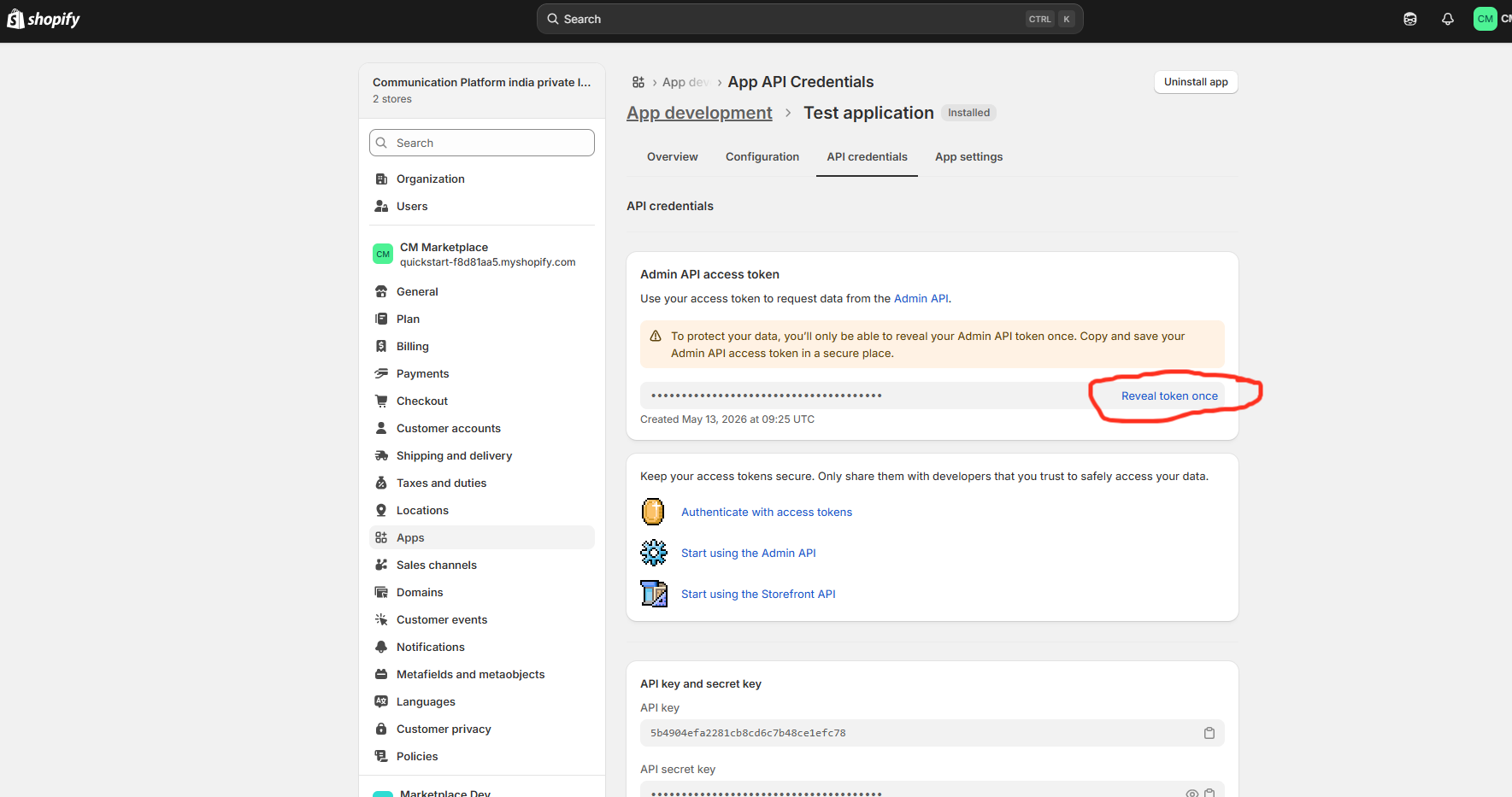
Click on Reveal token once - copy it immediately, it will only be shown once
-
Note down your Store URL (
https://{your-store}.myshopify.com)
Store your access token securely. If lost, you will need to uninstall and reinstall the app to generate a new one.
- Identify your product ID field, The integration uses a field from your Shopify products as the unique product identifier. The default is:
id— the Shopify GID (e.g.gid://shopify/Product/123456789)legacyResourceId— the numeric Shopify product ID (e.g.123456789)
4. Provide details to CM
- Hand over the following to the CM team to complete the integration setup:
| Field | Example |
|---|---|
| Store URL | https://yourstore.myshopify.com/admin/api/2026-04/graphql.json |
| Admin API Access Token | shpat_xxxxxxxxxxxxxxxxxxxx |
| Product ID field name | id or legacyResourceId or any custom id |
5. Attributes synced to CM Product Feed
The integration fetches the following fields from each Shopify product:
| CM Attribute | Shopify Source | Notes |
|---|---|---|
id | Configured product ID field (id or legacyResourceId) | Numeric suffix extracted from the GID |
name | title | Product title |
description | descriptionHtml | HTML tags stripped |
category | productType | |
status | status | e.g. ACTIVE, DRAFT |
detail_url | onlineStoreUrl | Null for unpublished products |
price | variant → price | |
compare_price | variant → compareAtPrice | |
sku | variant → sku | |
availability | variant → availableForSale | true / false |
image_url | first image → url | First product image only |
Multi-variant products: Each variant is synced as a separate feed entry, keyed by the variant ID. Single-variant or variant-less products use the product-level ID.