Amazon Payment Service
The following are the requirements to on-board a new Amazon Payment Service customer to Payhub.
Setup needs to be done in sandbox before moving to production.
-
The customer should have a merchant account in
https://paymentservices.amazon.com -
Payhubcurrently supports only **Redirection **payment channel for Amazon therefore the merchant’s APS account should have **Redirection **payment channel enabled.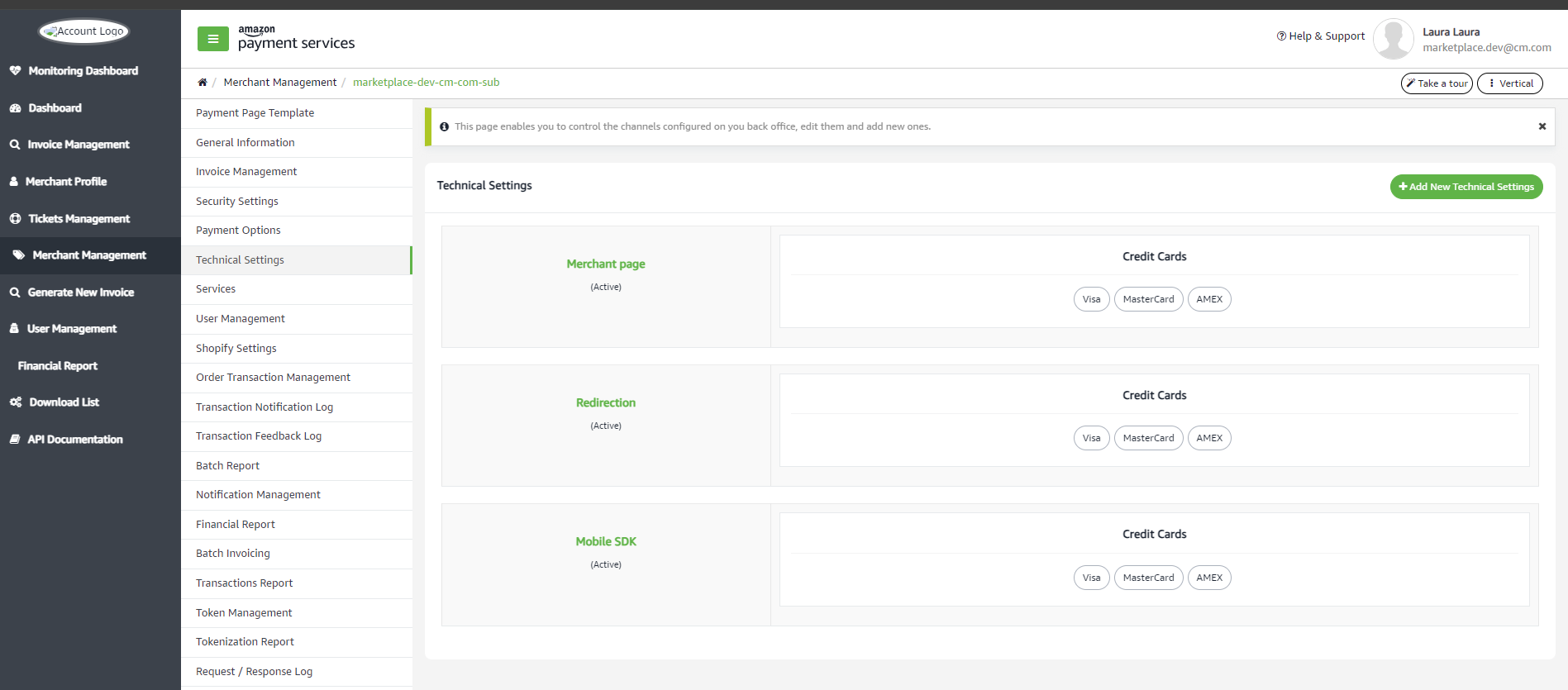
-
The Direct Transaction Feedback should be set to
https://api.payhub.cm.com/v1/webhooks/AMAZONURL to make Amazon notify us back about the transactions.
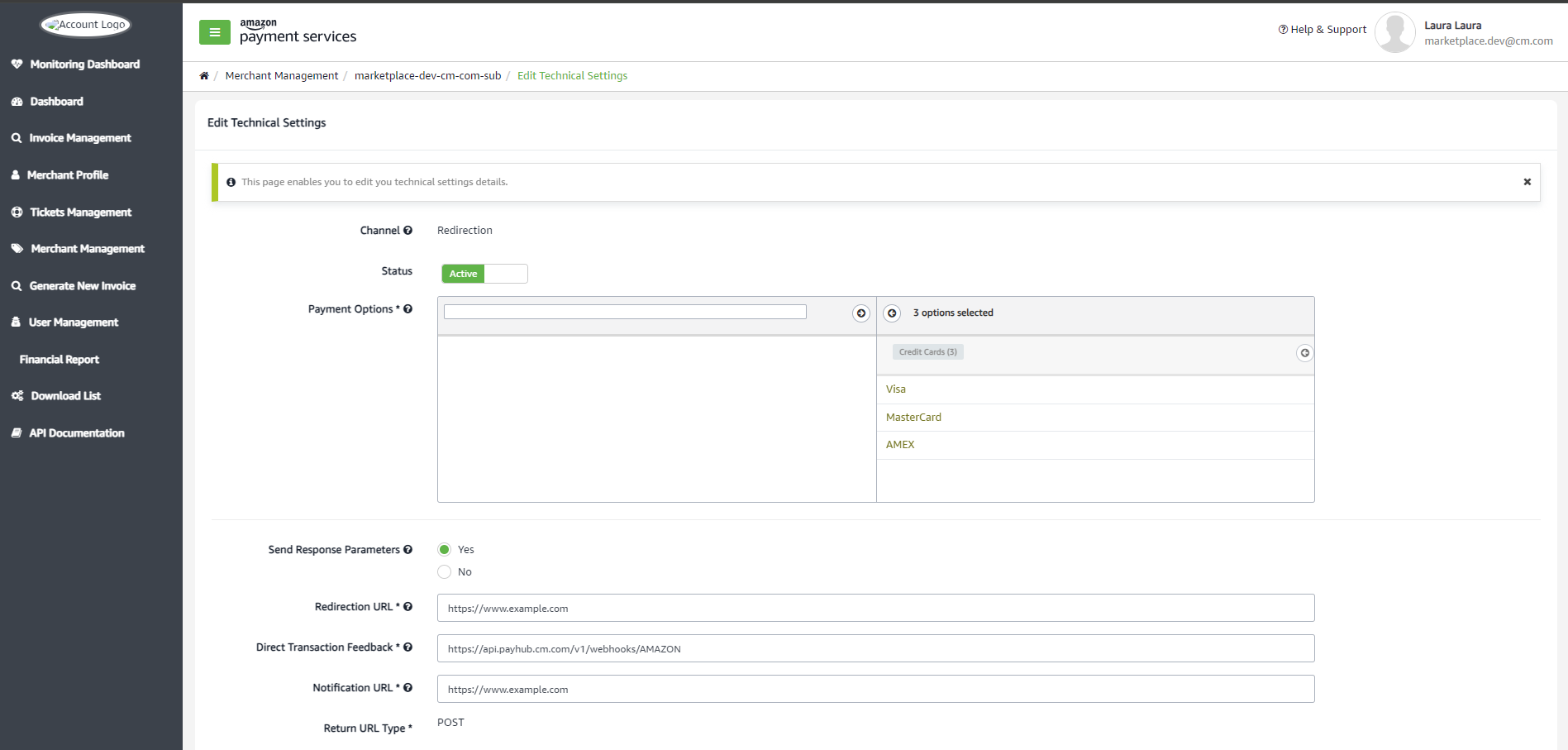
- You can find the Merchant related information in the below page, this is required while creating the new integration in CM’s marketplace app.
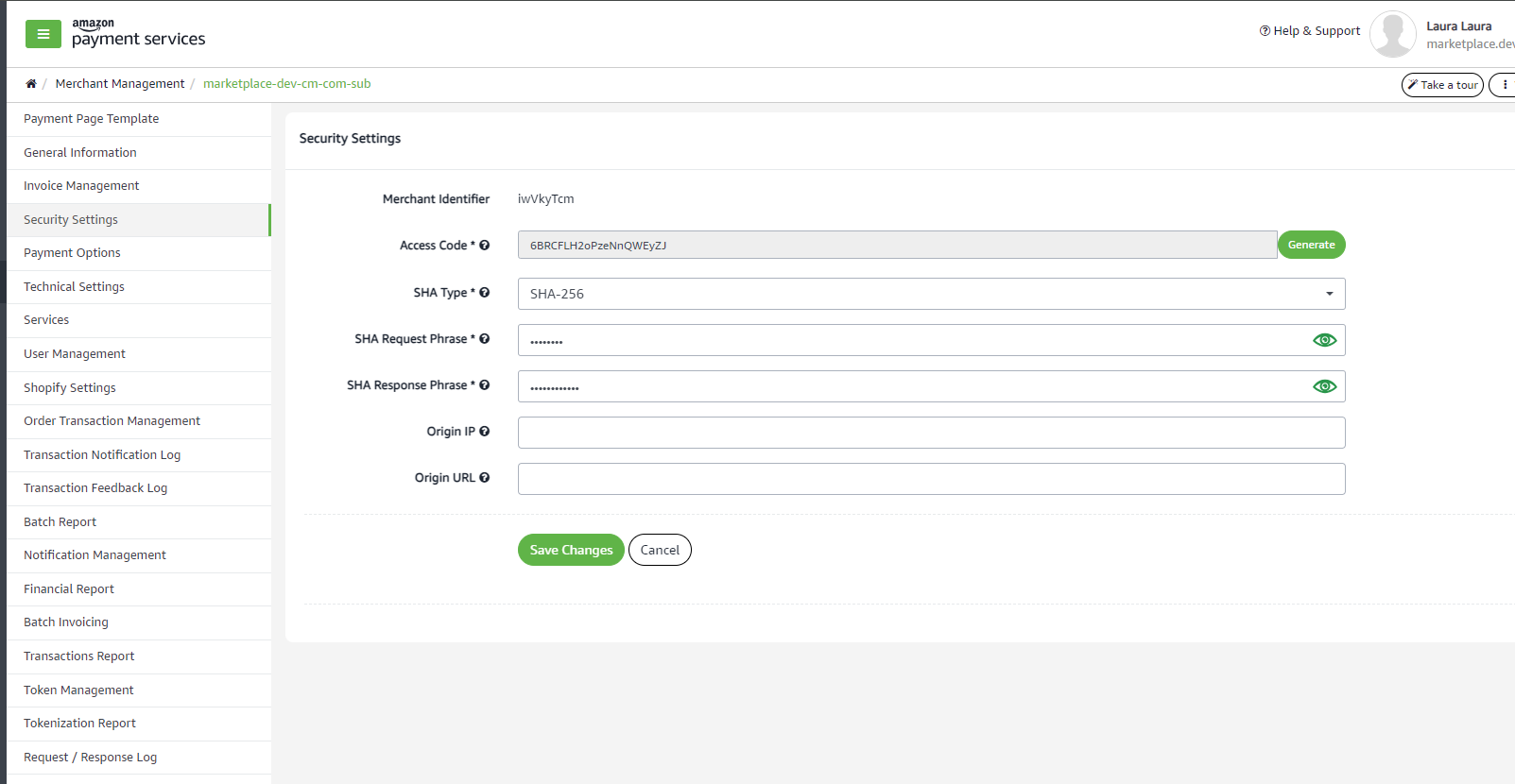
- Make sure the following in your sandbox account
- Redirection Channel is enabled
- Redirection channel config is updated to send response parameters to redirect url
- All the acquirer cards in which you want to do transactions are enabled.
- All the currencies in which you want to do the transaction are enabled
- Merchant has **refund **permission added
Once we setup and test in sandox, you need to work with amazon payfort customer care to provide the following details to enable it in production. Here are the details provided by amazon
As mandatory requirement in order to confirm your sign-off and create a production account for you:
- Please send an Email with the information listed under our Go live Checklist .
- Please share the details requested under "Test the integration"
- Your implementation should meet our Verification criteria , to ensure compliance** Please fill out the Redirection Verification Criteria form **by clicking here
Work with amazon payfort to have the setup done in sandbox is replicated in your production account.