How to do a transaction in Adyen
- Creating a transaction in Payhub:
curl --location 'https://api.payhub.cm.com/v1/accounts/{{logical-account-id}}/transactions'
--header 'X-CM-SSO-ACCOUNTGUID: {{your-account-guid}}'
--header 'Content-Type: application/json'
--data-raw '{
  "amount": {
    "currency": "USD",
    "amount": "121"
  },
  "connectionId": "{{adyen-connection-id-in-payhub}}",
  "description": "IPhone 7",

  "expiresAtUtc": "2024-12-05T08:39:55.719Z",
  "reference": "PRODID00002",
  "returnUrlSuccess": "https://www.example.com",
  "returnUrlFailure": "https://www.test.com",
  "webhook": "https://www.example.com/webhook"
}'
It give the following response:
{
    "id": "be463444-486d-4ee6-96da-e406753ced78",
    "accountId": "{{your-logical-account-id}}",
    "amount": {
        "currency": "USD",
        "amount": "121.00"
    },
    "status": "Created",
    "type": "Payment",
    "reference": "PRODID00002",
    "allowedMethods": null,
    "providerReference": "PL610FF4C4E02D532F1",
    "providerData": {},
    "description": "IPhone 7",
    "connectionId": "{{your-amazon-connection-id}}",
    "relatedTransactionId": null,
    "expiresAtUtc": "2024-12-05T08:39:55.719Z",
    "additionalData": {},
    "redirectUrl": "https://payhub.cm.com/l/qtbBG0J8Sa7eguddr60-n",
    "returnUrlSuccess": "https://www.example.com",
    "returnUrlFailure": "https://www.test.com",
    "webhook": "https://www.example.com/webhook"
}
- Once you click on the redirect URL in the response it will take you to the Amazon Payment Service payment window:
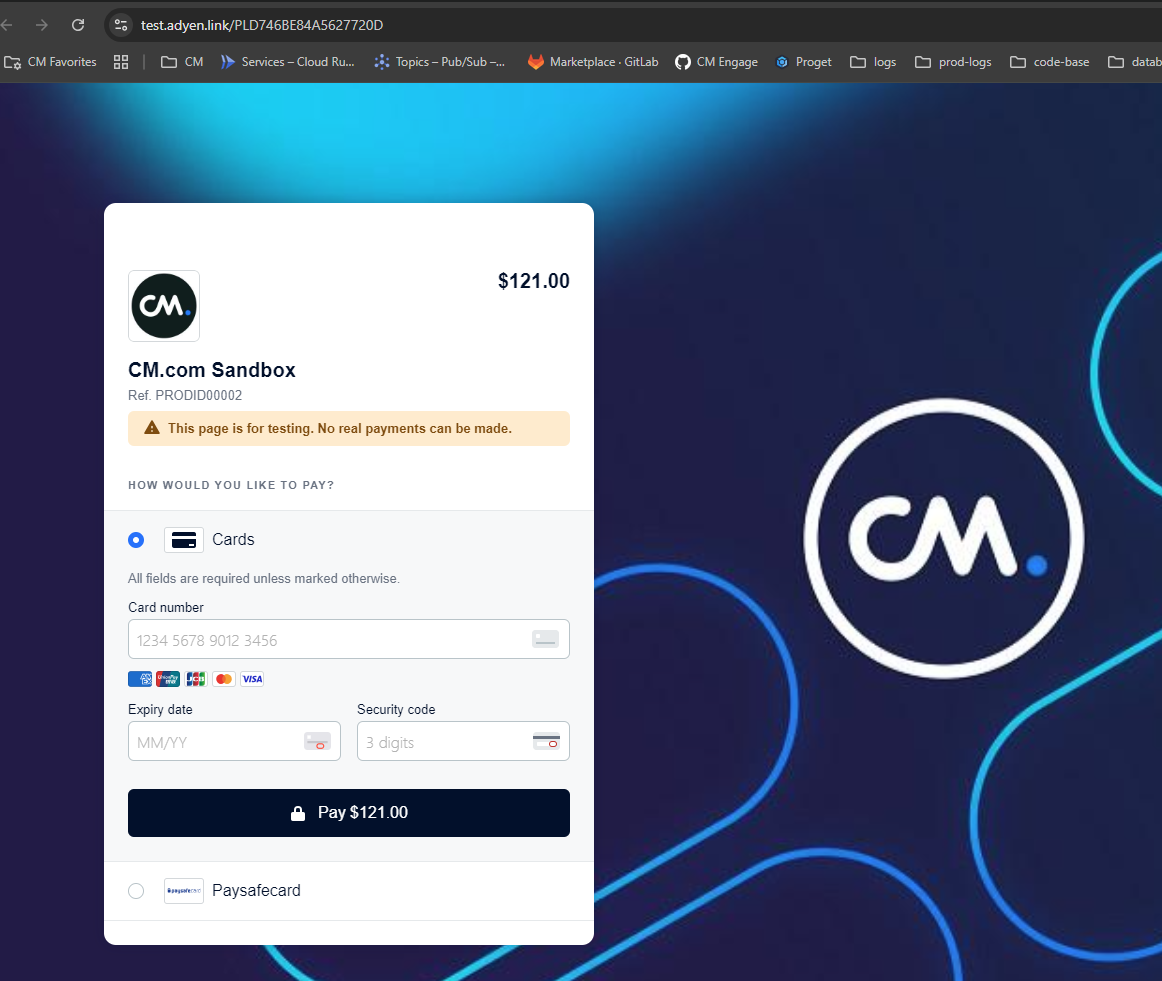
only if the transaction is successful, it will redirect to the returnUrlSuccess that you have provided while creating the transaction otherwise it will stay in the same page.
- Adyen expires the link after 3 months, if the transaction was created and not proceeded further.
You can find the test cards here: https://docs.adyen.com/development-resources/testing/test-card-numbers/
Use this account to test Adyen connection in production: