Setup In Web Conversations for Presence Check
Setup In Web conversation for presence-check
If Customer wants presence Check, then in web conversations do the following
-
For Conversational Router go to to Router and get
Technical LinkandProduct Token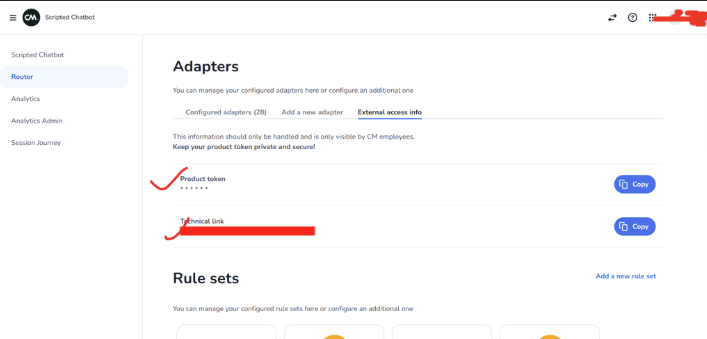
-
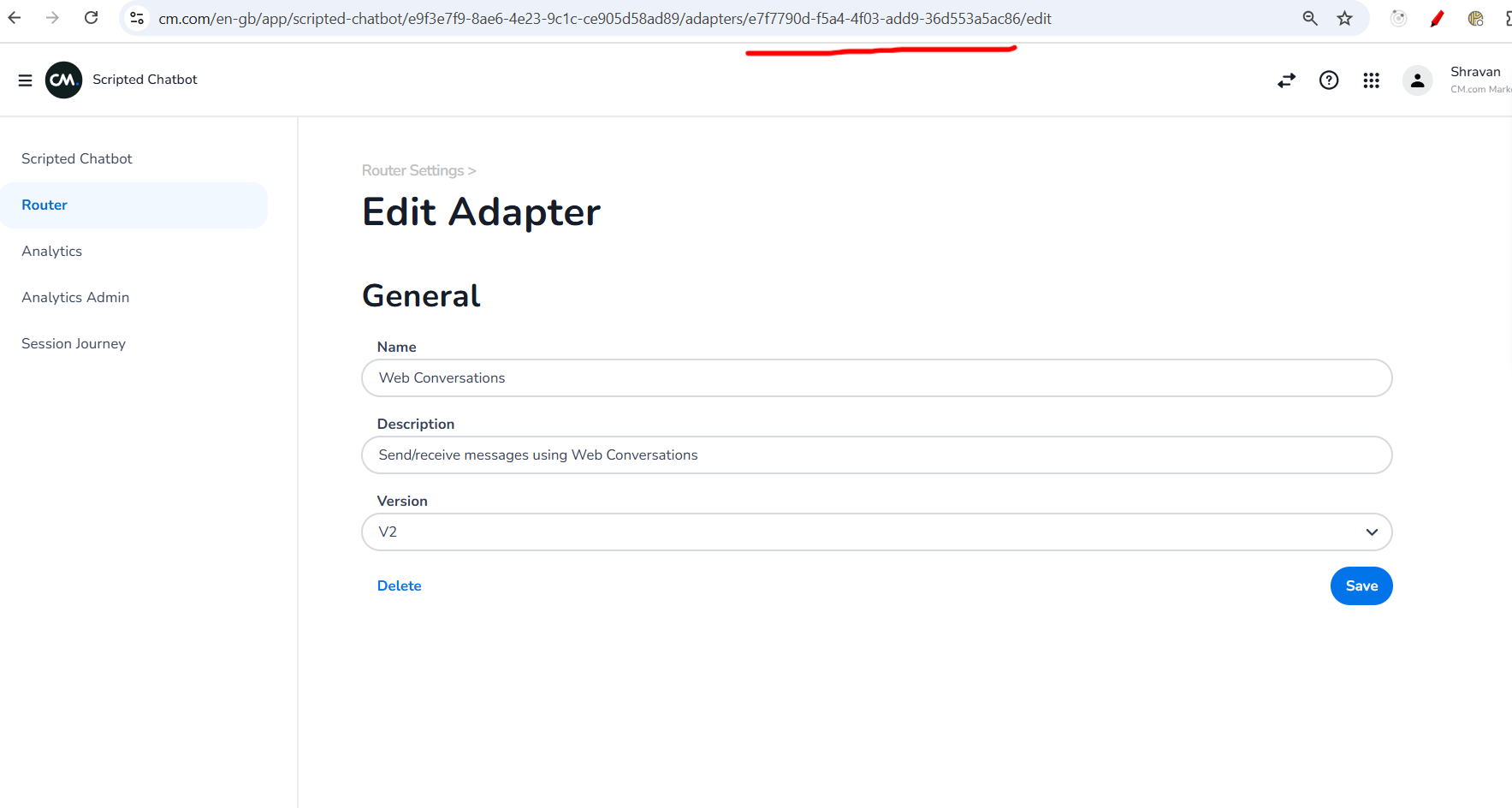
Go To Conversational Router Enter
CAIC AdapterId andWeb ConversationsAdapter Id. CAIC Adapter Id will be as shown below highlighted in red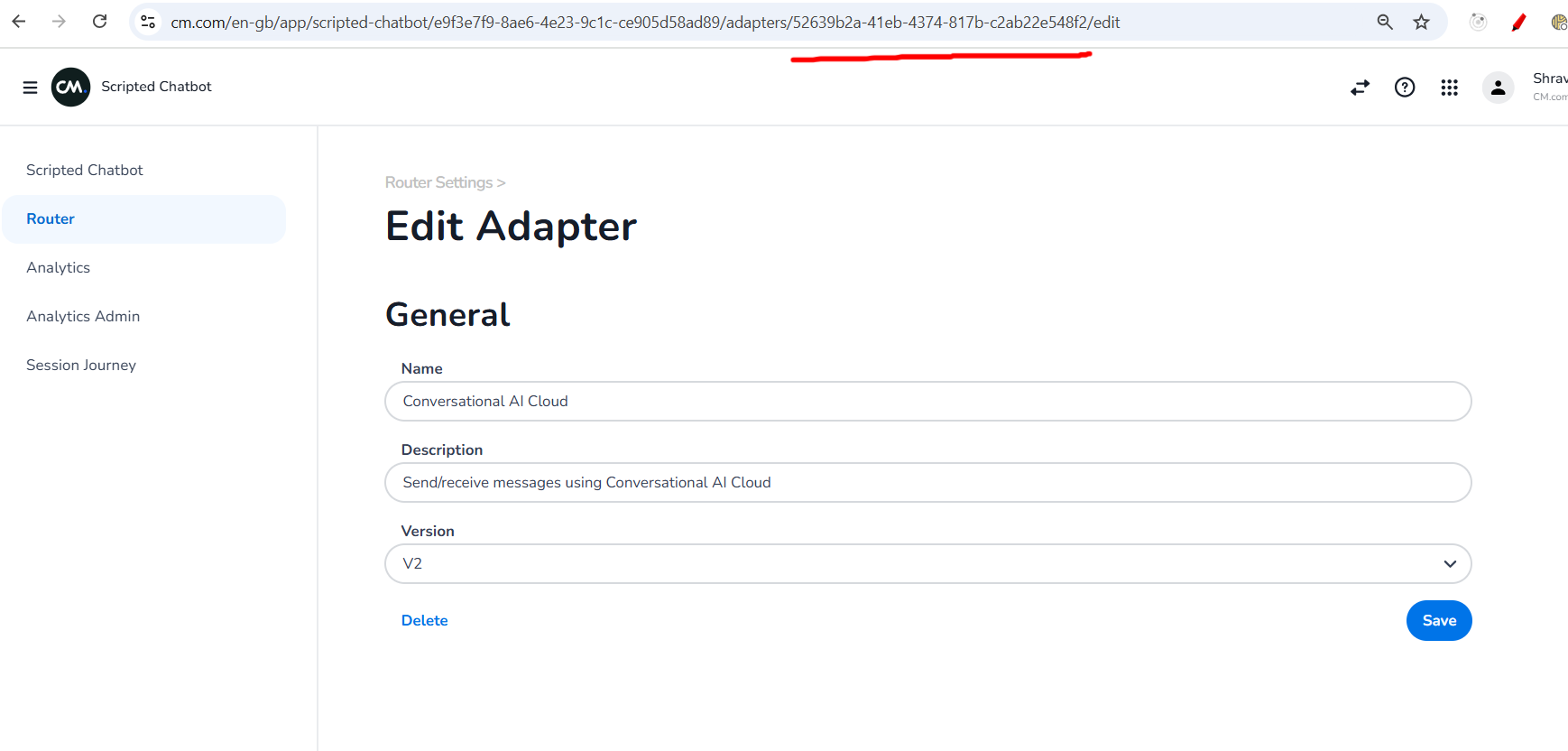
Web Conversations Adapter Id will be as shown below
-
Enable Presence Check
-
Select Provider as
Third Party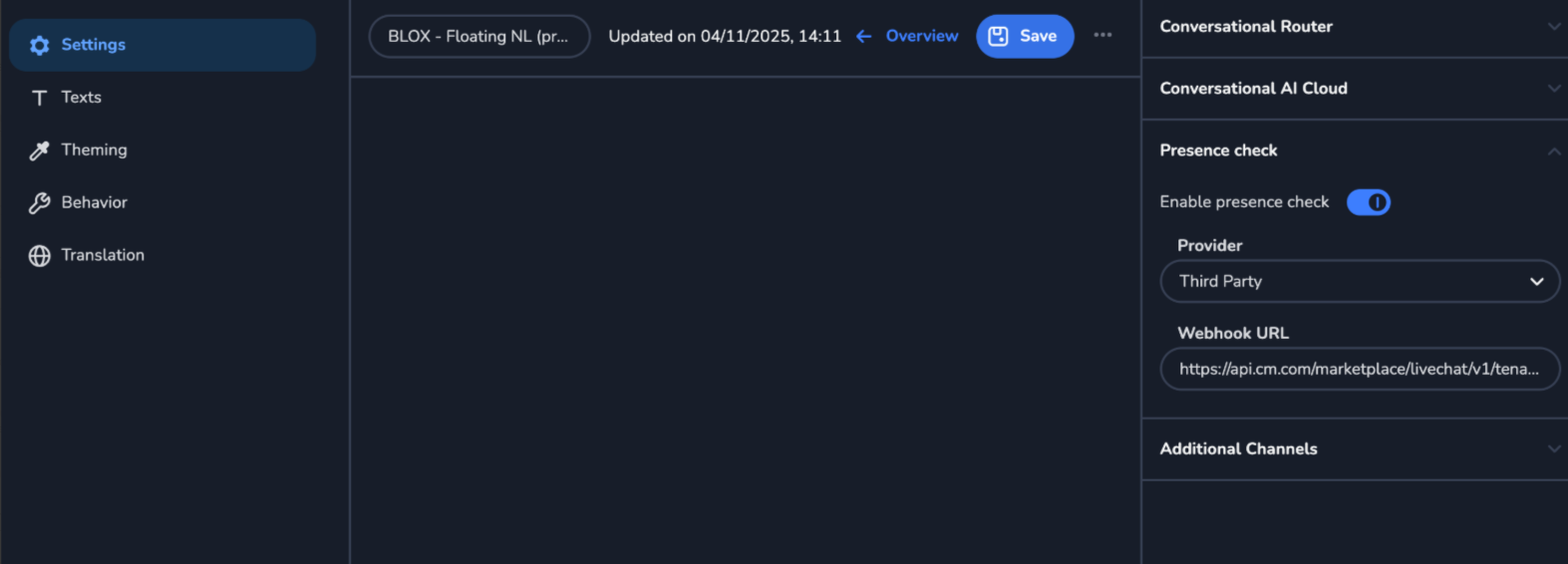
-
Now go to marketplace UI, and open the adapter you created recently in Configure Marketplace Livechat Integration .
-
Copy the
Presence Check Endpointas shown below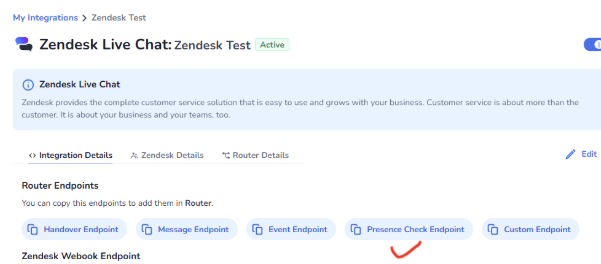
-
Paste it in **Webhook URL **in web conversations.