Setup In Conversational Router
Setup In Conversational Router
-
Copy the message, handover and event endpoints from marketplace U.I as shown in image below
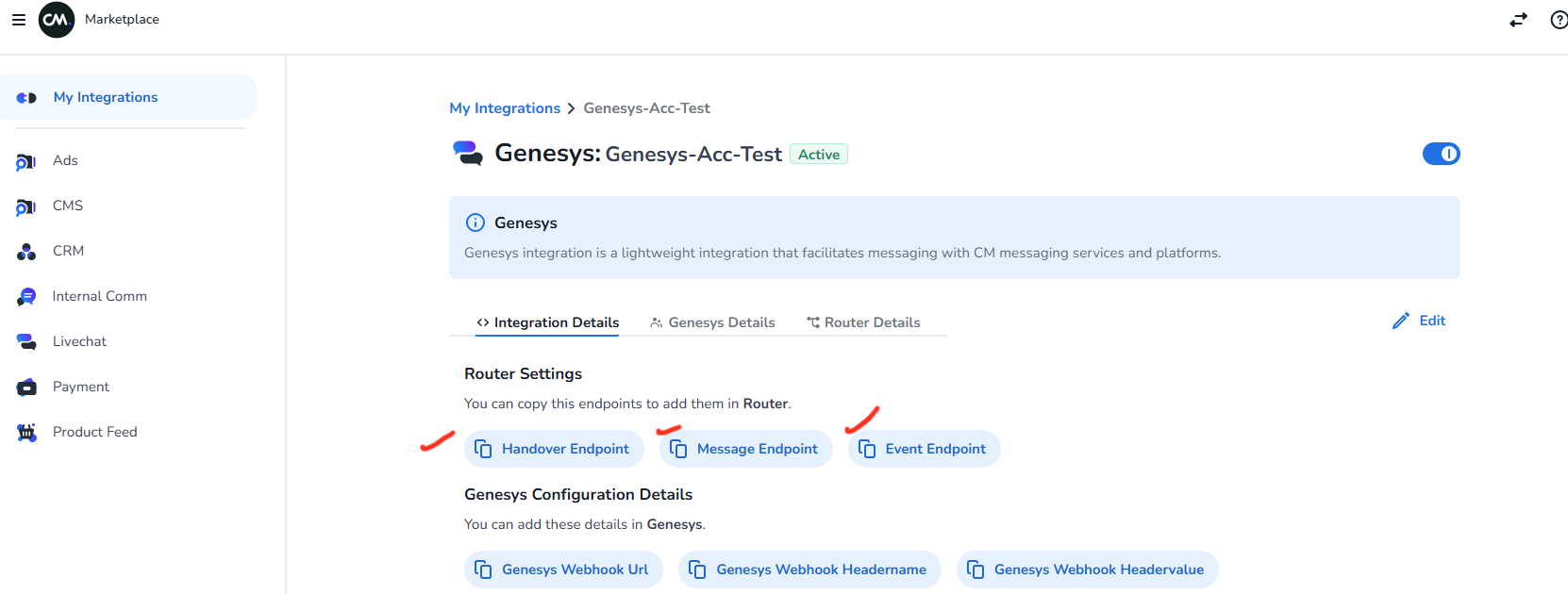
paste the endpoints in here
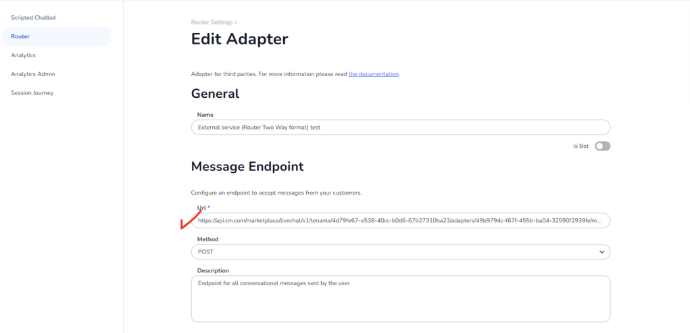
-
Now create a ruleset this will be a basic ruleset that will connect a two way communication between marketplace live chat adapter and the desired channel (for example Web Conversations or Business Messaging)
Steps are as follows:
3.1. Click on add a new ruleset as shown in image below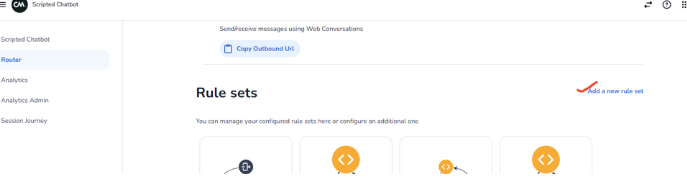
3.2. Now create the connection between livechat two way adapter and the desired channel (for example web conversations and business messaging)
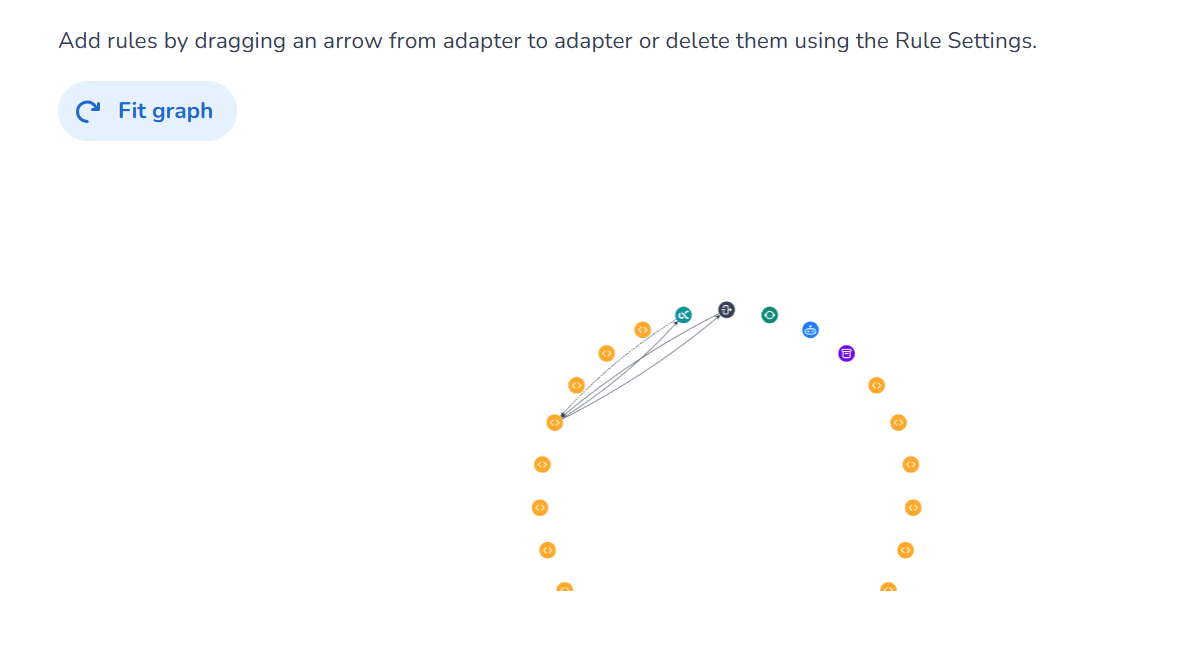
Remember to disable the line from web conversations to the livechat two way adapter. This is needed to ensure messages reaches to human agents only after handover
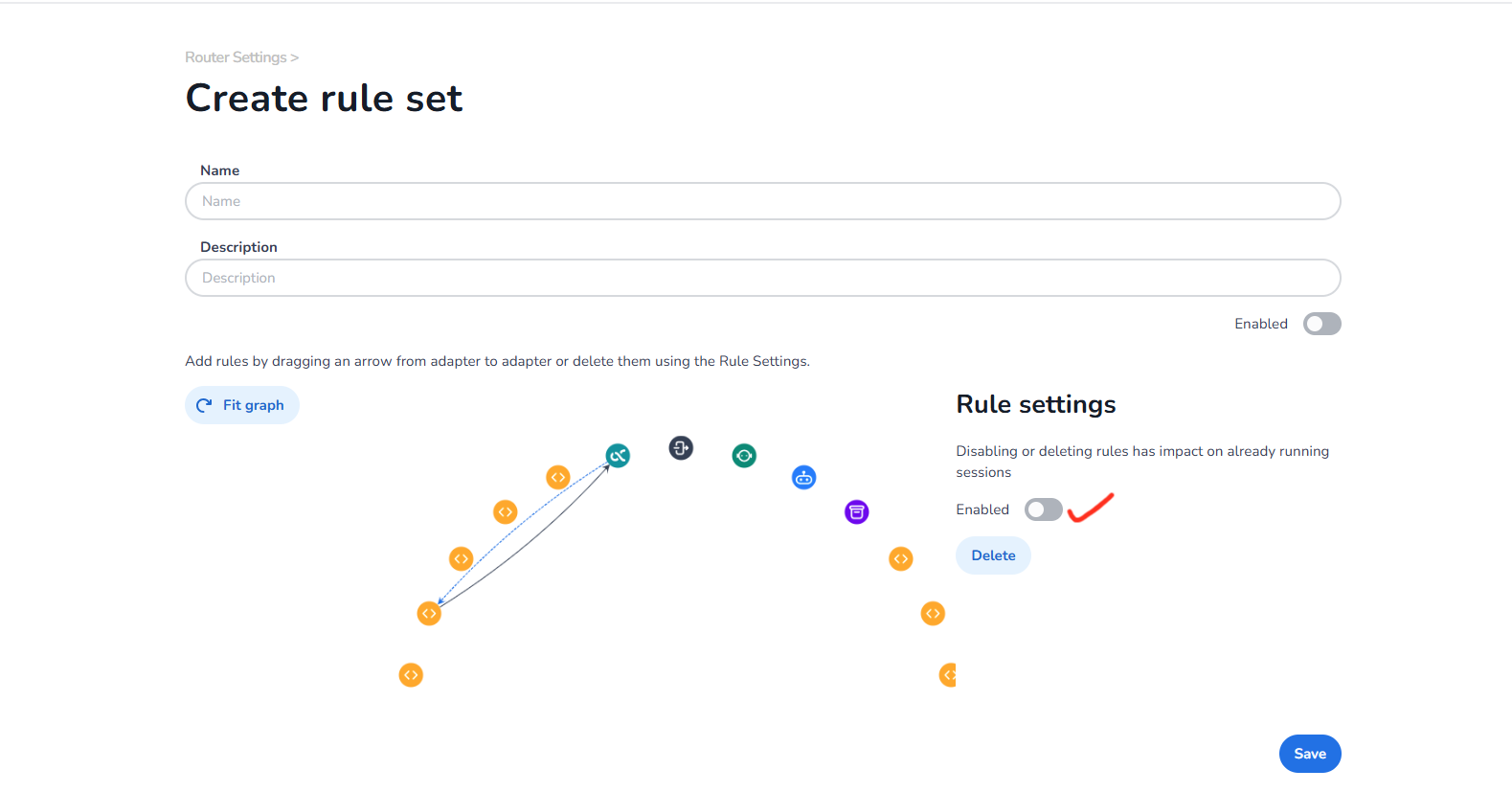
Please note that the ruleset above is a basic ruleset to establish connection between channel and marketplace, on top of it the connections will happen based on customer requirement's for that particular adapter integration
Now you are all setup in Conversational Router! Now you can follow the documentation for Adapter specific Live chat Integrations to know more.