Configure Marketplace Livechat Integration
This doc refers to initial setup which needs to be done in Marketplace U.I and Conversational Router
We need IDs of marketplace and router adapters to refer in router and marketplace configurations respectively. So, just create blank adapters now.
Create Livechat Adapter in Router
-
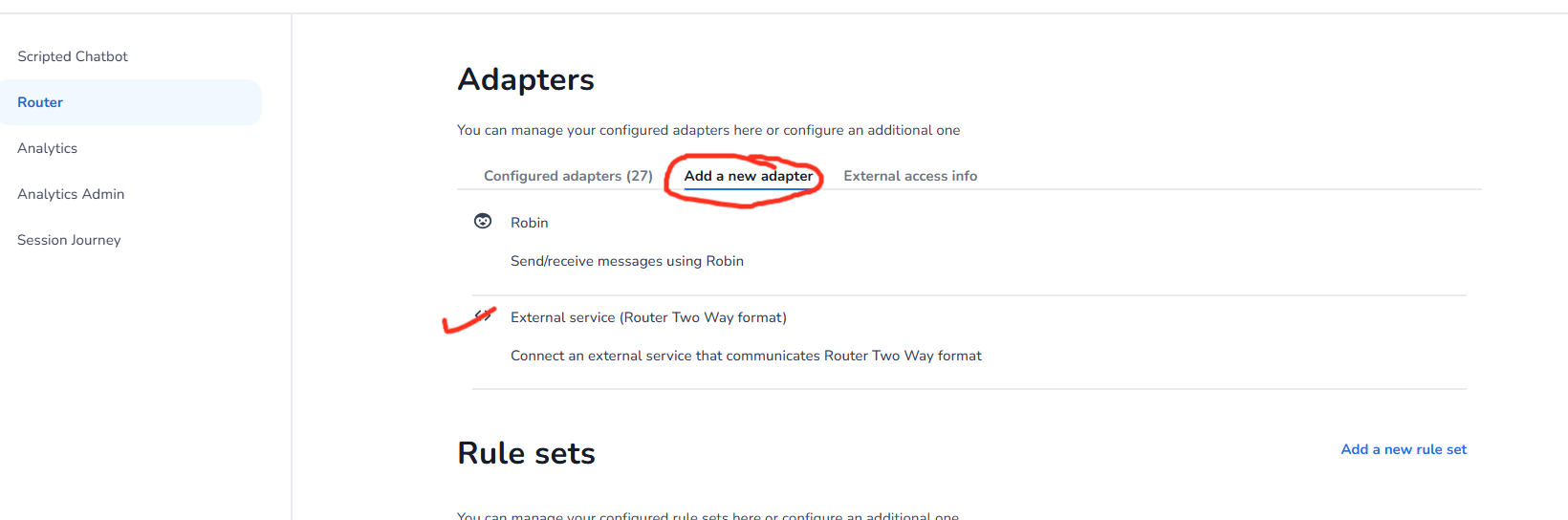
Navigate to Conversational Router and create a new External Service(router two way adapter) as shown in image below. Enter some dummy url in message endpoint for now and create
Create Livechat Adapter in Marketplace
- Navigate to the left navigation panel
- Click on **Livechat **Section
- Select your desired **Livechat **Integration(e.g., Genesys Livechat)
- Click Create Integration
- Provide name and click create.
- Follow Setup in Marketplace: Setup In Marketplace UI
- Follow Setup In Conversational Router: Setup In Conversational Router