Customer Setup - Teams Gen AI
This document provides details about how to set up the Teams app in a customer organization.
1. Setup App Package
Use the attached file to upload the app to the customer's Teams instance.
2. Customize app
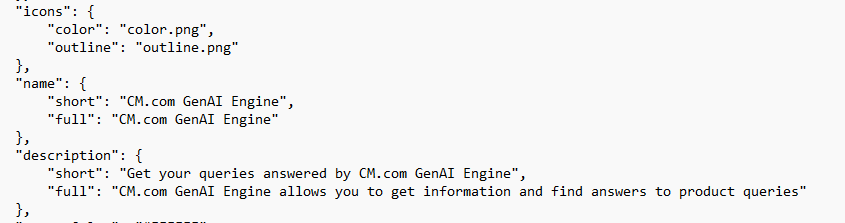
- You can customize the app by modifying the details in the manifest.json file as needed by the customer.
- If you are changing icons, please ensure those files are copied to the package folder.
- Please validate the app at https://dev.teams.microsoft.com/appvalidation.html before providing it to the customer.
3. Upload app
- Provide the customer with the package zip file after customization
- Ask them to follow the steps in the link below to upload to their Teams instance
** Reference:** Upload your custom app - Teams
4. Get the Tenant ID
- We need the Tenant ID of the customer to configure in the Marketplace.
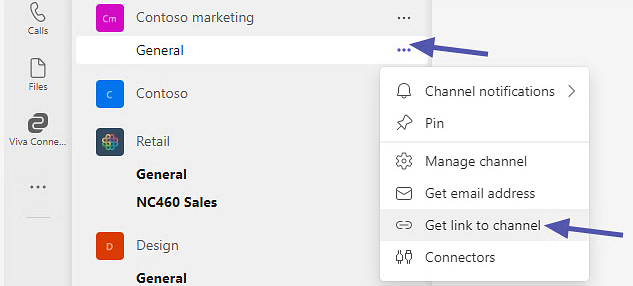
- The customer can open the Teams app and copy the link to any channel to extract the Tenant ID from the URL as shown in the reference images.

5. How to add the bot to your channel
- Go to Apps
- Select Built for your org
- Select Cm.Com** GenAI Engine**
- Click Open
- Select the desired channel