Setup In Conversational Router - Internal Comms
Setup In Conversational Router
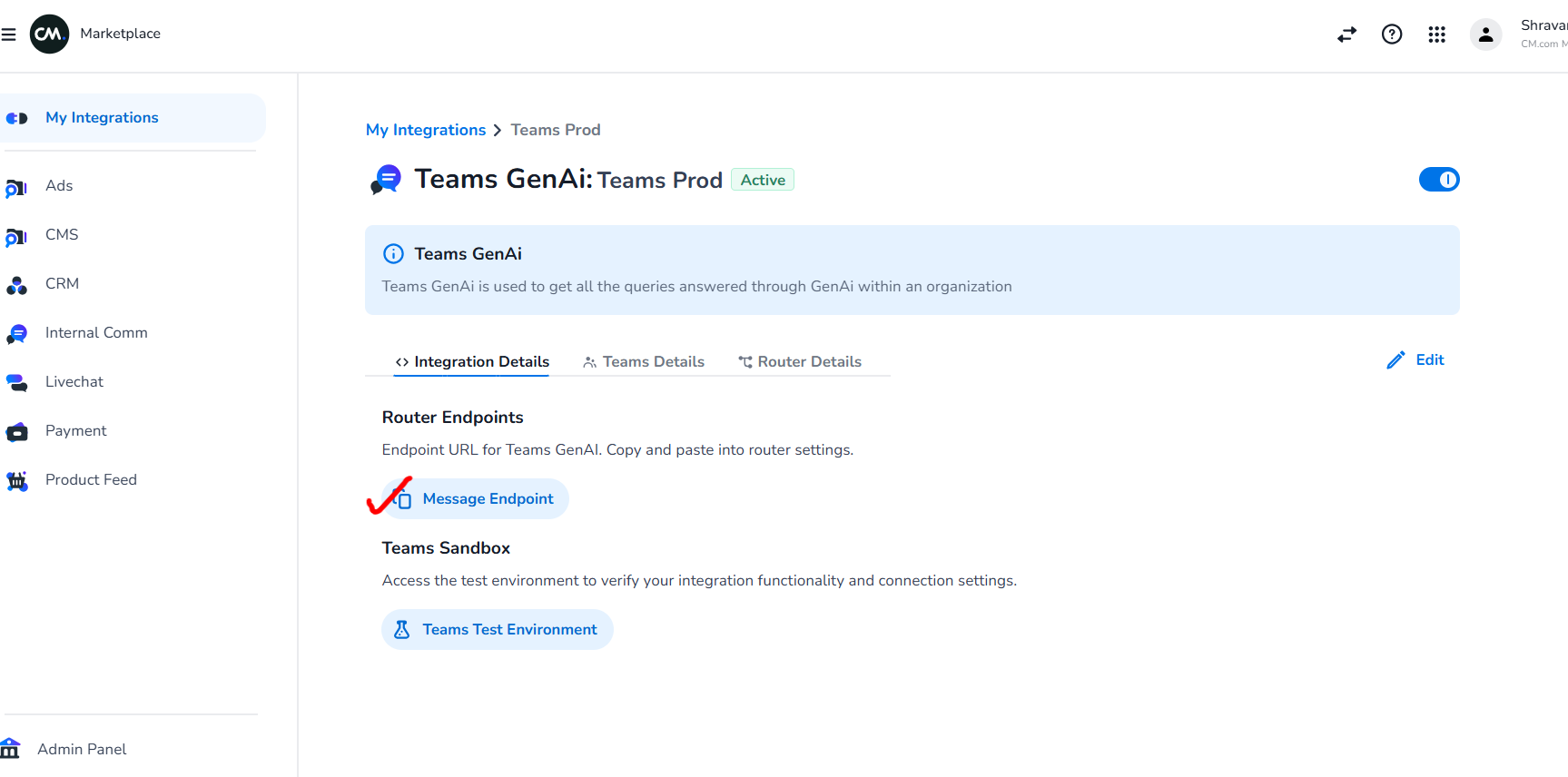
- Copy the message endpoint from marketplace U.I as shown in image below
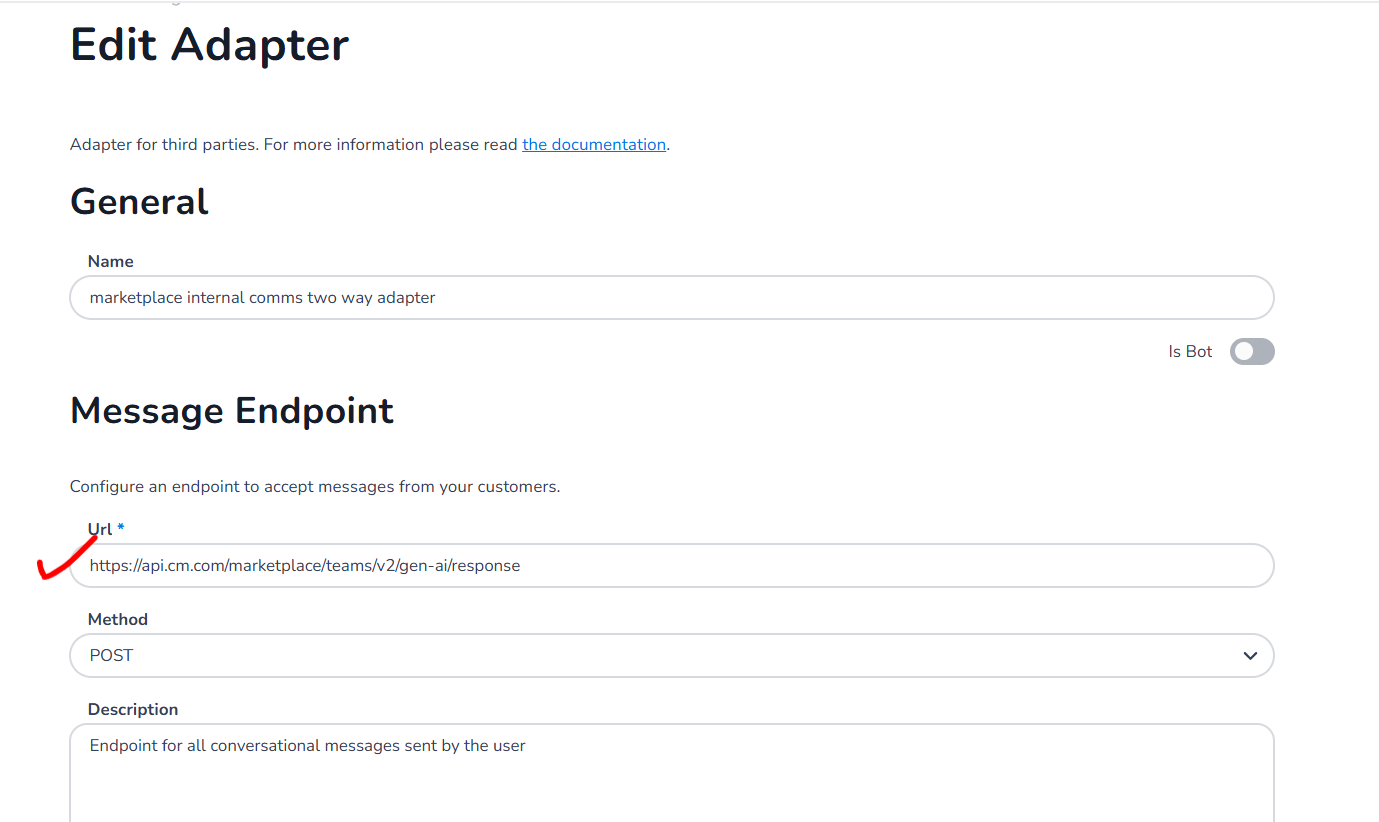
paste the endpoint here
-
Now create a ruleset this will be a basic ruleset that will connect a two way communication between marketplace internal comms adapter and the desired messaging adapter(for example HALO, CAIC, GEN-AI)
Now follow this steps:
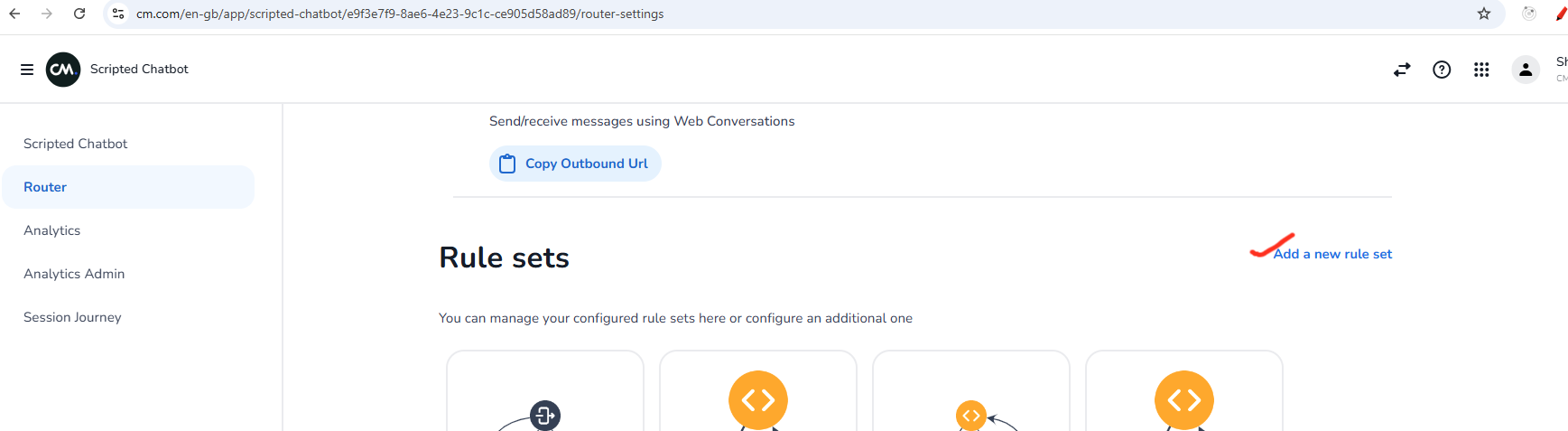
3.1. Click on add a new ruleset as shown in image below
3.2. Now create the connection between internal comms two way adapter and the desired messaging adapter (for example HALO, CAIC,GEN AI).
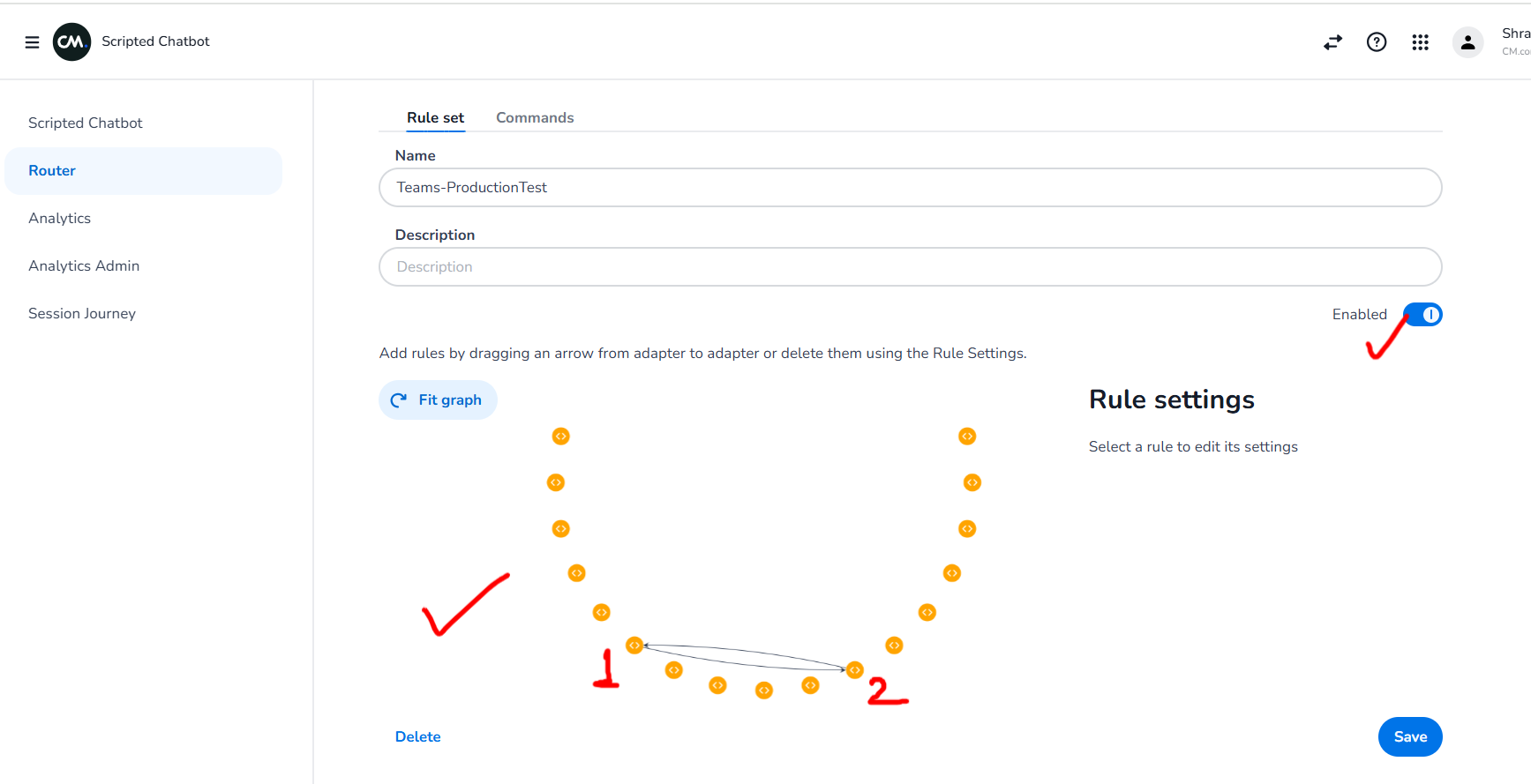
here 1 is internal comms two way adapter and 2 is desired messaging adapter
Please note that the ruleset above is a basic ruleset to establish connection between internal comms two way adapter and the desired messaging adapter, on top of it the connections will happen based on customer requirement's for that particular adapter integration
Now you are all setup in Conversational Router!