Job History
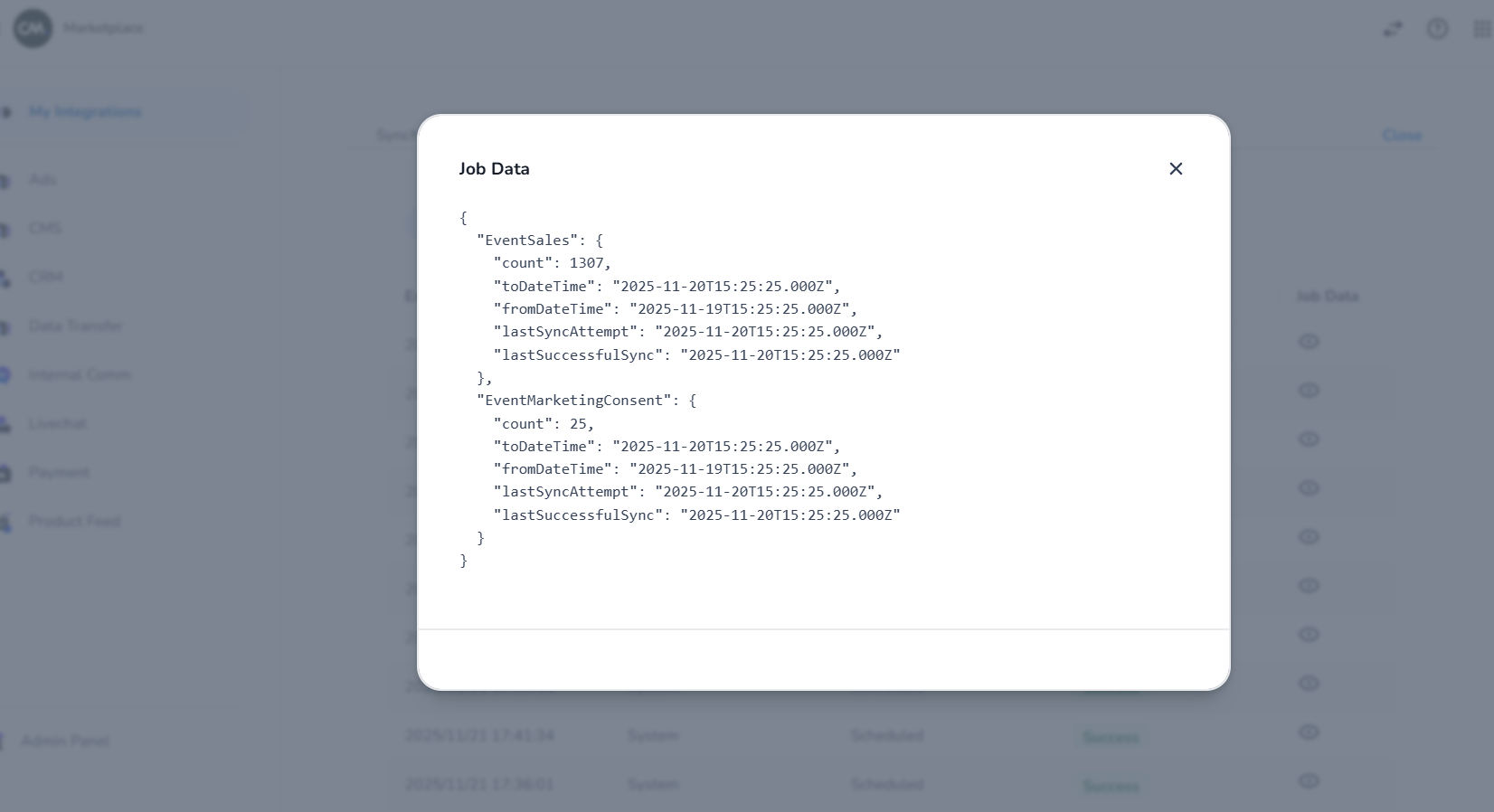
The Job History section provides details for both on-demand and scheduled syncs across all events. It allows you to view information such as when each sync ran, whether it succeeded or failed, the last successful sync time, the date range of the sync, the number of event data processed at that sync, and other related data.
Steps To See Job History
-
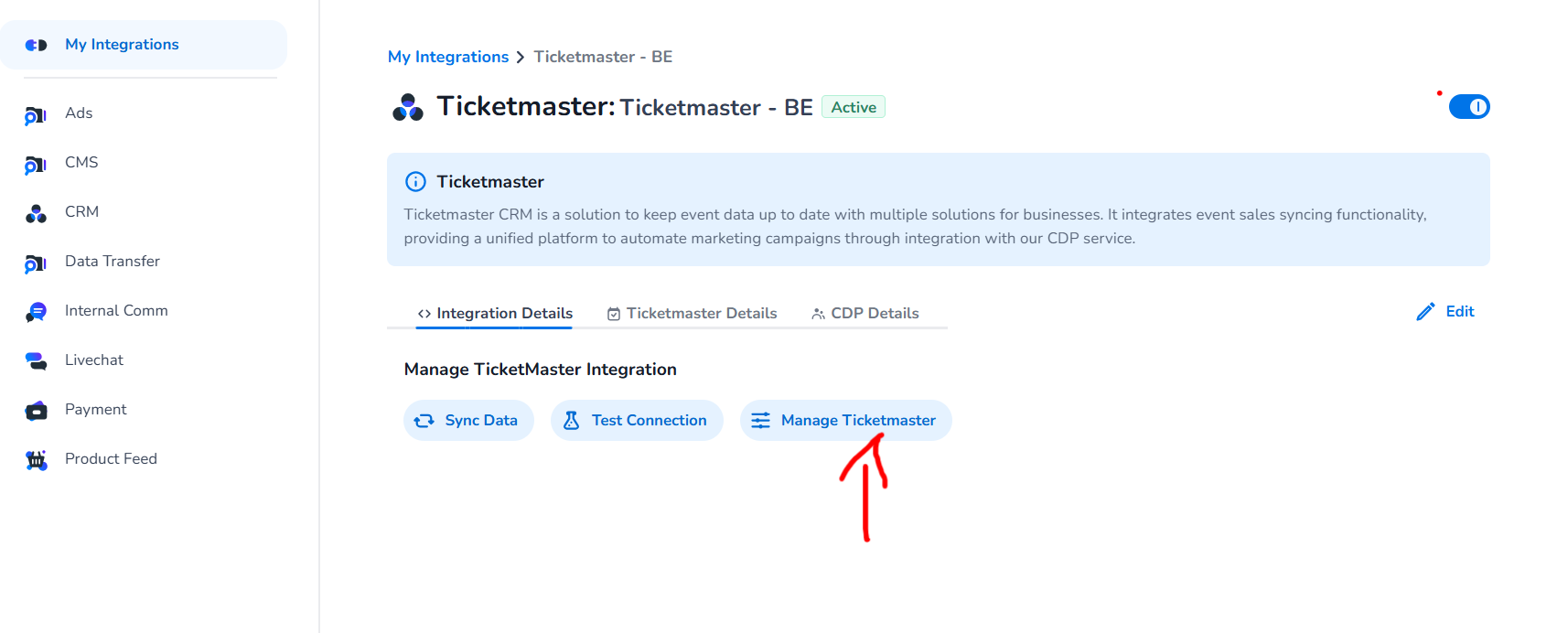
Click Manage Ticketmaster button as shown below.
-
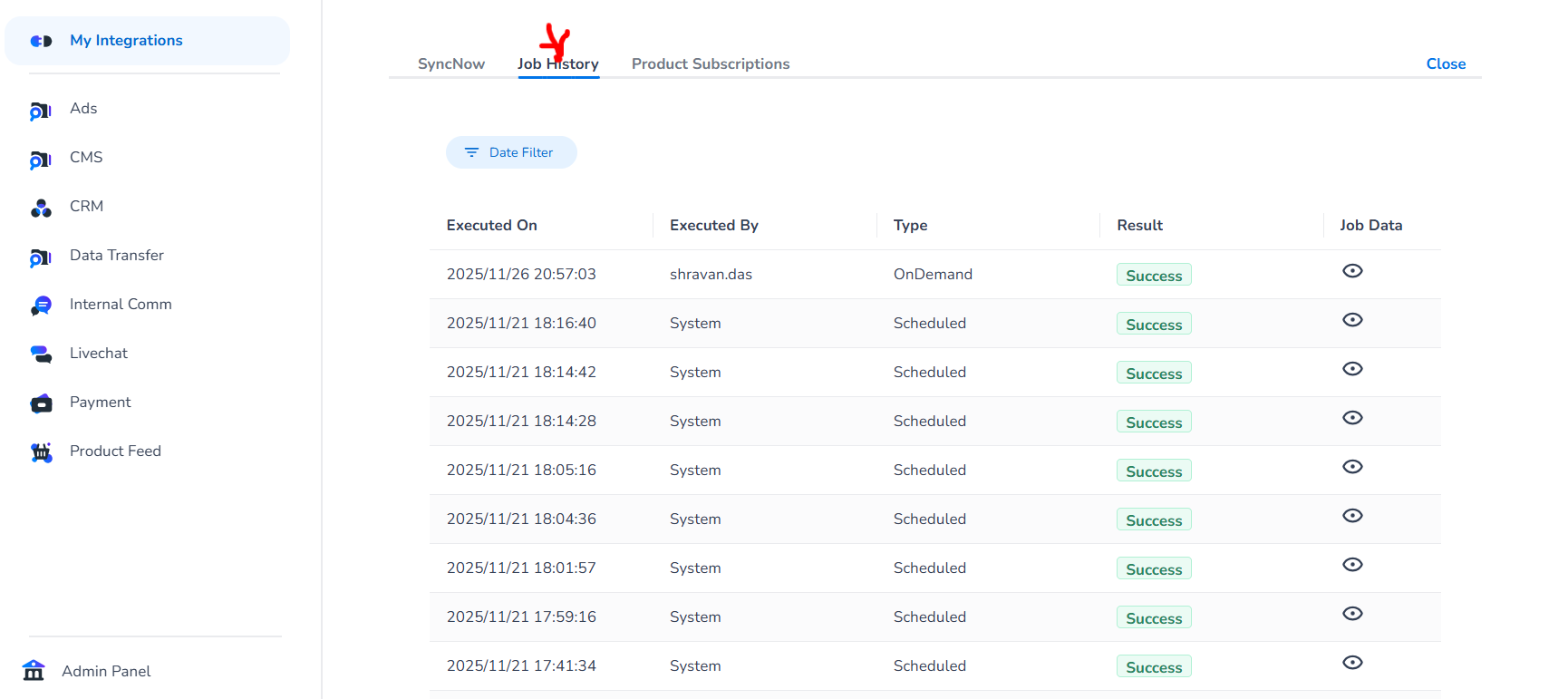
Navigate to Job History tab as shown below
-
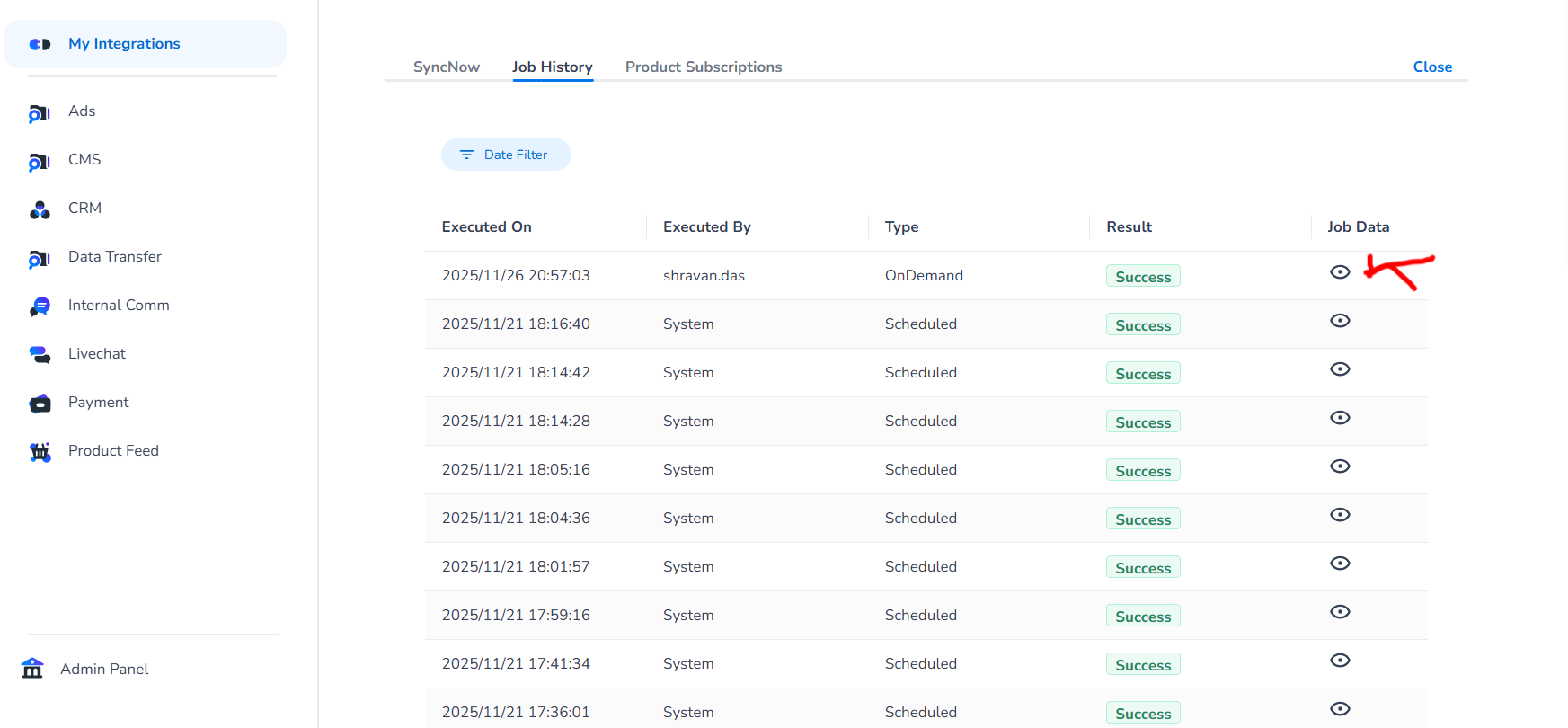
Click on the eye button under Job Data column for any of the sync-attempt as shown below
-
Now you can see the data for each event related to that particular sync-attempt.