Shopify <-> CDP
Starting with Shopify for Customer Engagement apps you can send data about events that occur on the server to a web application using webhooks. Webhooks is a lightweight HTTP pattern for connecting Web APIs and services with a publish/subscribe model. Webhook senders notify receivers about events by making requests to receiver endpoints with some information about the events.
Get Started
There are two parts to using web hooks in Shopify:
- Shopify account setup (Discussed in the intro of shopify)
- Creating or configuring a webhook.
Creating or configuring a Webhook
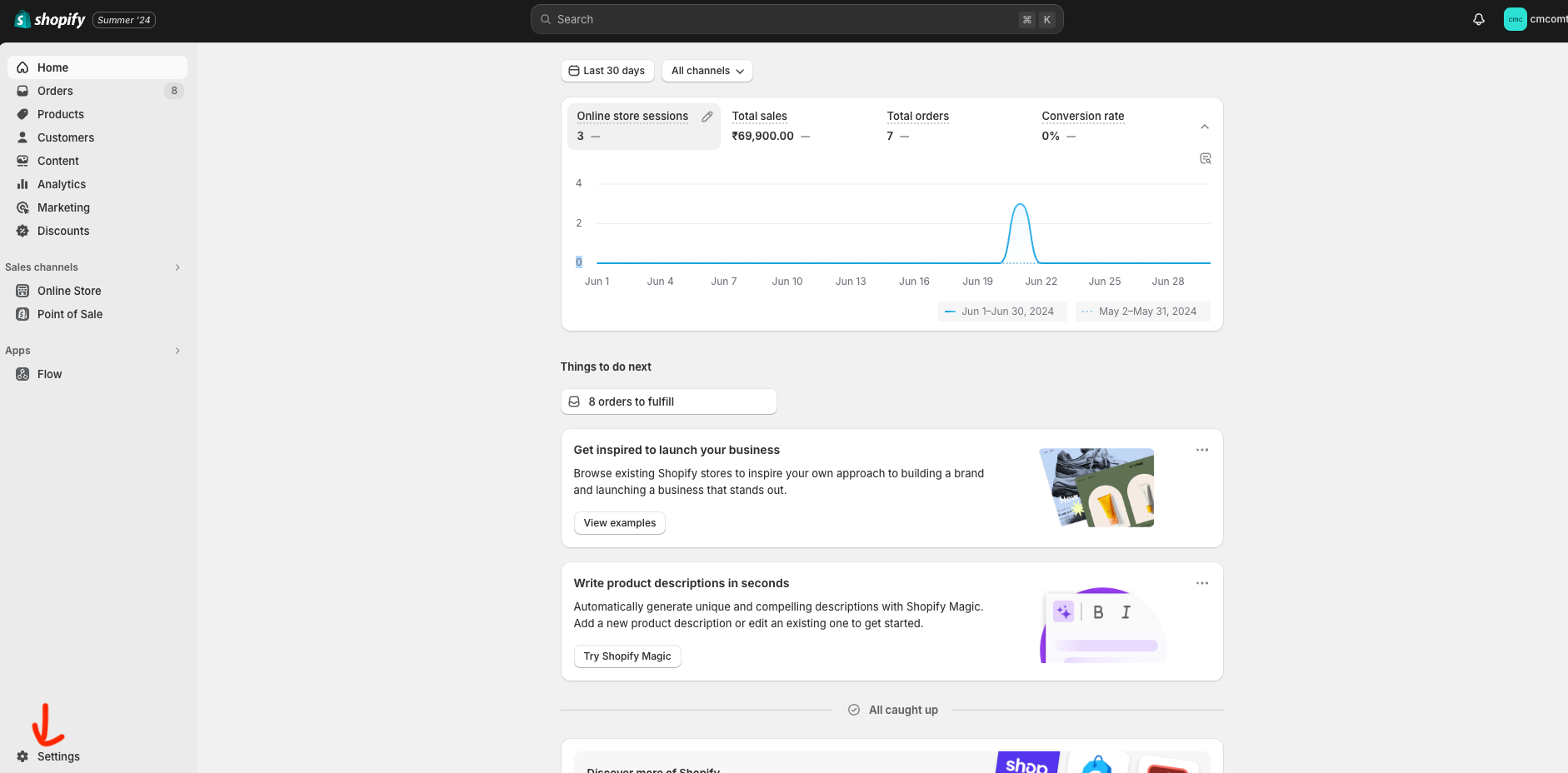
- Navigate to your shopify store and select “settings” as shown in below image
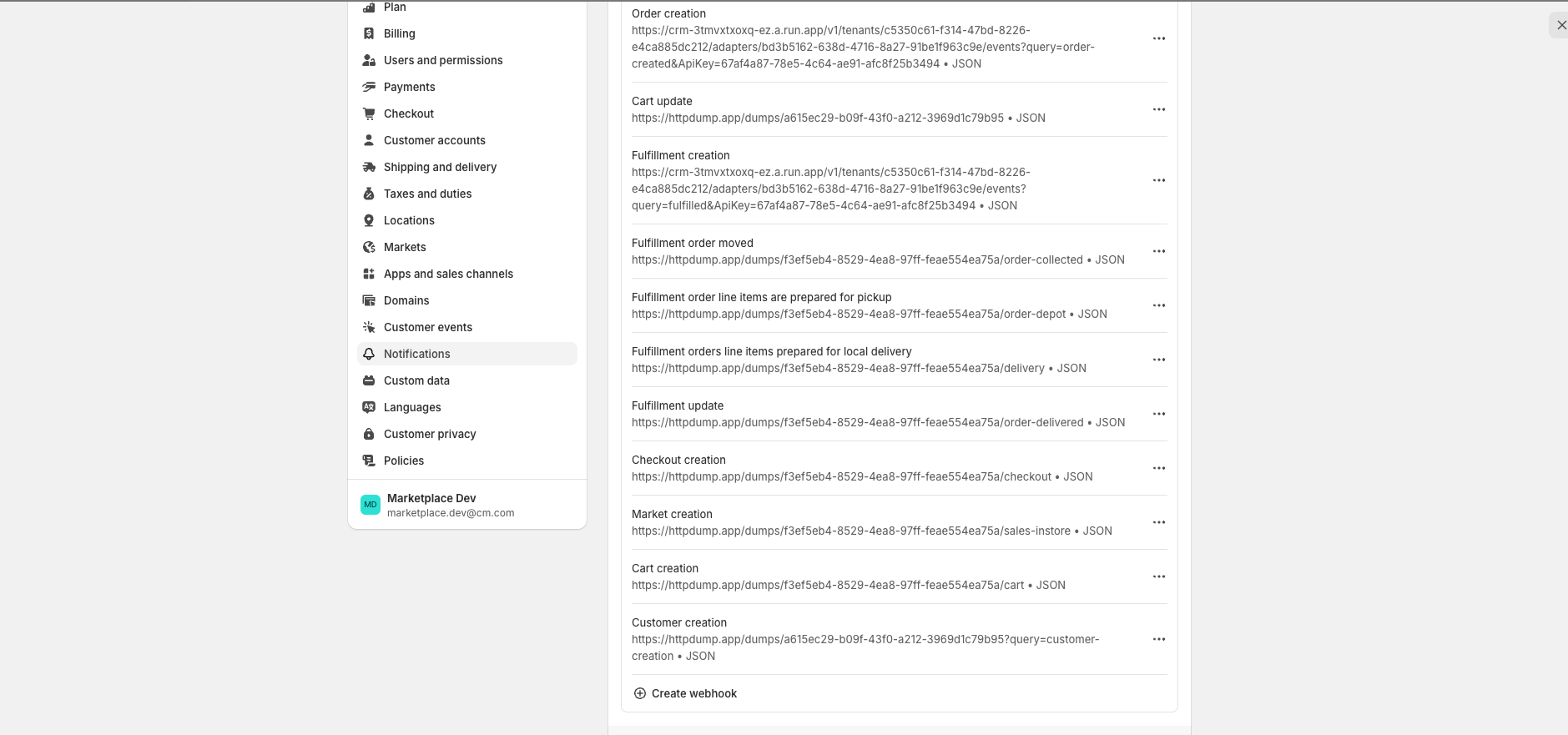
- Click on “Notifications” - > “Web hooks” you will get the following interface as shown in below image
-
Now select “create web hook” and now based on any type of event you can create a webhook to notify receivers about events with some information about the events.
-
When you register a web hook you must provide two items of information:
| Item | Description |
|---|---|
| Endpoint URL | https://api.cm.com/marketplace/crm/v1/tenants/{tenant_id}/adapters/{adapter_id}/events?apikey={api_key} |
| Webhook Api Version | 2024-01 |
and then Save it.
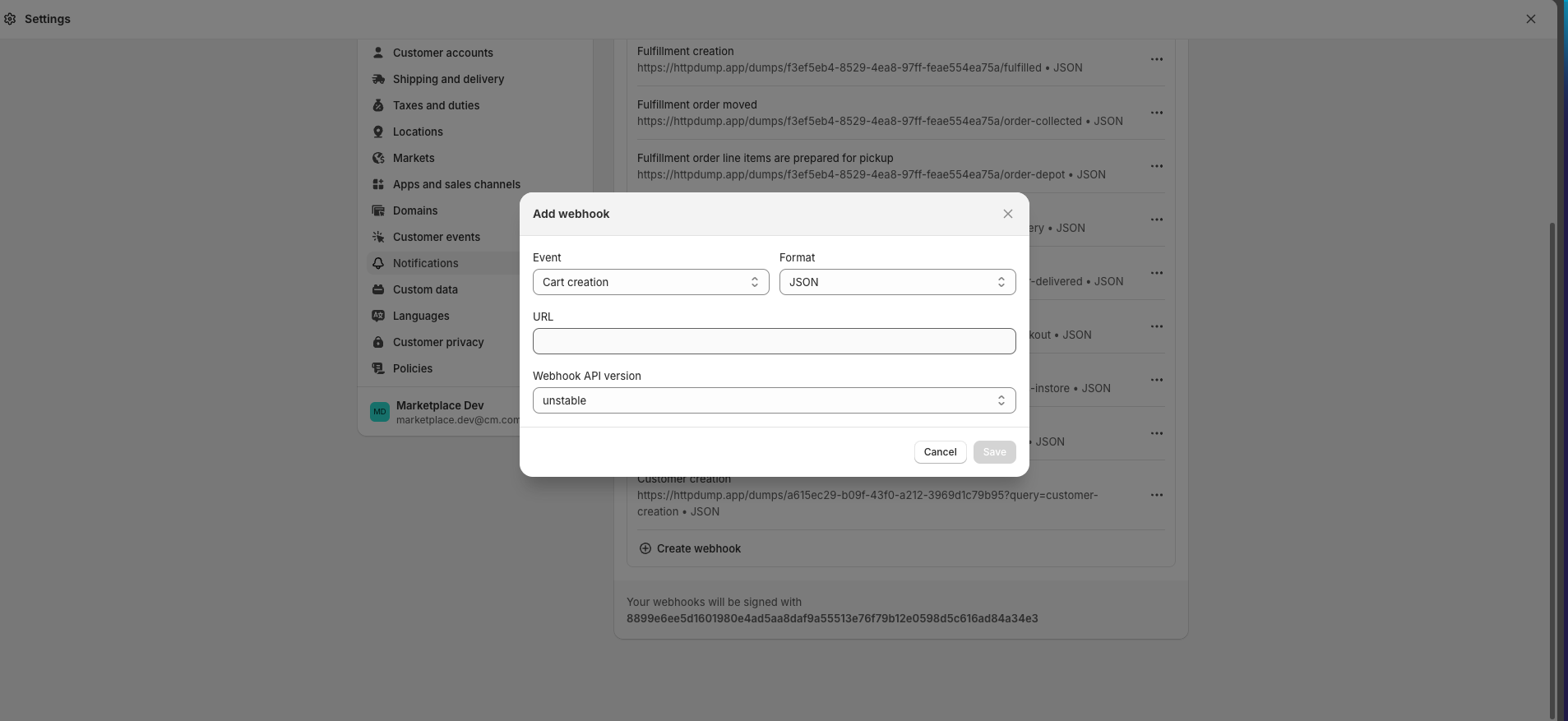
Its done, Now you can test it by changing in Shopify and It should reflect in CDP Logs.