Paylogic Integration - Delivery Setup
This guide explains how to configure the Paylogic integration on the Marketplace platform.
Steps to Configure Paylogic Integration
Follow these steps to configure the Paylogic integration on the Marketplace platform:
1. Prerequisites
Ensure you have the following details from the customer:
- Event IDs: A list of event IDs to fetch ticket personalization data.
- Refresh Token: The token required for authentication with the Paylogic API.
2. Create Paylogic tenant adapter in marketplace
Steps to Configure API Access:
-
Log in to the Marketplace platform.
-
Navigate to the **Integrations > CRM **section.
-
Select Paylogic Integration from the list of available integrations.
-
Click on Create Integration and provide a descriptive name (e.g., "Paylogic Ticket Sync").
-
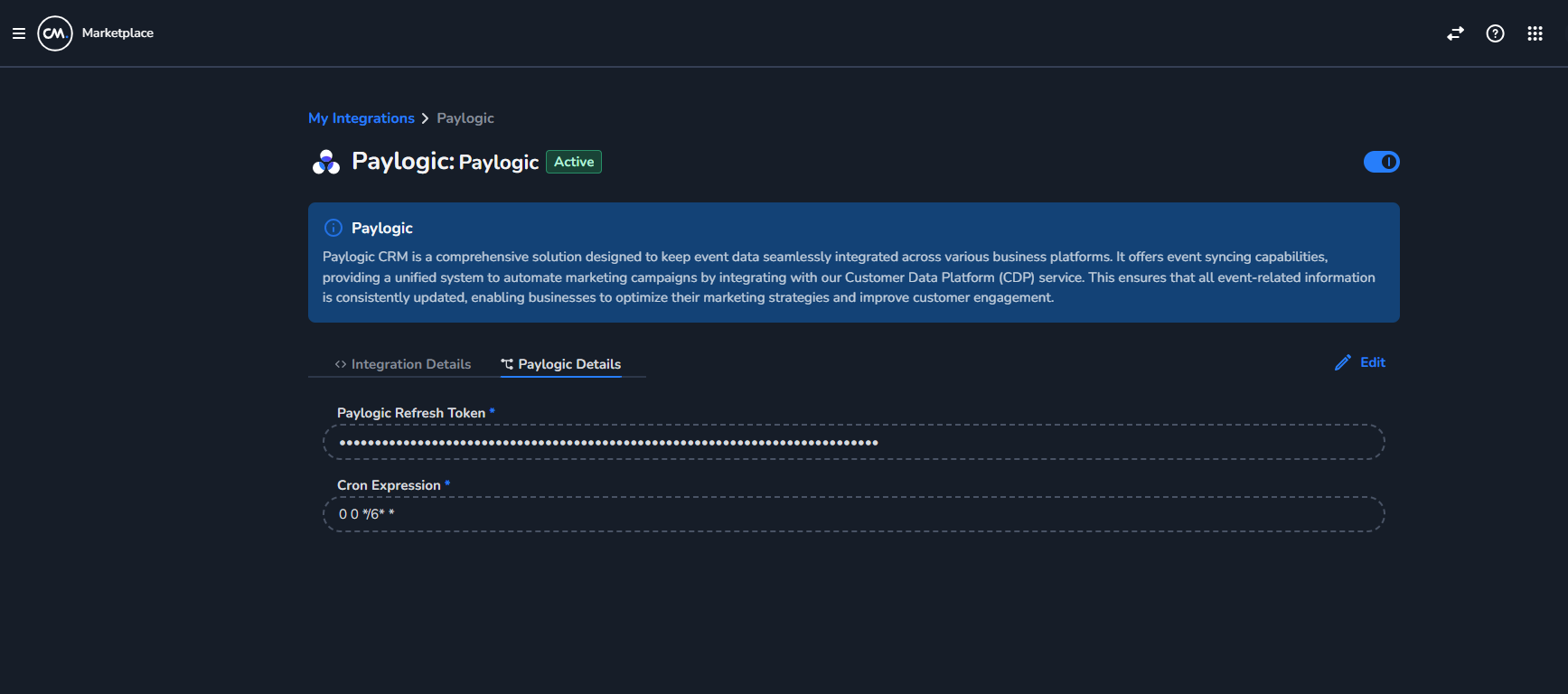
In the Paylogic Details section, enter the following:
-
Refresh Token: Enter the refresh token for authentication.
-
CRON Expression: Enter the CRON Expression on how frequently data should be pulled from paylogic.
-
-
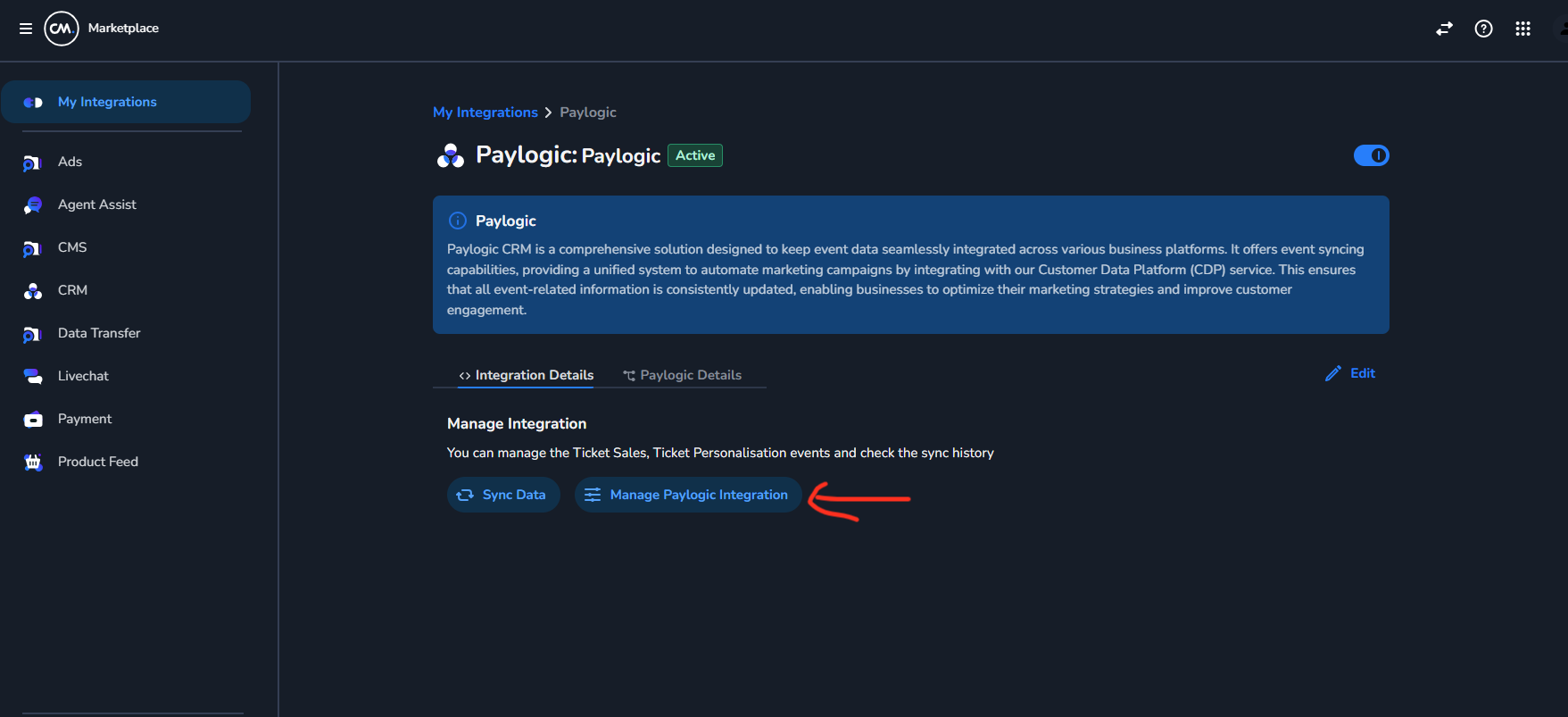
Now Click Manage Paylogic Integration
-
Add the corresponding event id's which customer wants to configure and send the data of to cdp, you can uncheck/check the ticket personalization checkbox based on customers need of ticket personalization to their event.
-
Save the integration to establish the connection.