Create Integration in Marketplace
Prerequisites
- Access to the marketplace platform
- CRM credentials and configuration details
Steps:
- Navigate to the left navigation panel
- Click on **CRM **Section
- Select your desired CRM Integration(e.g., Bloomreach)
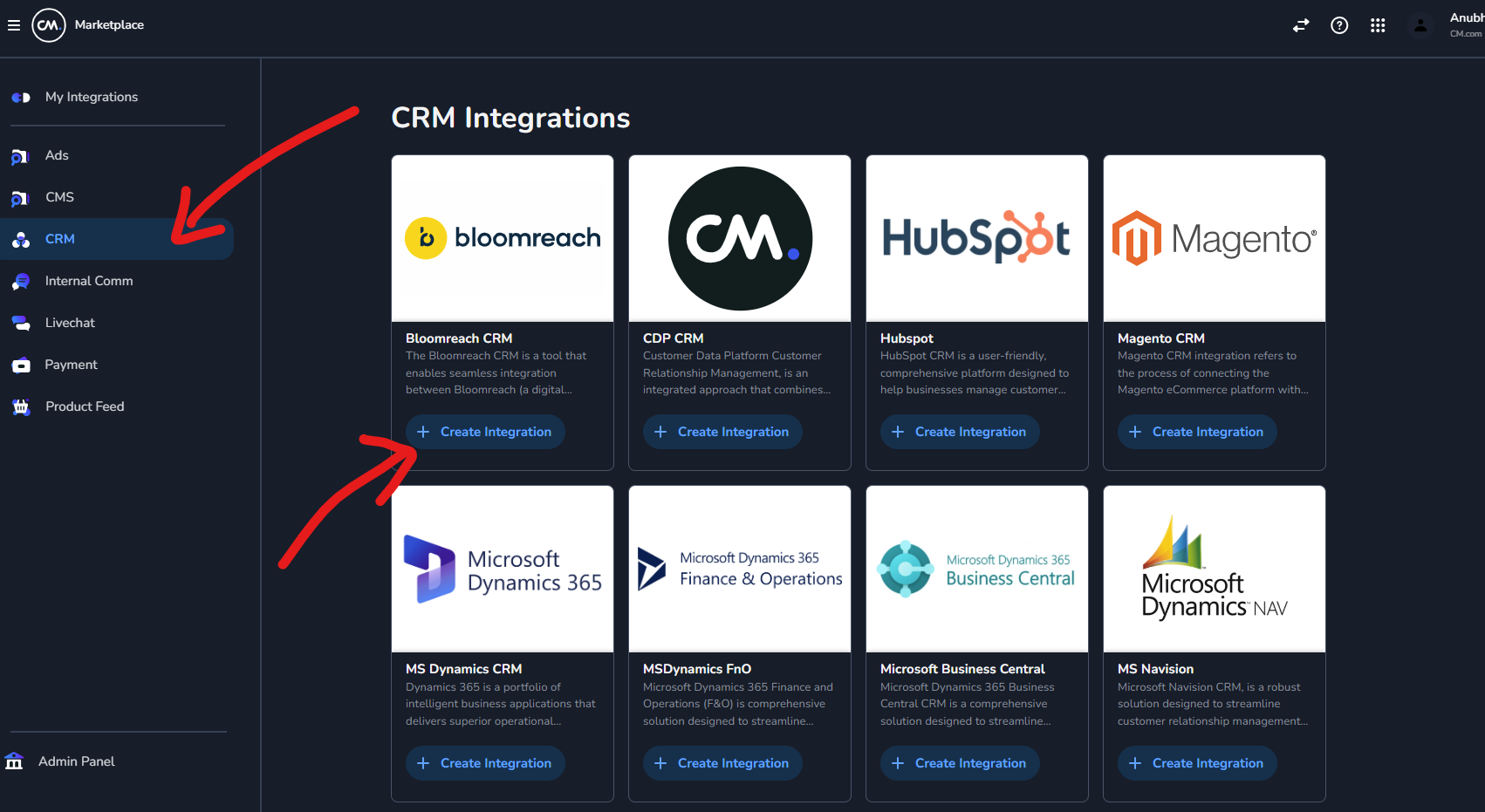
- Click Create Integration
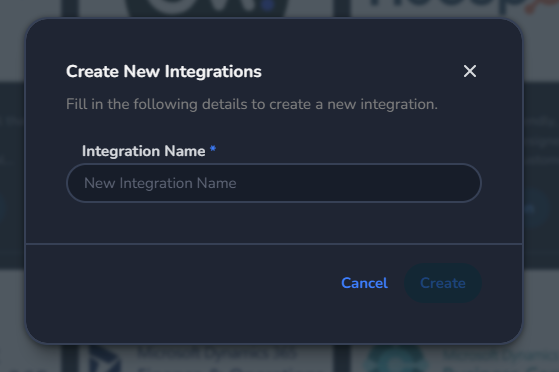
- In the dialog box, enter the Integration Name
- Under CRM Details, provide all required information:
- Credentials
- Configuration settings needed to connect to the respective CRM adapter
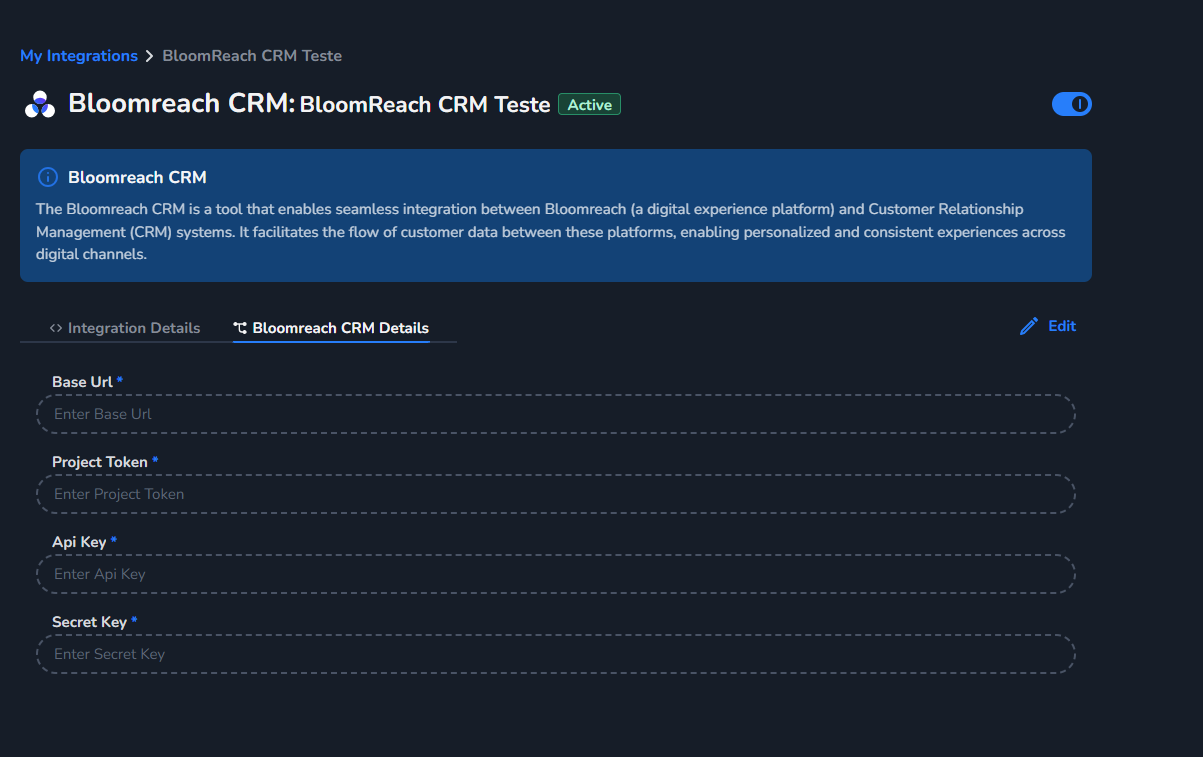
- Click Edit to filling in all details
- Click Save to complete the integration setup