Delivery Setup BloomReach
Delivery Setup
This guide explains how to configure the Bloomreach CRM integration on our Marketplace using the information provided by the customer.
1. Prerequisites
Ensure you have the following details from the customer:
- API Key ID
- API Secret
- Project Token
- Base URL
2. Configure the Bloomreach CRM Integration
Steps to Configure API Access:
- Log in to the Marketplace platform.
- Navigate to the Integrations > CRM section.
- Select Bloomreach from the list of available integrations.
- Click "Create Integration" and provide a descriptive name (e.g., "Bloomreach Production Integration").
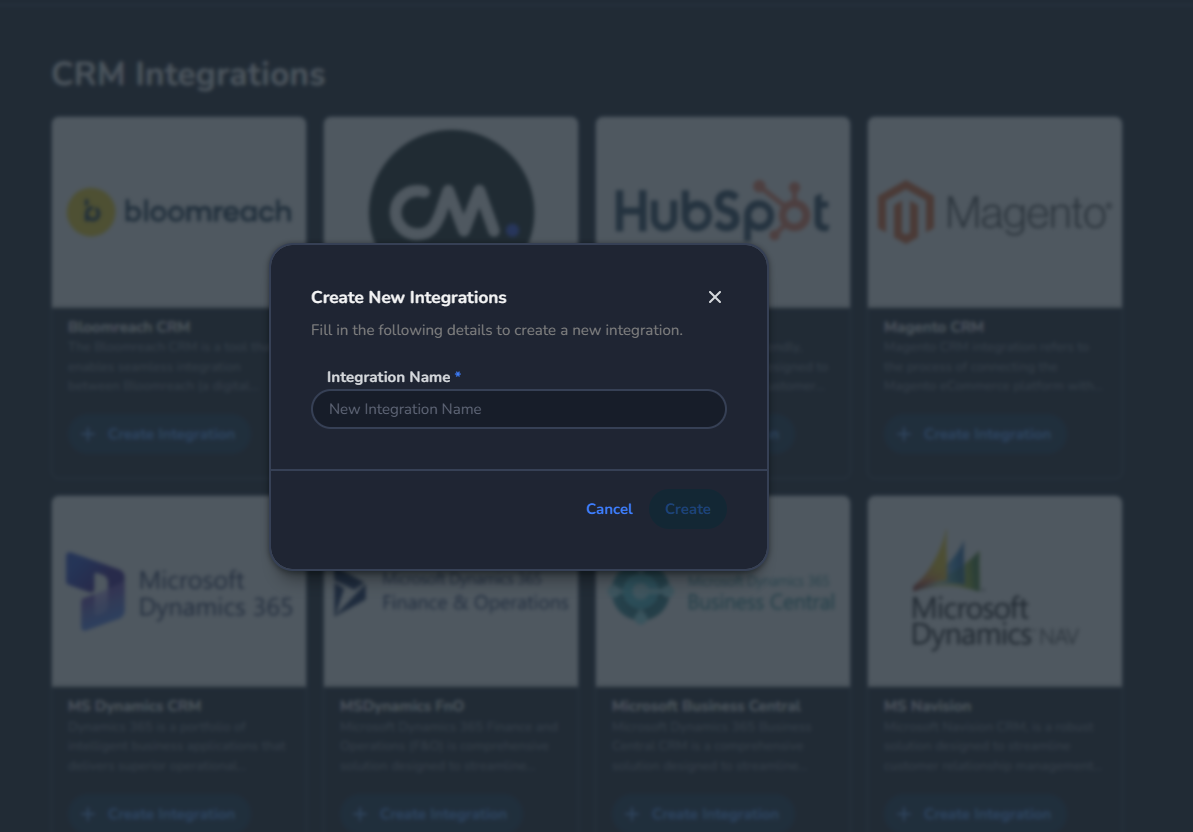
- Enter the following details provided by the customer inside the Bloomreach CRM Details:
- Base URL
- Project Token
- API Key
- API Secret
- Click Save to establish the connection.
Configure the Endpoint in the MSC
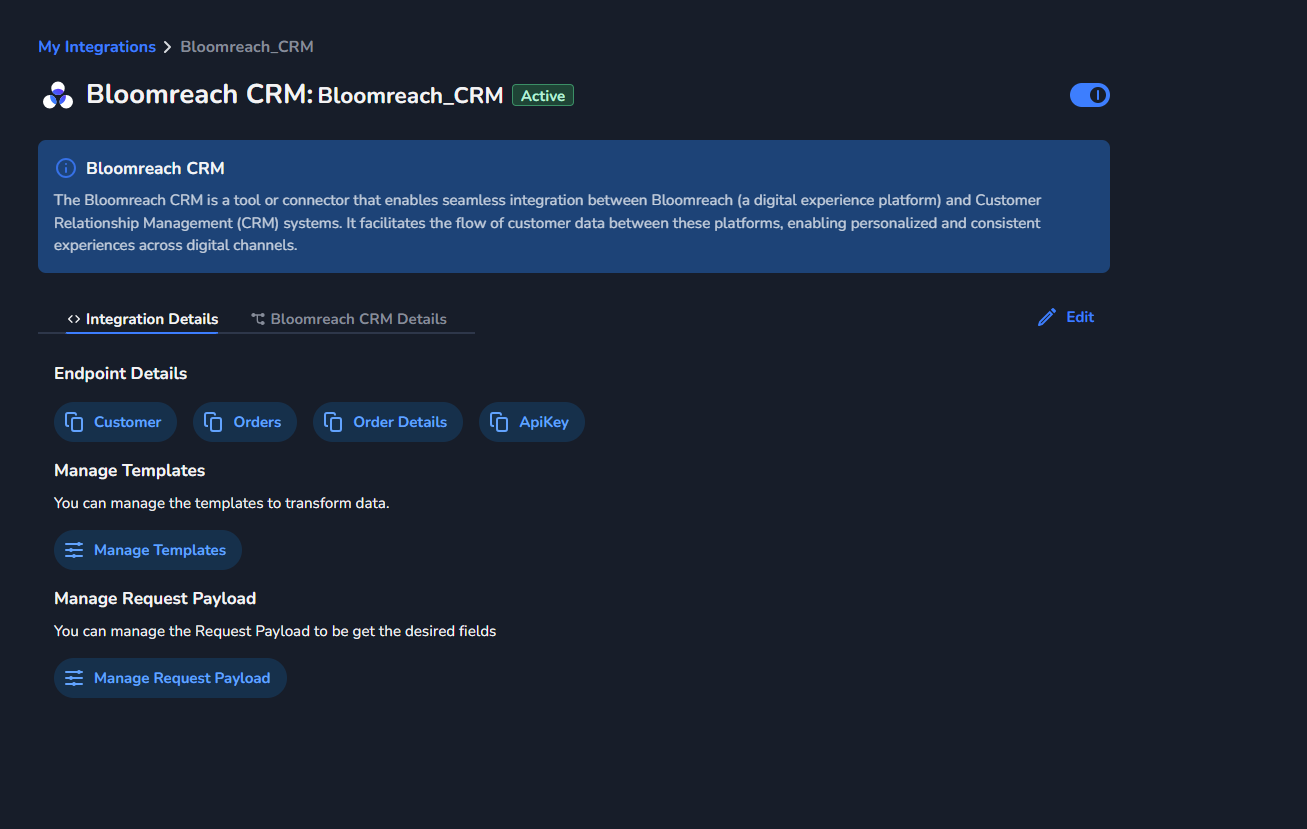
Trial Account of Bloom Reach
If you want to test the flow yourself and verify whether the customer has configured everything correctly, you can set up a free trial account using the link provided below and use the public trial environment. Use the public trial environment
API Endpoints of Bloom Reach
To retrieve customer details and order information from BloomReach, we use the official BloomReach API endpoints. Below are the details of the endpoints, their request structure, and example cURLs you can run directly from Postman or a terminal.
How authentication works — All BloomReach API calls use HTTP Basic Auth. The Authorization header is built by Base64-encoding the string <API_KEY_ID>:<API_SECRET> and prefixing it with Basic.
Example: if API Key ID is abc123 and API Secret is xyz789, then abc123:xyz789 Base64-encoded becomes YWJjMTIzOnh5ejc4OQ==, giving the header:
Authorization: Basic YWJjMTIzOnh5ejc4OQ==
The Project Token is part of the URL path (not a header), and the Base URL depends on the customer's BloomReach cluster (commonly https://app.eu1.exponea.com).
Retrieve Customer Details
To fetch customer details, BloomReach provides the endpoint Retrieve properties for a specific customer, as documented in the official BloomReach API documentation.
- Endpoint: https://documentation.bloomreach.com/engagement/reference/customer-properties-test
- HTTP method & URL:
POST {BaseUrl}/data/v2/projects/{ProjectToken}/customers/attributes - Purpose: Retrieve specific customer properties based on the attributes provided in the request body.
Example Use Case: If you need to fetch customer details (e.g., name, email, or other attributes), specify the required attributes in the request body and the API returns the corresponding customer data.
Example cURL — fetch a customer by registered email:
curl --location 'https://app.eu1.exponea.com/data/v2/projects/{ProjectToken}/customers/attributes' \
  --header 'Content-Type: application/json' \
  --header 'Accept: application/json' \
  --header 'Authorization: Basic <Base64(API_KEY_ID:API_SECRET)>' \
  --data-raw '{
    "customer_ids": {
      "registered": "[email protected]"
    },
    "attributes": [
      { "type": "property", "property": "first_name" },
      { "type": "property", "property": "last_name" },
      { "type": "property", "property": "email" }
    ]
  }'
How to test: replace {ProjectToken} in the URL with the customer's project token, build the Basic auth header from their API Key + Secret (see the panel above), and replace the registered email with a real customer ID known to exist in their BloomReach project. The attributes array can be tailored to whichever fields the integration is configured to return in the MSC.
Retrieve Orders and Order Details
To fetch order details, including order events and purchase items, BloomReach provides the Export events endpoint, as documented in the official BloomReach API documentation.
- Endpoint: https://documentation.bloomreach.com/engagement/reference/export-events-2
- HTTP method & URL:
POST {BaseUrl}/data/v2/projects/{ProjectToken}/customers/events - Purpose: Retrieve order-related events by specifying the event type in the request body.
Example Use Case: If you need to fetch order details (e.g., purchase events or purchase item details), specify the event_type in the request body. The API returns the relevant order data.
Example cURL — fetch purchase events for a customer:
curl --location 'https://app.eu1.exponea.com/data/v2/projects/{ProjectToken}/customers/events' \
  --header 'Content-Type: application/json' \
  --header 'Accept: application/json' \
  --header 'Authorization: Basic <Base64(API_KEY_ID:API_SECRET)>' \
  --data-raw '{
    "customer_ids": {
      "registered": "[email protected]"
    },
    "event_types": ["purchase"]
  }'
To pull purchase item details instead, swap "event_types": ["purchase"] for "event_types": ["purchase_item"] in the body.
How We Use These Endpoints
- Customer Retrieval:
- We query the BloomReach API using the Retrieve properties for a specific customer endpoint.
- The request body includes the attributes required by the customer, and the API returns the corresponding customer details.
- Order Retrieval:
- We query the BloomReach API using the Export events endpoint.
- The request body specifies the
event_type(e.g.,purchaseorpurchase_item) to retrieve detailed order information.