CX-One Expert Knowledge
This page gives the information about CX-One Expert Knowledge CMS integration in marketplace.
What is a CX-One Expert Knowledge CMS Integration?
- CX-One Expert ensures customers and agents get fast, accurate answers—anytime, anywhere—across digital and voice channels. It was was created to pull the data from the customer's CX-One Expert Knowledge and use it across the CM Products.
- Currently, one of the use case is in CM Engage's Halo product, here it is being using it to pull the data from the Expert Knowledge of the customer in CX-One to the Knowledge Centre of the Halo.
What are the requirements to create a CX-One Expert Knowledge Integration in Marketplace?
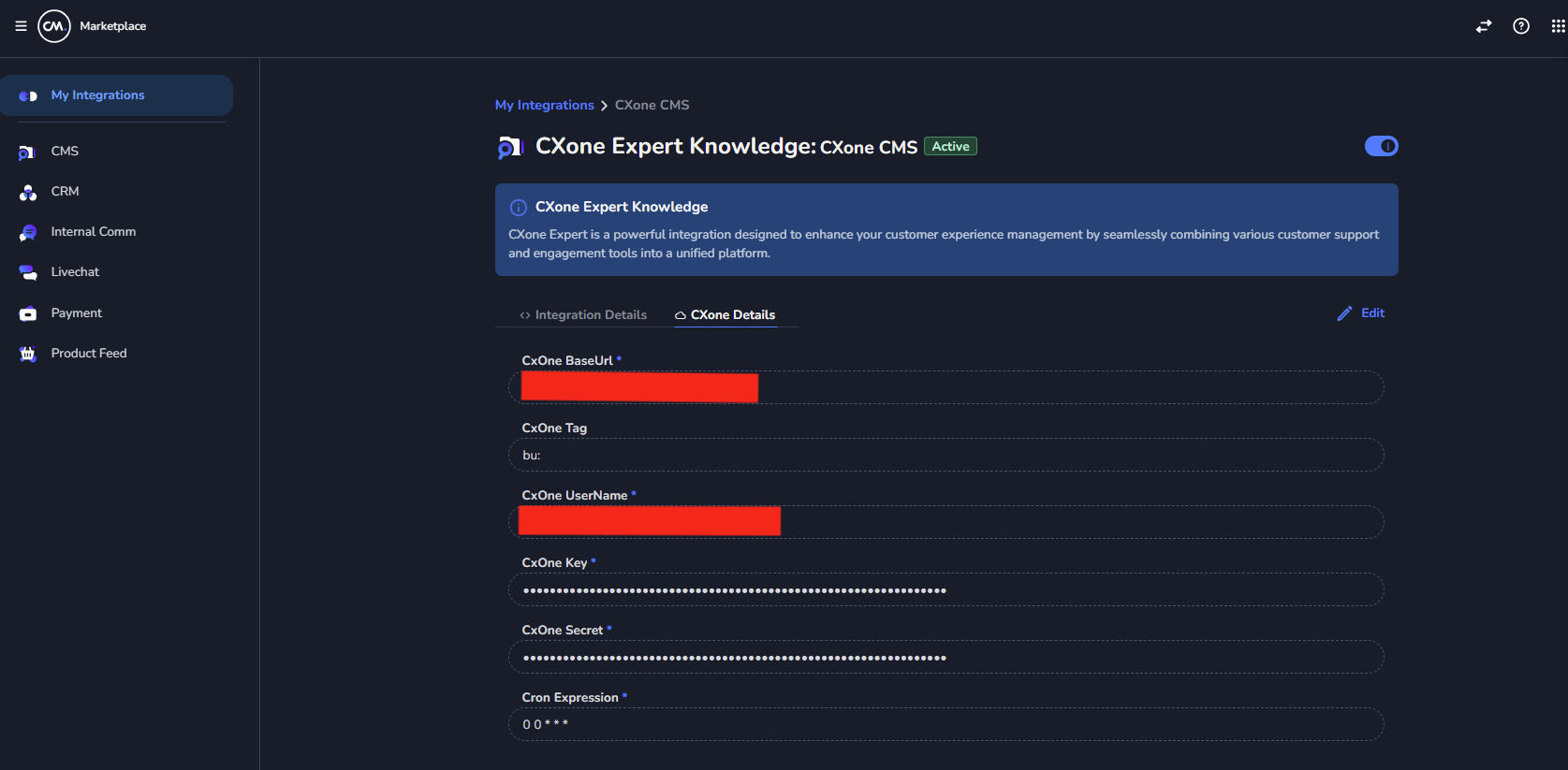
- Base URL of the CX-One Expert Knowledge.
- User Name.
- Key
- Secret
- Tag (to filter the data)
All these information need to be collected from the customer.
How to create a CX-One Expert Knowledge Integration in Marketplace?
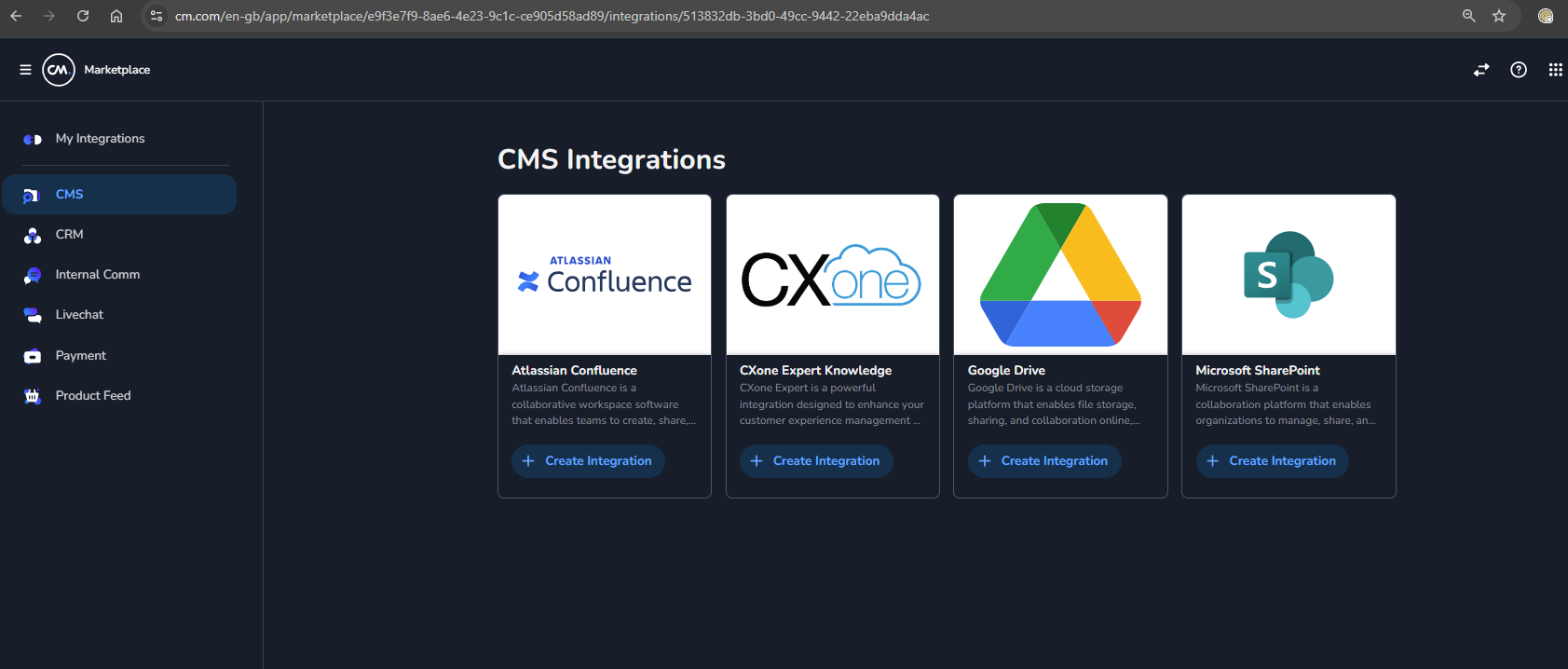
- Go to CMS in left panel of the Marketplace and select CX-One Expert Knowledge.
- Fill the details which are provided by the customer. The Cron Expression is required if you want to periodically sync the data. Save it.
How to pull the data from the CX-One?
- You need to do a HTTP
POSTrequest to the/contentsendpoint of the marketplace with body having Classification name (Business Unit Name).
{
  "classifications": "kvn_nl"
}
Example Request cURL:
curl -L 'https://api.cm.com/marketplace/cms/v1/tenants/1f65ff84-d302-4edd-8fd6-d1d70e11856b/adapters/3417b19b-564e-487a-9d4b-46644b5a5370/contents?apiKey=YOUR_API_KEY' \
-H 'accept: */*' \
-H 'Content-Type: application/json' \
-d '{
  "classifications": "kvn_nl"
}'
Example Response:
[
    {
        "id": "3618",
        "title": "Wat zijn Kruidvat verkooppartner producten?",
        "content": "Kruidvat partnerproducten worden aangeboden door externe verkopers via onze website. Deze producten worden niet in onze winkels aangeboden. Met deze producten kan Kruidvat jou een groter en completer online assortiment aanbieden. Je profiteert dus van nog meer verrassende deals en voordelige aanbiedingen! We werken samen met [betrouwbare verkooppartners en heldere voorwaarden](https://www.kruidvat.nl/kruidvatpartners), dus altijd het vertrouwde voordeel dat je van ons gewend bent. Je herkent een partner product aan de labels 'verkoop via partner' en 'verkocht en verstuurd door ' op de productpagina.",
        "path": null,
        "attachmentFiles": [],
        "metaData": null
    },
    {
        "id": "884",
        "title": "Mijn pakket is niet geleverd op het gekozen bezorgmoment. Wat nu?",
        "content": "We doen altijd ons best om je pakket te bezorgen op het door jou gekozen bezorgmoment. Het kan helaas voorkomen dat dit uiteindelijk niet haalbaar is en je pakket 1-3 dagen later wordt geleverd. Heeft je pakket vertraging opgelopen? Dan krijg je hier op de dag van je gekozen bezorgmoment een e-mail over. Soms komen onze mails binnen in de SPAM-mailbox, dus neem daar ook een kijkje! Heb je jouw pakket na 3 dagen nog niet ontvangen? Neem dan [contact](/Kruidvat/Kruidvat_Nederland/Organisatie/Info_&_Contact/Hoe_neem_ik_contact_op_met_een_Kruidvat_verkooppartner%3F) op met onze klantenservice. Heb je jouw pakket niet ontvangen, maar staat deze bij PostNL wel als bezorgd? Klik dan [hier](/Kruidvat/Kruidvat_Nederland/Mijn_online_bestelling/Bezorgen/Volgens_de_Track_&_Trace_is_mijn_pakket_bij_mij_afgeleverd._Ik_heb_het_echter_niet_ontvangen._Wat_nu%3F).",
        "path": null,
        "attachmentFiles": [],
        "metaData": null
    }
]
What are the types of sync available?
- Earlier, marketplace was syncing the data periodically using Cron job and saving the response in a GCP bucket and Halo used to make a
GETrequest to/contentsendpoint of the marketplace to get the data - But now, marketplace has a
POSTrequest in/contentsendpoint, where the data can be fetched on fly. Halo'ssyncronisation-serviceis usingPOSTrequest.