How Access Decisions Work
When someone uses an application, the application asks Governance whether they may do what they are trying to do. Governance answers Allow or Deny, and the application acts on the answer.
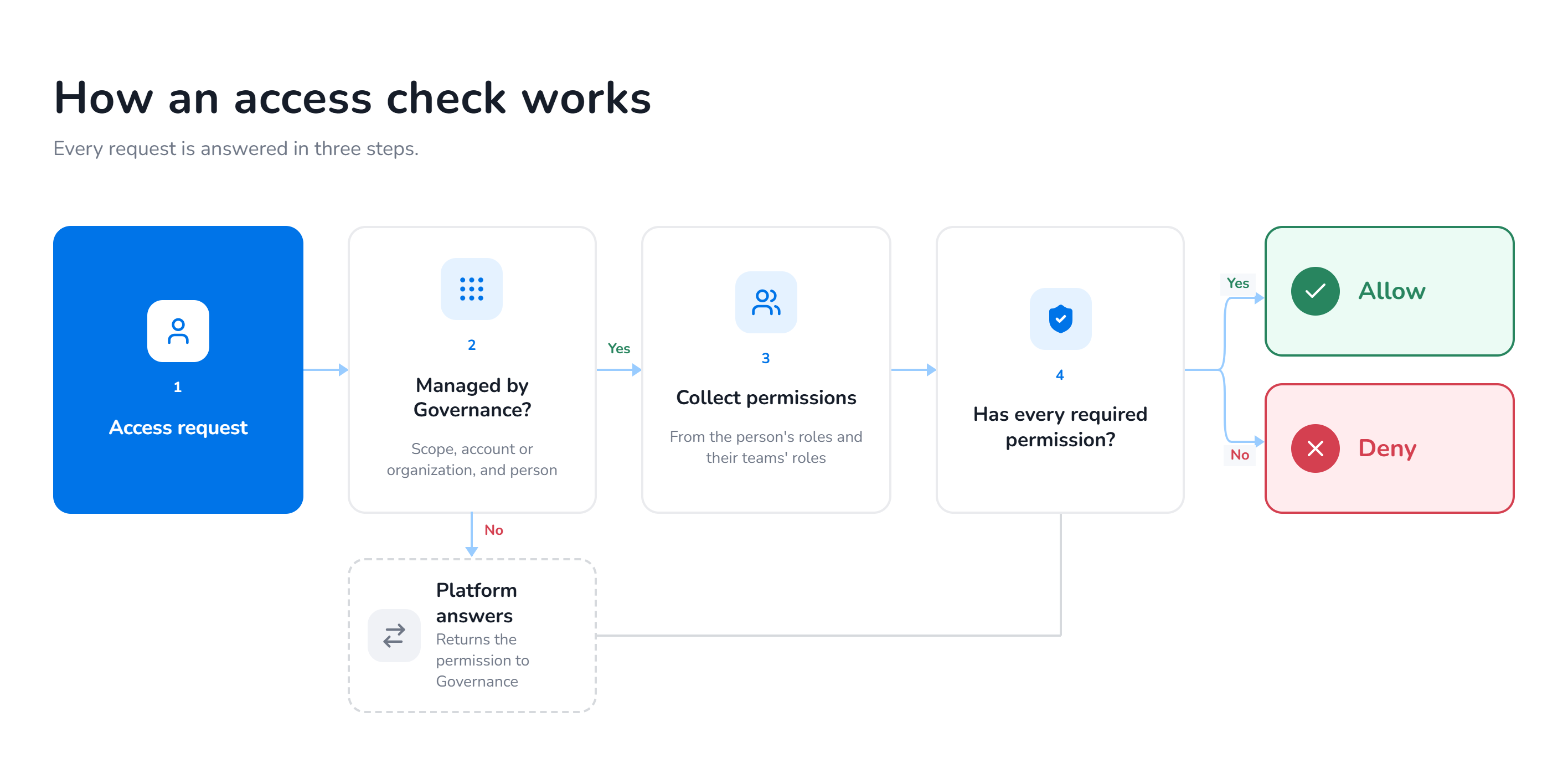
The steps
- Is the scope an account or an organization? Governance decides requests at these two scopes only. A request at any other scope goes to Platform.
- Is that account or organization using Governance? If not, the request goes to Platform.
- Is the person known to Governance? If not, the request goes to Platform.
- Governance collects the person's permissions. It looks at the roles given to the person and to the teams they belong to. For an account, that includes roles given on its organization. See Accounts and organizations.
- Governance applies the resource. A role given on a specific resource only counts for that resource. A role given with no resource counts for all of them. See Resources.
- Governance decides. The request is allowed only if the person has every permission the application asked about. Otherwise it is denied.
Whenever a request goes to Platform, Platform's response comes back through Governance, which passes it on to the application.
What Governance needs to know
| It looks at | Meaning |
|---|---|
| The person | Who is making the request. |
| The scope | Where they are working: an account or an organization. |
| The resource | What they want to use. Optional. |
| The permissions | What they want to do. |
Good to know
- Roles only add access. Nothing takes access away, so a person with no matching permission is denied. See Role assignments.
- Permissions reach a person only through roles, either given to them directly or through a team. See Roles and Teams.
- Governance keeps access logs. See Audit logs.