Getting started
This page explains how Workforce Management is organized and a few ideas that come back on every page.
Open the app
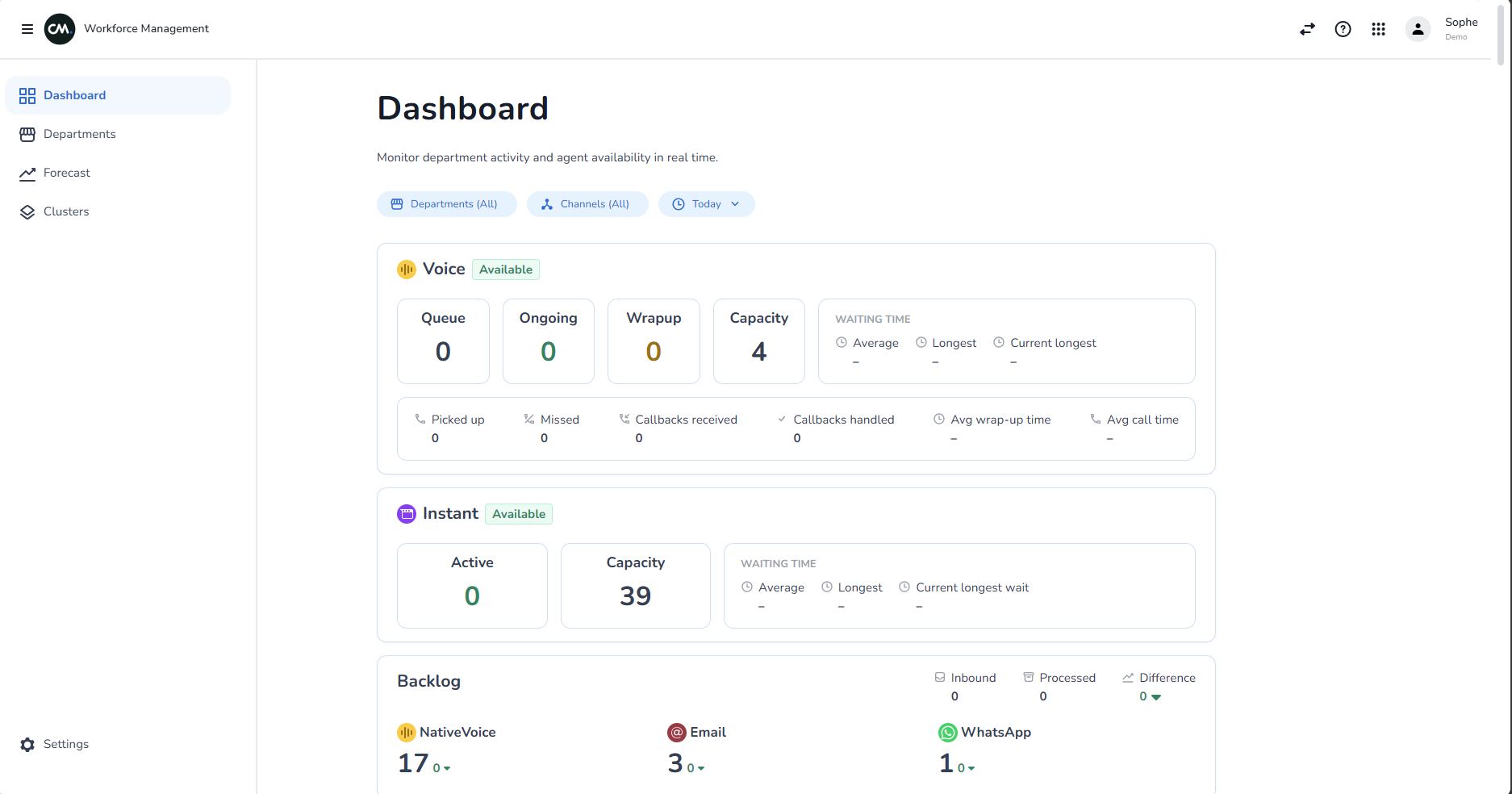
Workforce Management is part of the CM.com platform. It opens on the Dashboard.
Find your way around
Use the menu on the left to move between pages.
| Menu item | What you use it for |
|---|---|
| Dashboard | Monitor live activity for the departments, clusters and channels you choose |
| Departments | Compare the performance of all departments at a glance |
| Forecast | See the expected conversation volume for the next 7 days and how many agents to roster |
| Clusters | Group departments together |
| Settings | See your account details (at the bottom of the menu) |
Words you will see
- Department — A team or queue in your account that handles conversations
- Cluster — A group of departments that you create, so you can look at them together. See Clusters
- Channel — The way customers contact you, such as Voice, WhatsApp, Webchat or Email
- Agent — A person who handles conversations
- Voice — Phone calls handled through the platform
- Instant — Conversations in channels where customers expect a quick reply, such as chat
- Backlog — Conversations that are open and still need handling
You can find more explanations in the Glossary and FAQ.
How the data stays up to date
- Dashboard — Numbers update by themselves as calls and conversations change. You do not need to refresh the page.
- Departments and Forecast — Open the page again to see the latest figures.
Choosing a time range
The Dashboard and Departments pages show results for a period of time. By default this is Today, which means from midnight until now in your chosen time zone.
You can switch to Last 1 hour, Last 3 hours, Last 6 hours, Last 12 hours, or pick your own starting date and time. The time range goes back to Today each time you open a page, so choose it again if you need something different.
See Dashboard for the full steps.