Define quality categories
Categories are the things you want to measure in conversations. For example: "Was the agent polite?" or "Did the agent solve the problem?"
Examples of categories
- Politeness — was the agent friendly and respectful?
- Problem-solving — did the agent fix the customer's issue?
- Knowledge — did the agent know the product/policy?
- Speed — did the agent resolve it quickly?
- Clarity — did the agent explain things clearly?
You can create any categories that matter to your business.
Create a category
- Go to Categories in the left menu
- Click Create category
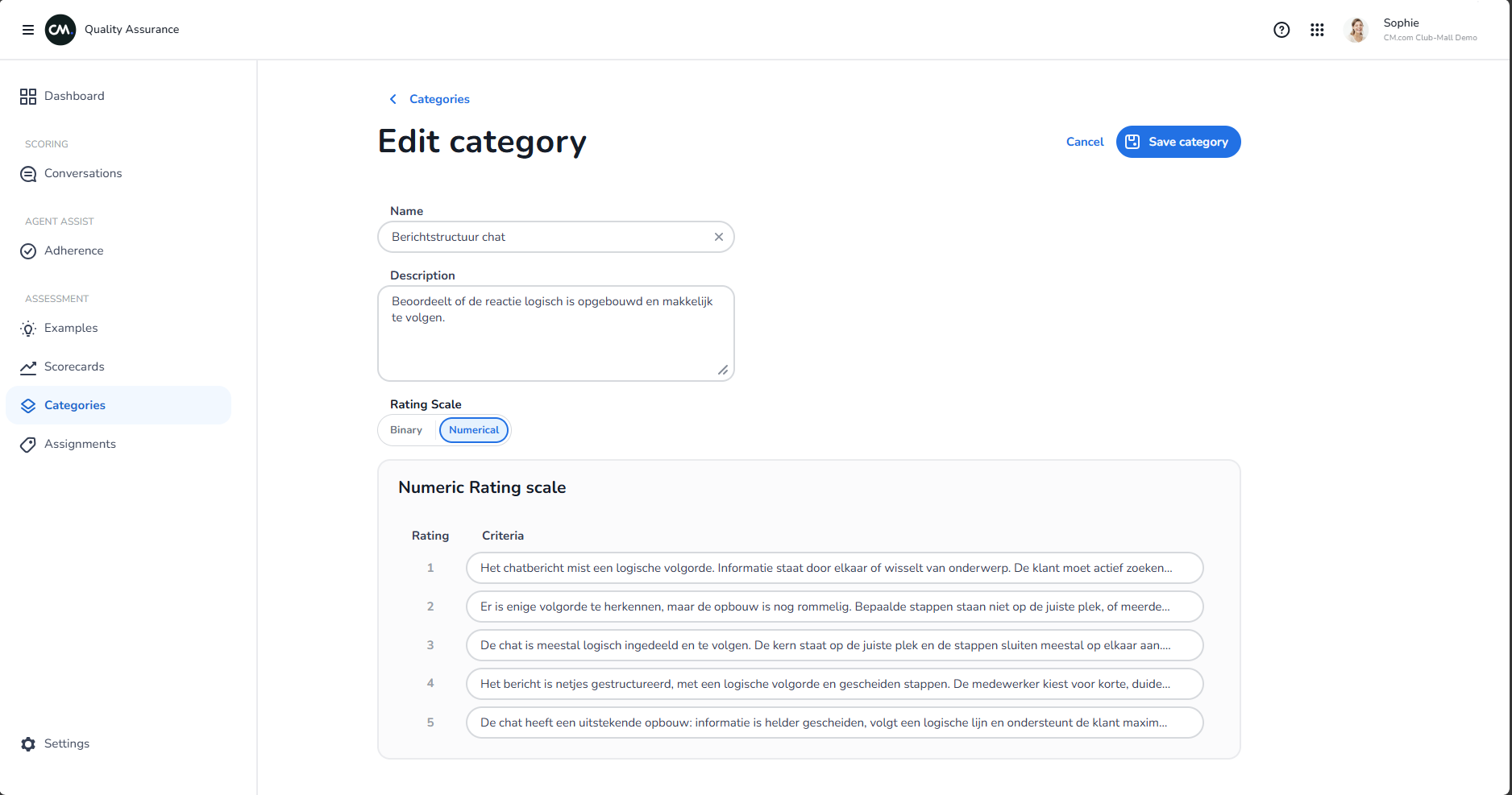
- Fill in:
- Name — what you're measuring (e.g., "Politeness")
- Description — explain what this means (optional)
- How to score it — pick one:
- Yes/No — agent either did it or didn't (e.g., "Did agent apologize?")
- Ratings — pick a scale (e.g., 1-5 stars, with descriptions for each level)
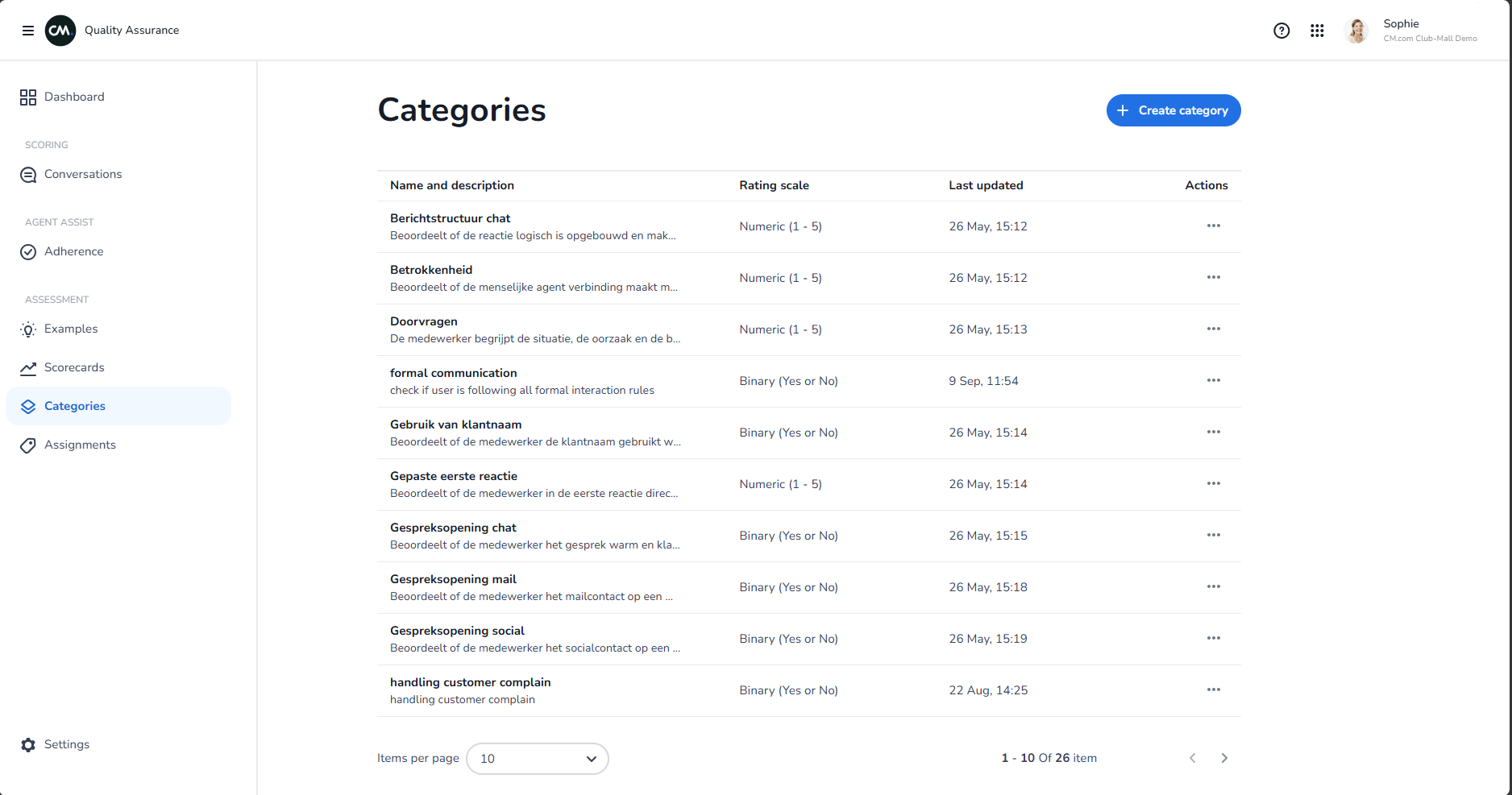
Example: Creating a Yes/No category
Name: "Resolved the issue"
Description: "Customer's problem was solved or next steps were clear"
How to score: Yes / No
Example: Creating a rated category
Name: "Politeness"
Description: "Agent was respectful and professional"
How to score: Rating scale 1-5
- 1 (Poor): Agent was rude or dismissive
- 2 (Below Average): Agent was neutral but slightly impatient
- 3 (Good): Agent was professional and friendly
- 4 (Very Good): Agent was warm and engaging
- 5 (Excellent): Agent went above and beyond to be helpful
Edit or delete a category
- Edit — Click the category to make changes. Changes apply everywhere you use it.
- Delete — You can only delete categories you're not using. If you try to delete one that's in use, the system will tell you which scorecards use it.
Tips
- Keep category names simple and clear (one word is ideal)
- Use Yes/No for things that either happened or didn't
- Use ratings for things that can be "better" or "worse"
- Create categories that matter to your customers and your business
- You can reuse categories across different scorecards