Overview
Router V1 and Router V2 represent two distinct approaches to configuring and managing routing scenarios. While both versions are designed to facilitate message routing and handovers, they differ fundamentally in their configuration models and operational flexibility.
In Router V1, configurations are based on rulesets, which allow you to define all routing scenarios within a single setup. Individual rules pointing to applications can be enabled or disabled dynamically, giving you real-time control over which applications receive messages. This flexibility is further enhanced by the use of a scripted chatbot, which can handle advanced tasks such as initiating handovers or performing routing mutations.
In contrast, Router V2 introduces a more structured approach based on flows and states. Rules pointing to applications are always enabled and cannot be toggled on or off. Instead, flexibility is achieved by separating different scenarios into distinct states within a flow. Switching between scenarios is accomplished by activating different states in real time, rather than modifying rules dynamically. This model simplifies configuration management while maintaining the ability to adapt to changing requirements during conversations.
Scenarios
Save conversation history
Router V1
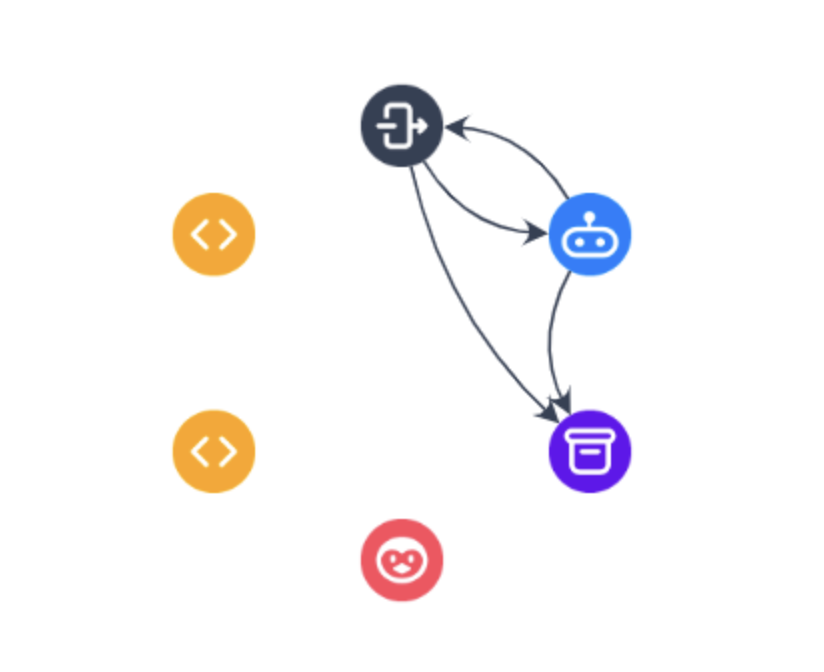
In Router V1, saving conversation history required the use of a Conversation History adapter. This adapter acted as a central repository for storing conversation data. To enable history saving for specific adapters, you would link them to the Conversation History adapter. This setup allowed you to selectively save conversation history for specific interactions, providing granular control over data retention.
Router V2
In Router V2, the process of saving conversation history has been streamlined. A separate Conversation History connection is no longer required, as conversation history is now saved automatically for all interactions. This eliminates the need for manual configuration and ensures that all conversations are retained by default.
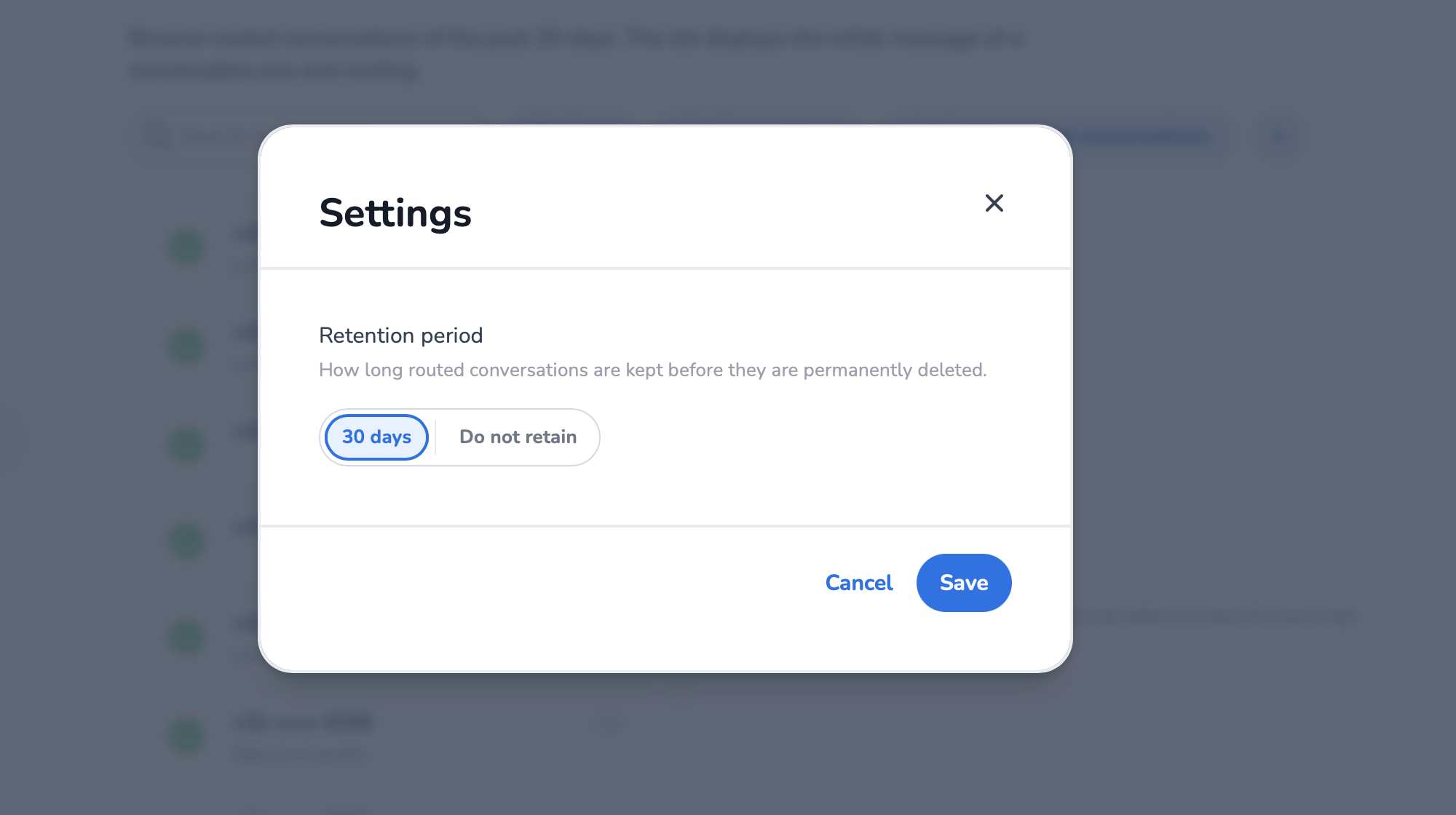
To customize the retention period for conversation history, open Explorer → Settings. Here, you can specify how many days the history should be retained, allowing you to align data retention policies with your organizational requirements.
Handover to live agent
Router V1
In Router V1 all scenarios were configured in one ruleset. By altering rulesets in real-time conversations, you could switch to a different scenario.
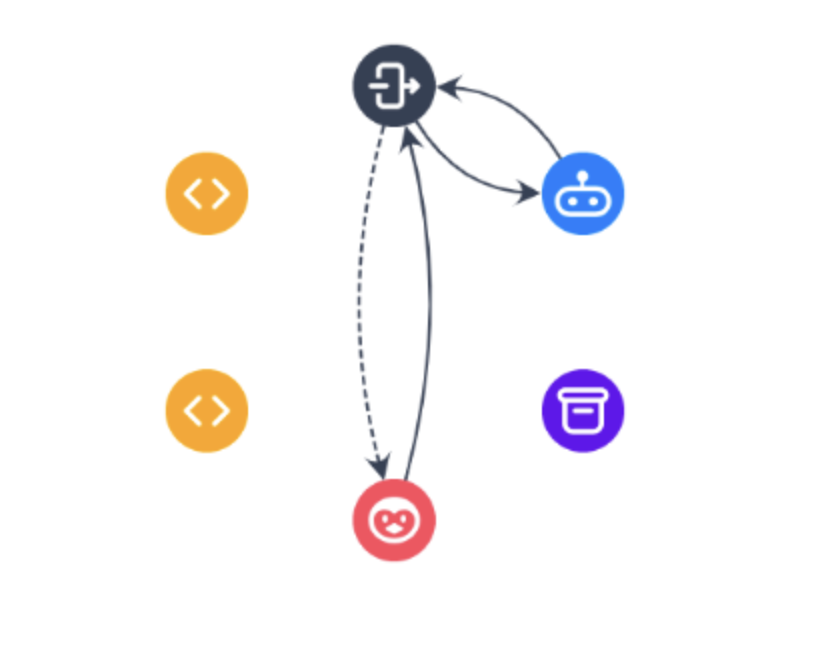
In example below, an initial ruleset is configured for conversation to happen between Business Messaging and a chatbot. A rule between Business Messaging and Robin (Agent Inbox in Router V2) is disabled. When a bot cannot continue conversation anymore, there will be in real-time rule adjustments to enable rule from Business Messaging to Robin and disable from Business Messaging to bot. This will initiate a scenario handover to a live agent.
Router V2
In Router V2, rules cannot be adjusted dynamically during conversations. Instead, you configure states with predefined rules and switch between them in real time.
The process begins by setting up a default state, where conversations start. For example, the default state might involve channels communicating with HALO. This state serves as the initial configuration for routing messages.
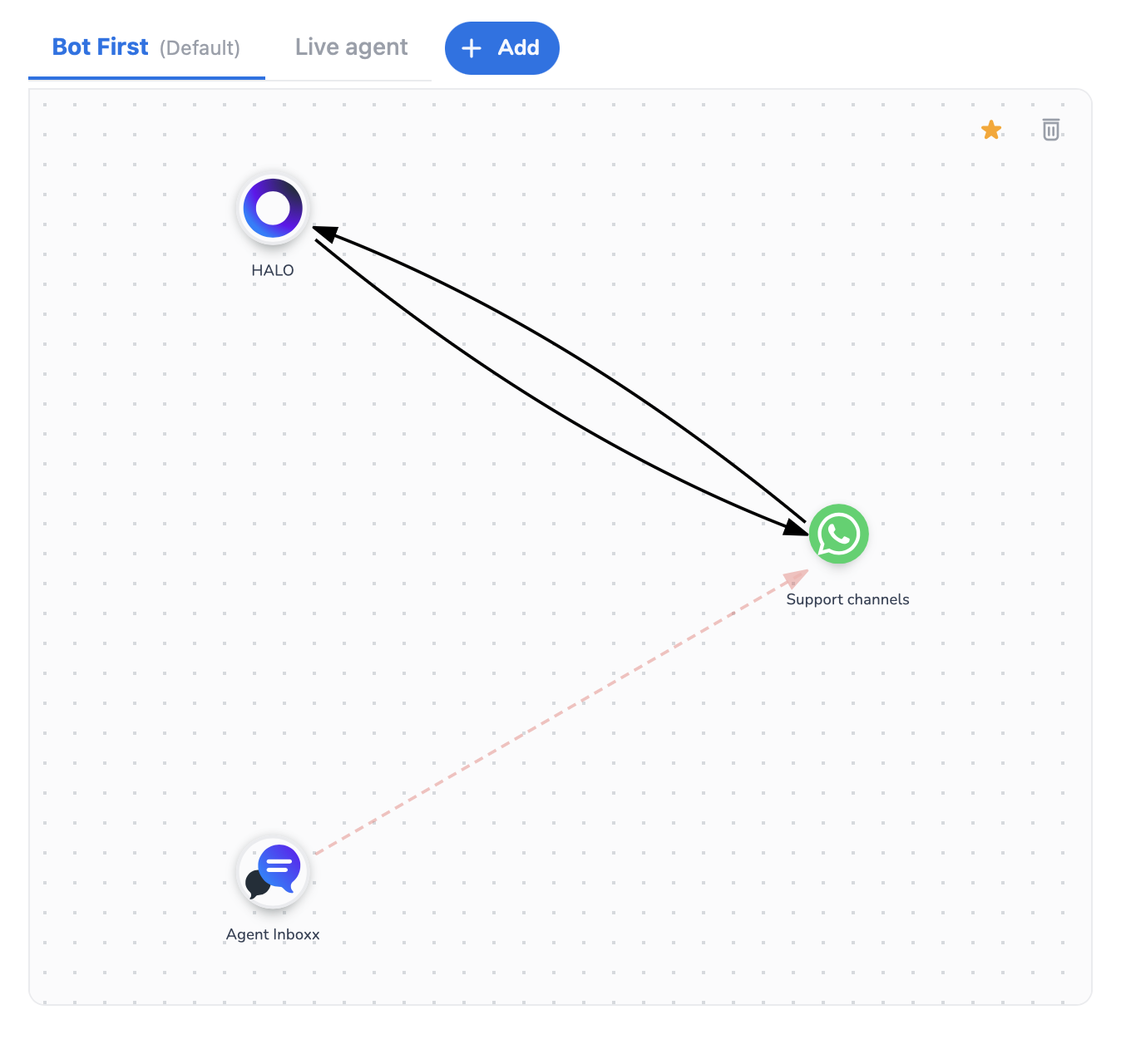
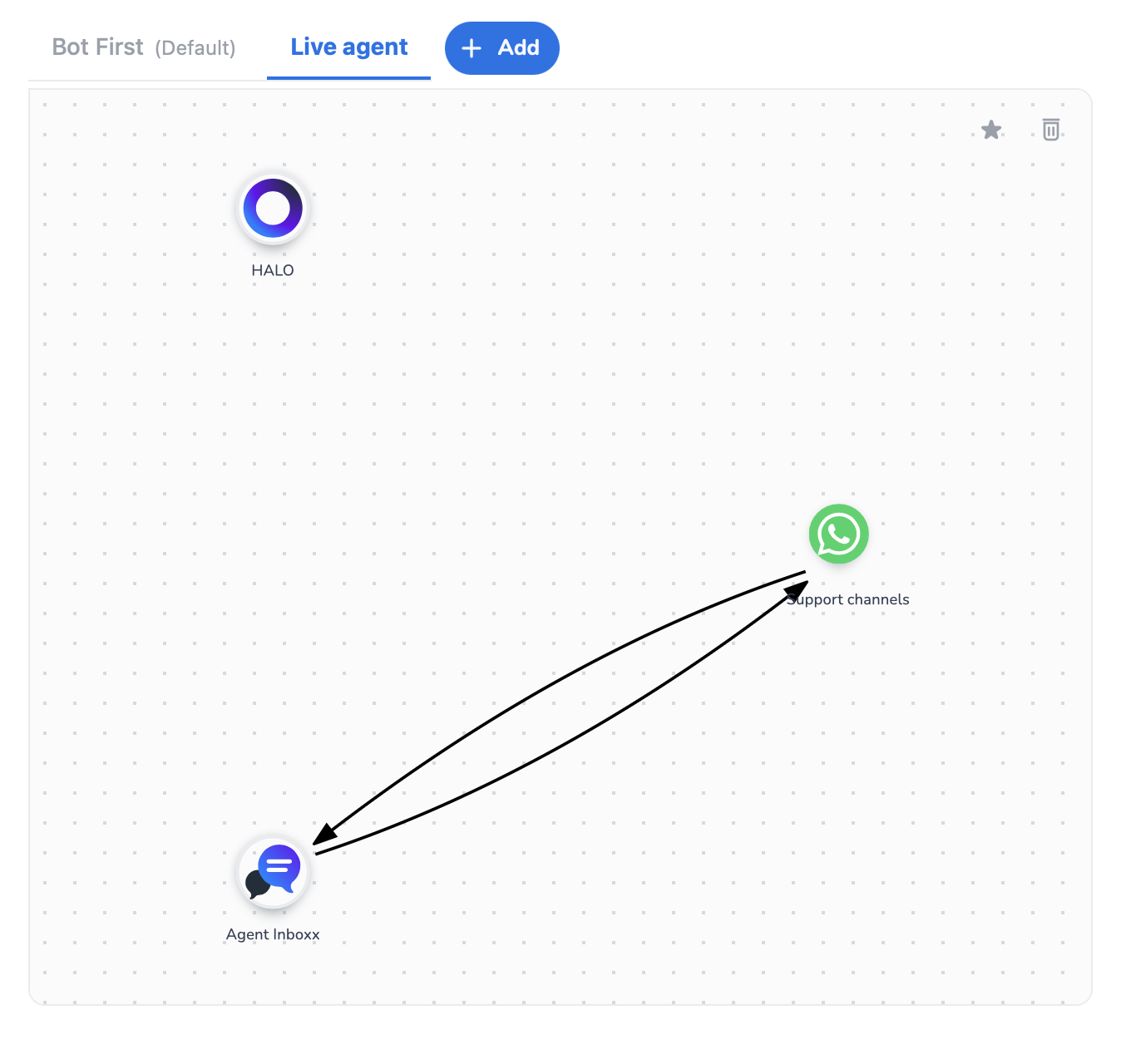
When HALO can no longer handle the conversation and needs to hand over to a live agent, the system switches in real time to another state. In this example, the conversation transitions from HALO to a Live agent state, where channels are configured to communicate with Agent Inbox (Robin in Router V1). This state-based approach ensures smooth transitions between scenarios without requiring manual rule adjustments.
Routing and handing over messages from multiple BM channels
Router V1
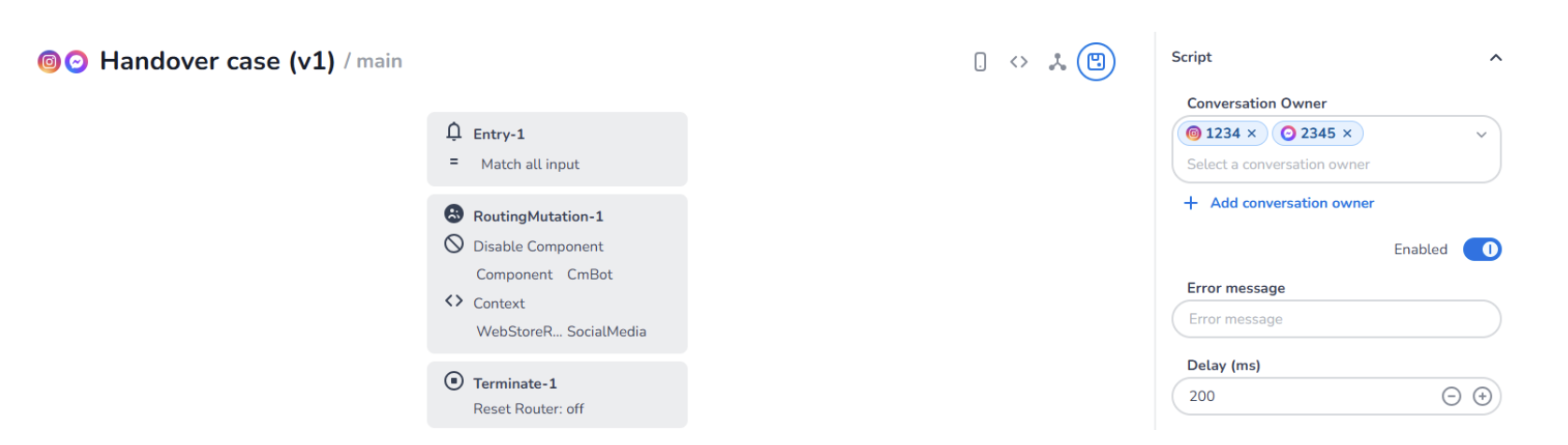
In Router V1, separating Business Messaging (BM) channels along with numbers was technically not possible. However, this limitation was addressed by using the Scripted Chatbot to perform routing mutations or handovers based on specific configurations for channels or channel-and-number combinations.
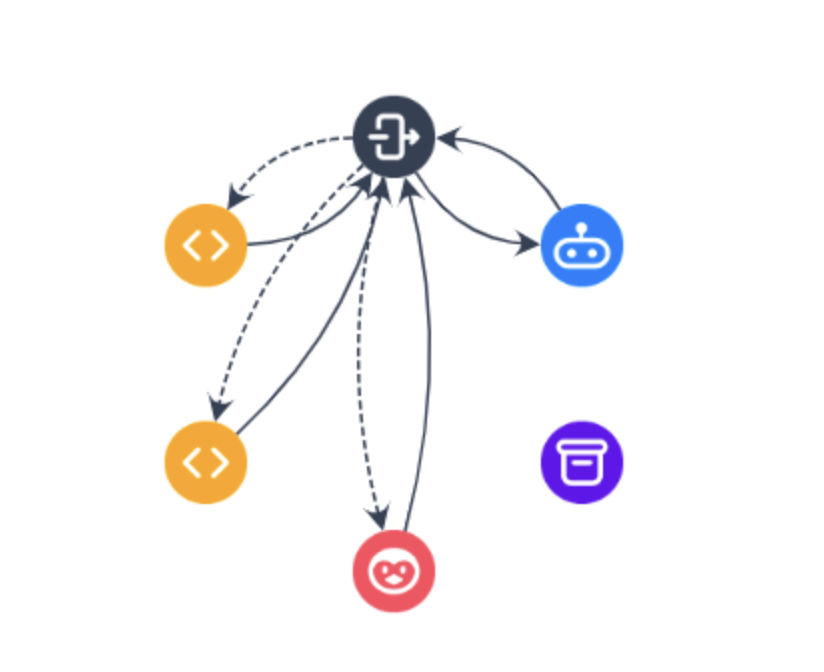
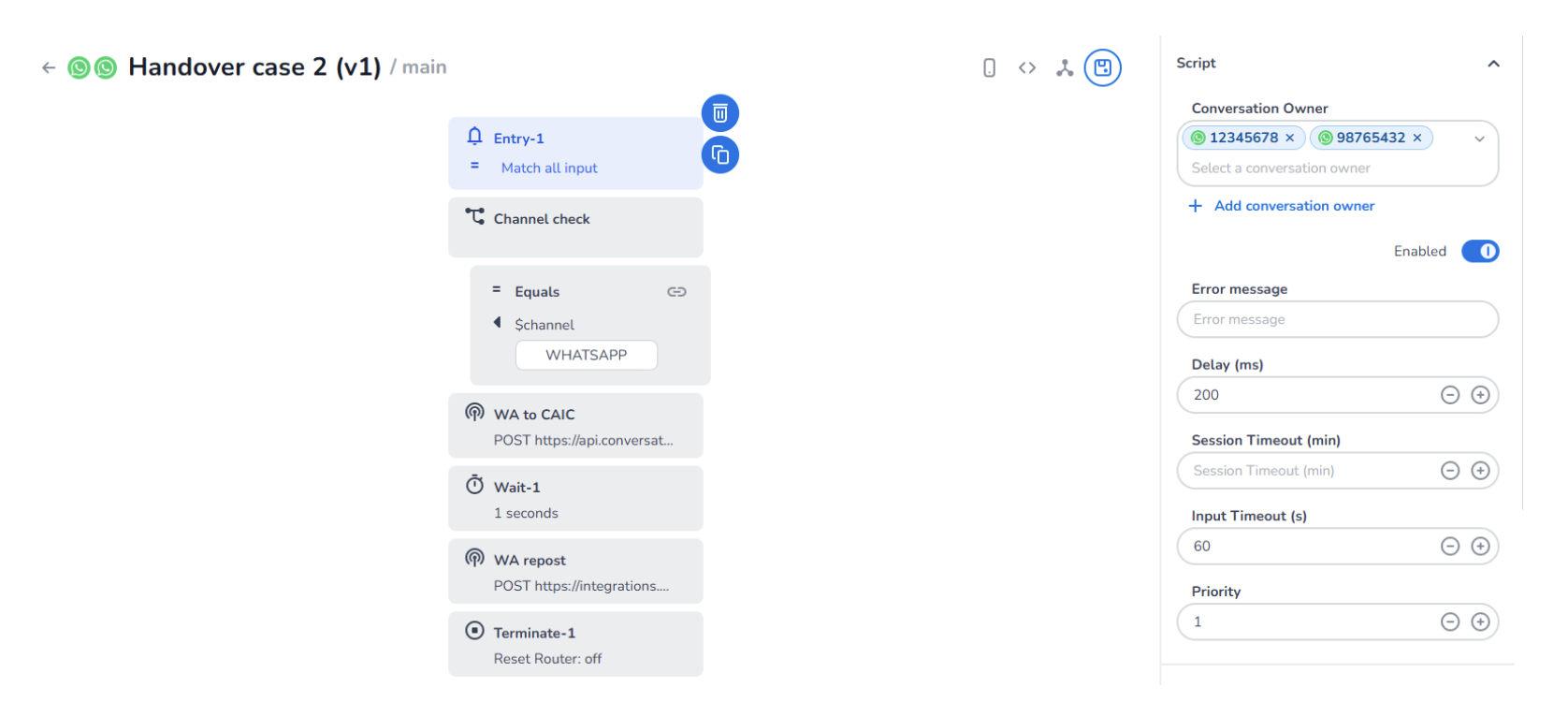
To separate BM identifiers, you could add a channel or channels with numbers in the Conversation Owner. This approach allowed you to create multiple scripts, each with distinct configurations for specific channel identifiers.
One method for configuring a bot with specific channel identifiers was to use Web Requests blocks to execute routing mutation requests. For example, a routing mutation could disable the rule BM > Bot and enable the rule BM > CAIC WhatsApp. Afterward, the Web Request block could be used again to resend a message to CAIC WhatsApp. This configuration enabled you to add multiple channels, each with distinct routing rules tailored to specific channel identifiers.
Another method for configuring a bot with specific channel identifiers - particularly for handing over conversations to live agents - was to use the Handover block. This approach allowed you to define different mutation rules and web store referrer values for various channel identifiers, enabling seamless handovers tailored to specific channels.
Router V2
In Router V2, the process of routing messages has been significantly streamlined. You can now add channels with specific identifiers and directly link them to different applications, like separate Halo profiles. This enhanced functionality eliminates the need for complex scripted configurations and provides a more intuitive and efficient way to manage routing and handovers.
To configure different use cases effectively, it is recommended to create separate flows for each scenario. This approach avoids creating overly complex setups, often referred to as the "wheel of doom/death/hell." By organizing scenarios into distinct flows, you can maintain clarity and simplify management.
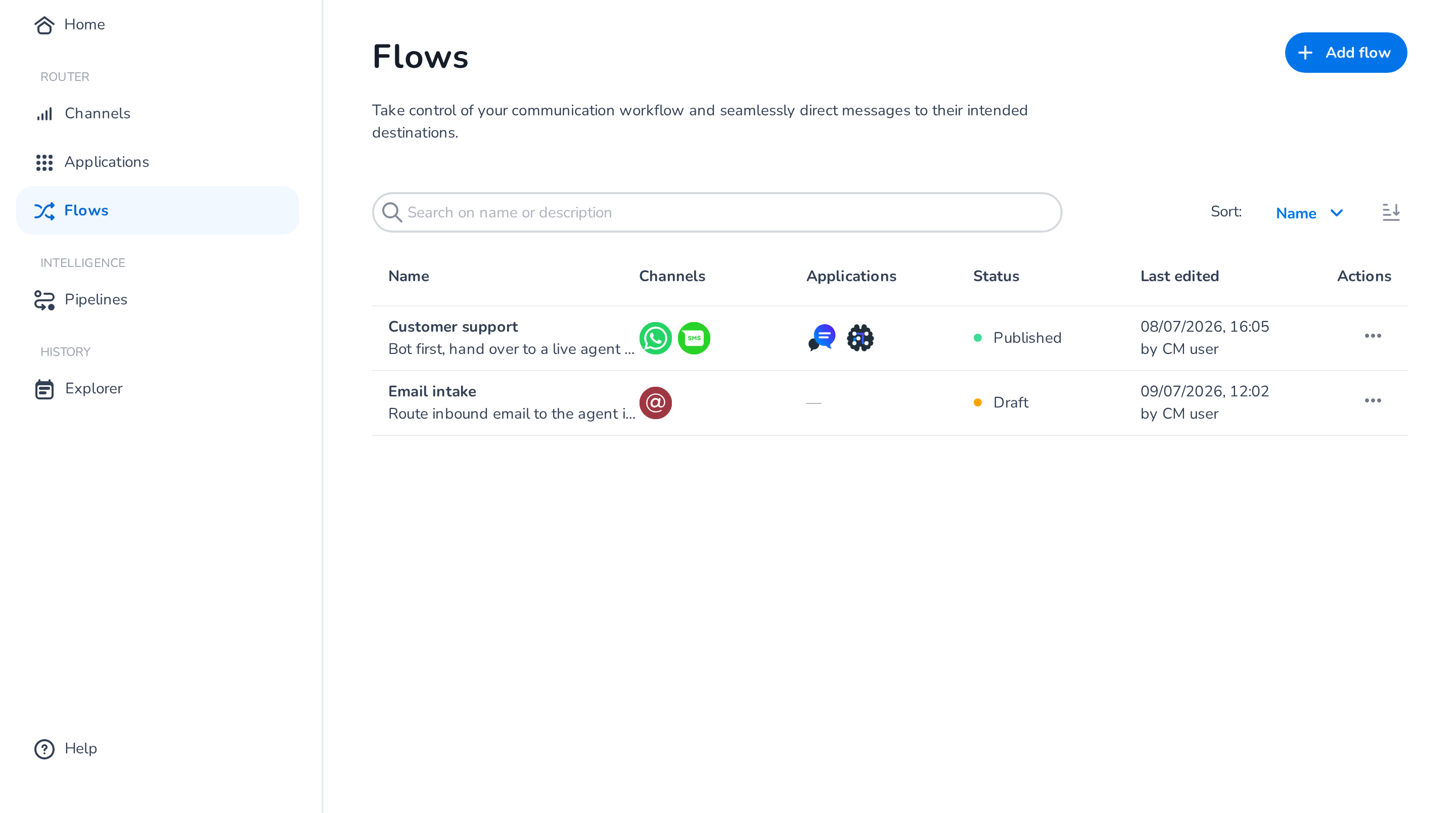
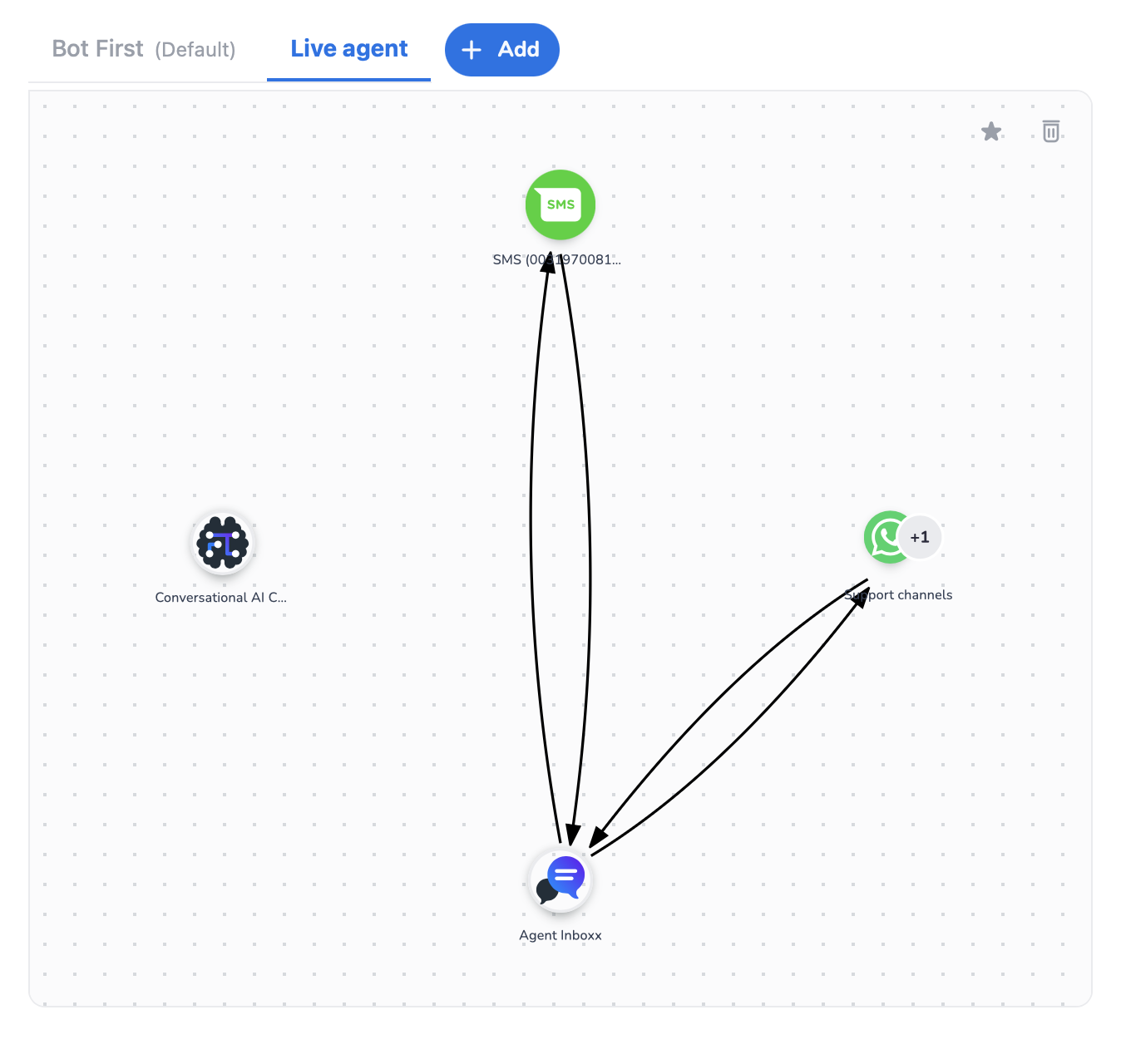
The Customer support flow is configured to handle regular conversations between a bot and other channels, with the option to hand over the conversation to a live agent when necessary. This flow includes two states:
- Bot First state: this state represents the initial configuration where conversations are routed through Conversational AI Cloud. It serves as the starting point for interactions.
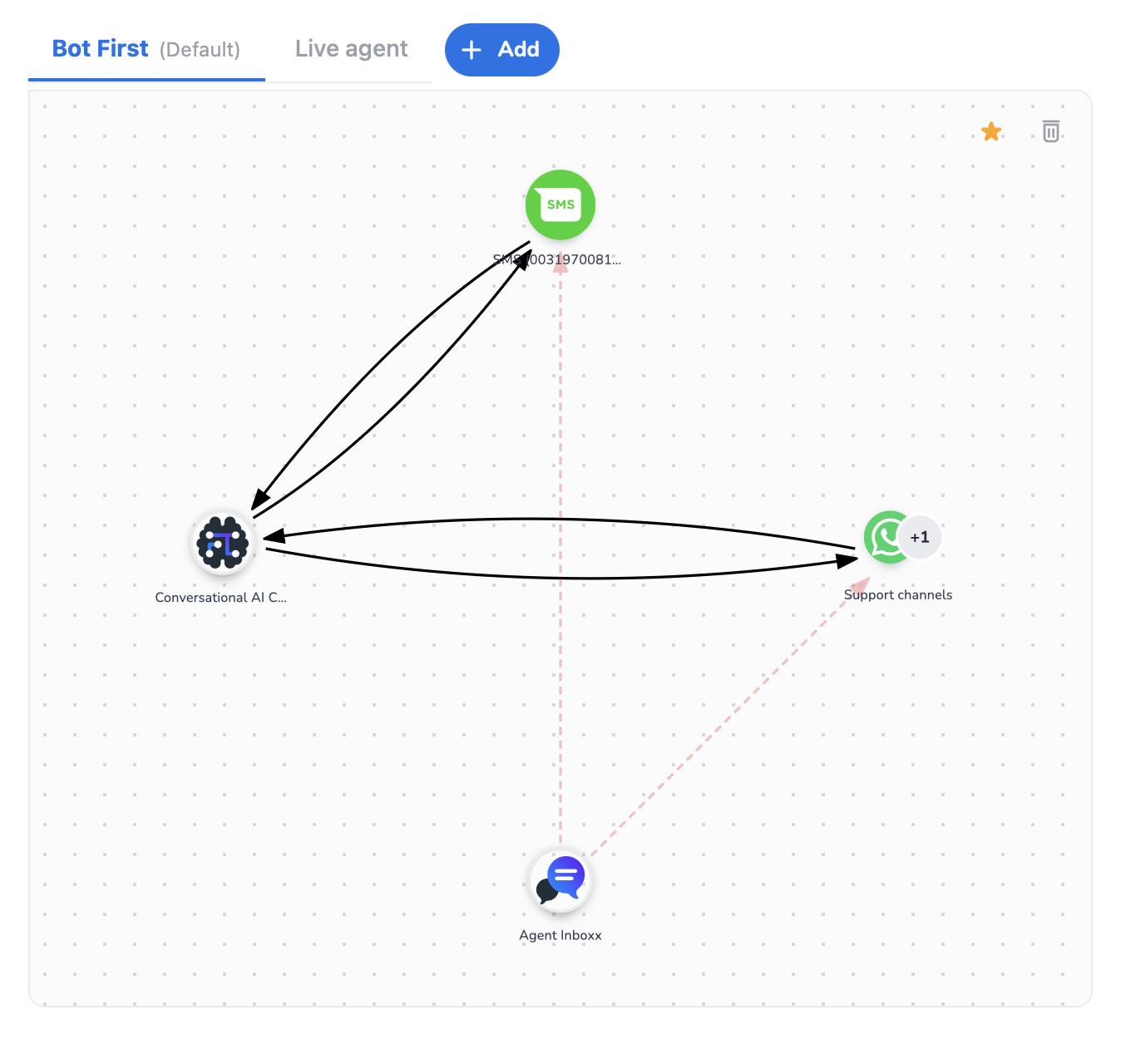
- Live agent state: this state is configured to facilitate handovers to live agents. When Conversational AI Cloud can no longer handle the conversation, the system switches to this state, enabling communication between channels and the live agents (Agent Inbox).