Overview
A pipeline is a sequence of processing steps applied to messages as they travel over an application link within a state. Pipelines let the Router transform and protect traffic on its way to a destination — translate messages, redact personal data, block spam or profanity, and enrich messages with detected language, entities, or sentiment.
Pipelines are managed on the Pipelines page and attached to individual links in the flow editor, so different links can process messages differently (for example, translate only what goes to your agents).
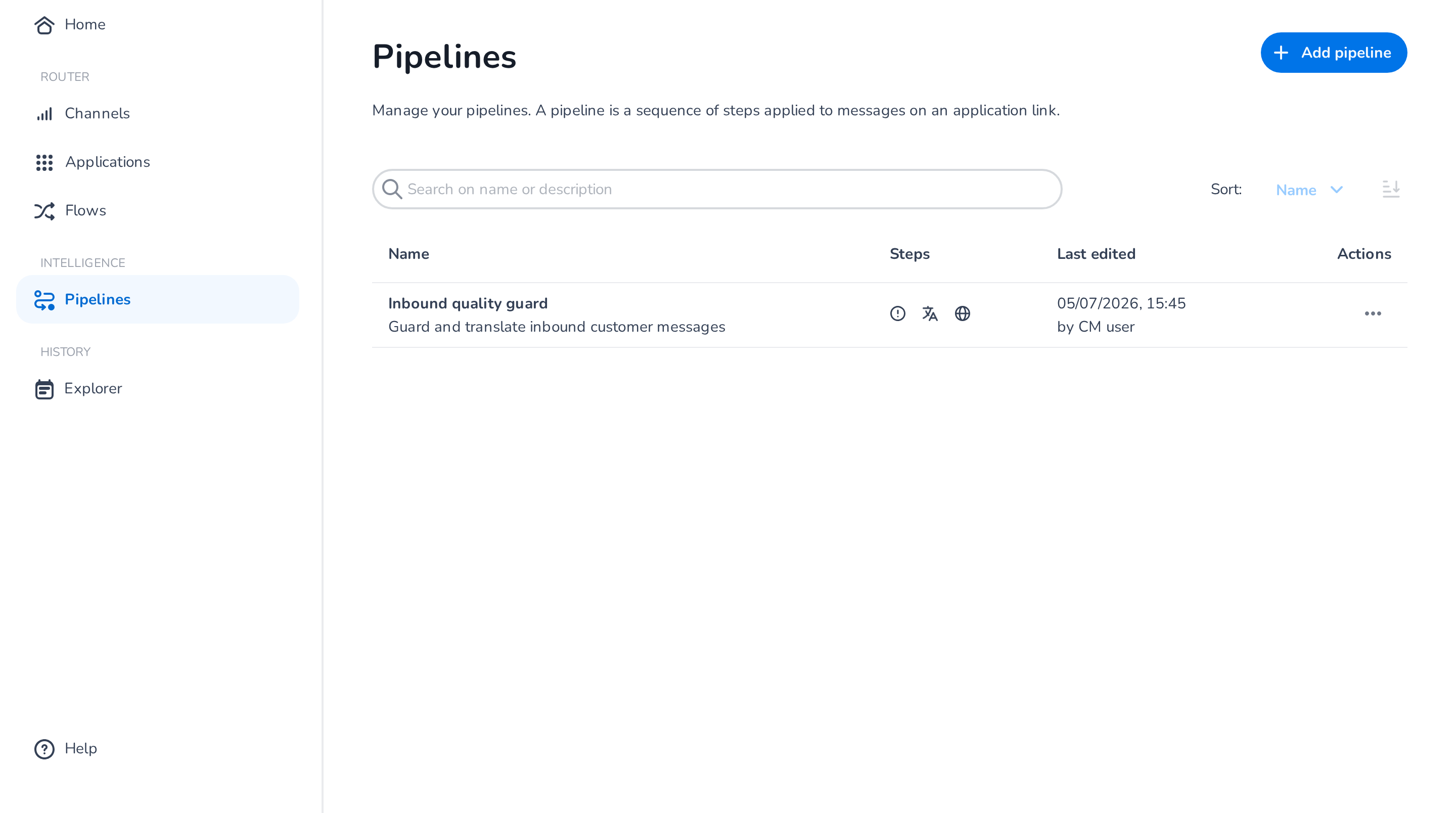
Management
- Add pipeline creates a new pipeline and opens the editor.
- Click a pipeline (or use its Actions menu) to edit it; the Actions menu also offers Delete.
Editing a pipeline
The editor shows the pipeline's steps as a timeline. Every message flows through the steps in this order; steps run in a fixed sequence with guards first, then detection and enrichment, then transformation.
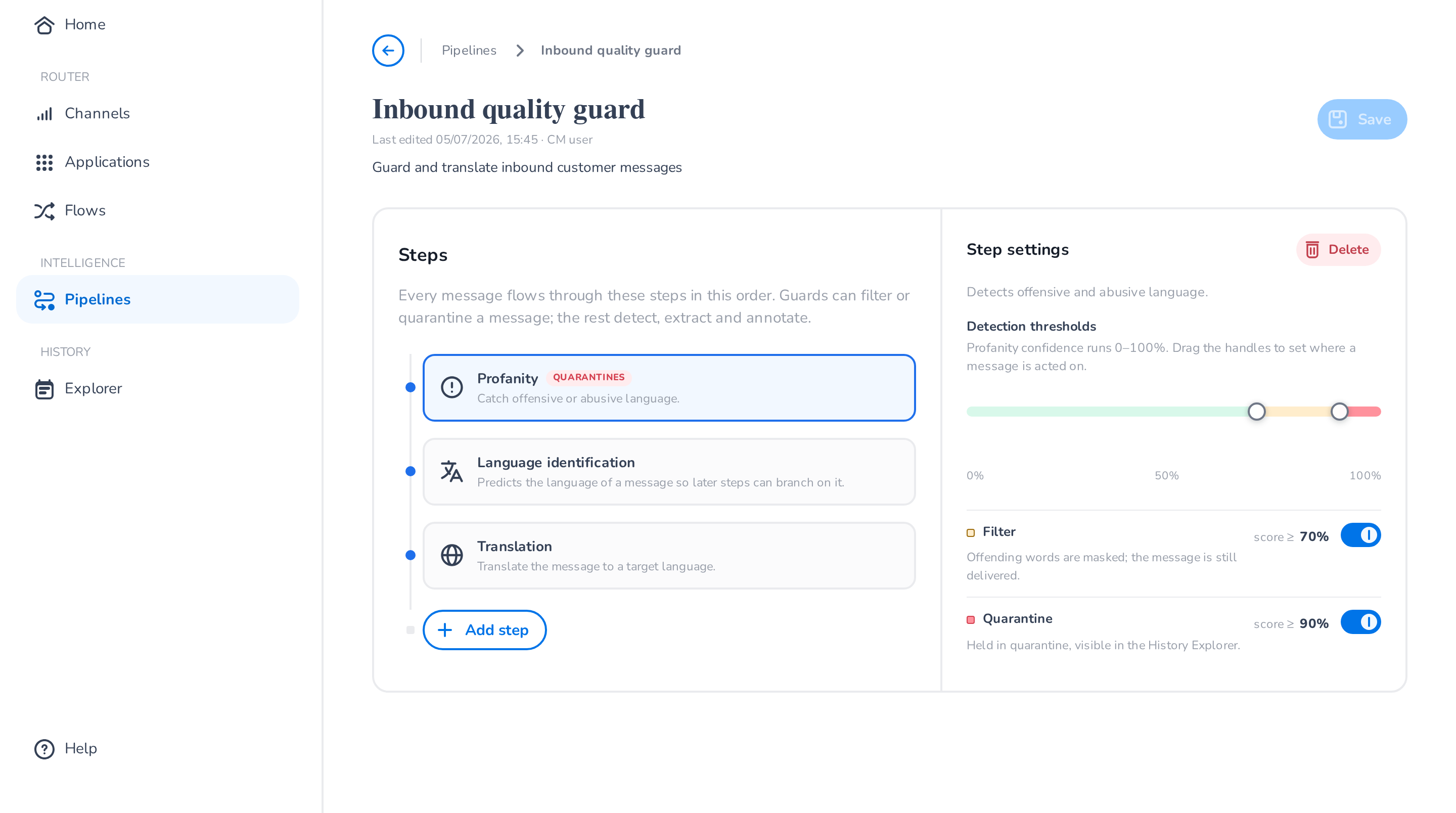
Click Add step to add a step type. Each type can be added once per pipeline:
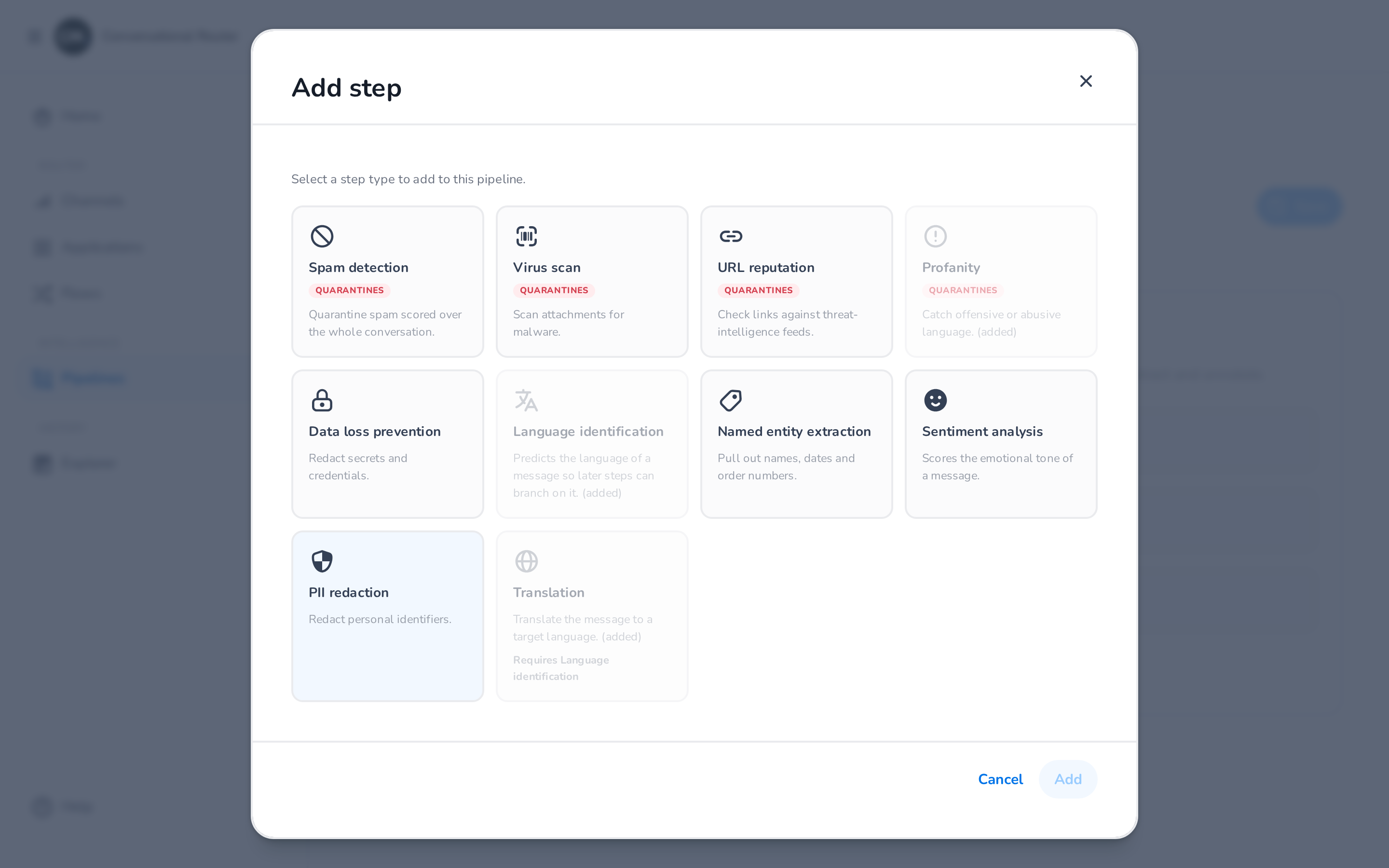
Guard steps
Guard steps protect destinations from unwanted content. They score each message (0–100%) and act on the score with up to two thresholds:
- Filter — the offending content is masked or stripped, and the message continues to its destination.
- Quarantine — the pipeline halts and the message is not delivered. Quarantined messages remain visible in the Explorer.
Drag the threshold handles to set where a message is acted on; when both actions are enabled, the quarantine threshold is always at least as high as the filter threshold.
| Step | What it does |
|---|---|
| Spam detection | Quarantines spam, scored over the whole conversation. |
| Virus scan | Scans attachments for malware. |
| URL reputation | Checks links against threat-intelligence feeds. |
| Profanity | Catches offensive or abusive language. |
| Data loss prevention | Redacts secrets and credentials. |
Detection and enrichment steps
| Step | What it does |
|---|---|
| Language identification | Predicts the language of a message so later steps can branch on it. Configure a confidence threshold and an optional fallback language. |
| Named entity extraction | Pulls out entities you define (names, dates, order numbers, …), optionally mapping each to a metadata field. |
| Sentiment analysis | Scores the emotional tone of a message. |
Transformation steps
| Step | What it does |
|---|---|
| PII redaction | Redacts personal identifiers (full name, phone number, email address, postal address, payment card number, bank account number) before delivery. |
| Translation | Translates the message to a target language. Set the language your team works in; the customer's language is auto-detected (requires the Language identification step) or can be pinned to a fixed language. |
Applying a pipeline
A pipeline is attached to an application link inside a state:
- Open the flow in the Flows page and select the state.
- Click the link between the source and the destination.
- In the link panel, select the pipeline to apply (or none to remove it).
The link shows a marker when a pipeline is attached. Messages travelling over that link — and only that link — are processed by the pipeline. You can verify each step's outcome per message in the Explorer's routing detail.