Overview
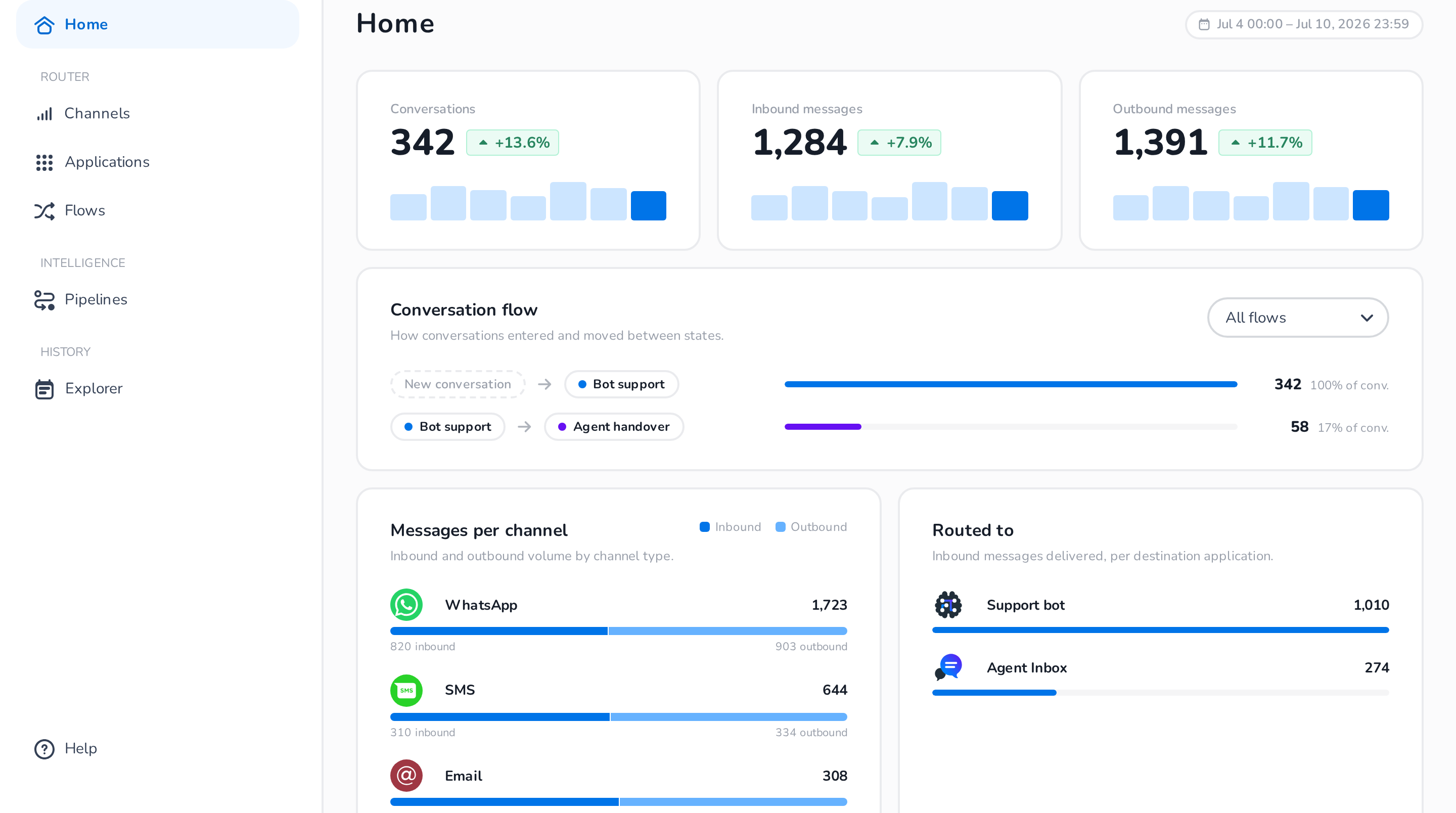
Home is the Router's dashboard: a snapshot of the past 7 days of routed traffic, so you can see at a glance whether messages are flowing and where they go.
What you see
Key metrics
Three cards summarize the last 7 days, each with a daily breakdown and a comparison against the preceding 7 days:
- Conversations — the number of conversations routed.
- Inbound messages — messages received from your customers.
- Outbound messages — messages sent back to your customers.
Conversation flow
The Conversation flow card shows how conversations entered and moved between states: each row is a transition (for example, New conversation → Bot support, or Bot support → Agent handover) with the number and share of conversations that took it. Use the flow selector to focus on a single flow. This is a quick way to see, for example, what percentage of conversations get handed over from your bot to live agents.
Traffic breakdown
- Messages per channel — inbound and outbound volume per channel type (WhatsApp, SMS, Email, …).
- Routed to — inbound messages delivered per destination application, so you can see how much traffic your bot handles versus your agents.
The dashboard counts engaged conversations only — sessions where the customer never sent a message (such as web-widget page loads) are excluded. For inspecting individual conversations, use the Explorer.