Overview
Business Messaging connects the messaging channels available on your CM.com account to the Conversational Router, so those channels can participate in your flows. Once connected, inbound messages from your configured channels are routed through the Router according to your active state, and outbound replies are delivered back over the same channel(s). For background information on Business Messaging and supported channels, see the Messaging page: https://developers.cm.com/messaging/docs/introduction
Prerequisites
To enable routing via the Conversational Router, set the Router as the message destination for each channel identifier you want to use. A channel identifier is the specific address to reach you within a messaging channel. Examples include:
- WhatsApp: your WhatsApp Business phone number.
- SMS: your long number or short code.
- Facebook Messenger: your Facebook Page.
Each channel identifier has a Destination setting that defines where inbound (customer-initiated) messages are delivered. To access that, navigate to Channels and open the channel identifier you want to route through the Conversational Router. Then click the destination button shown on the page, select the Conversational Router in the overlay, and save.
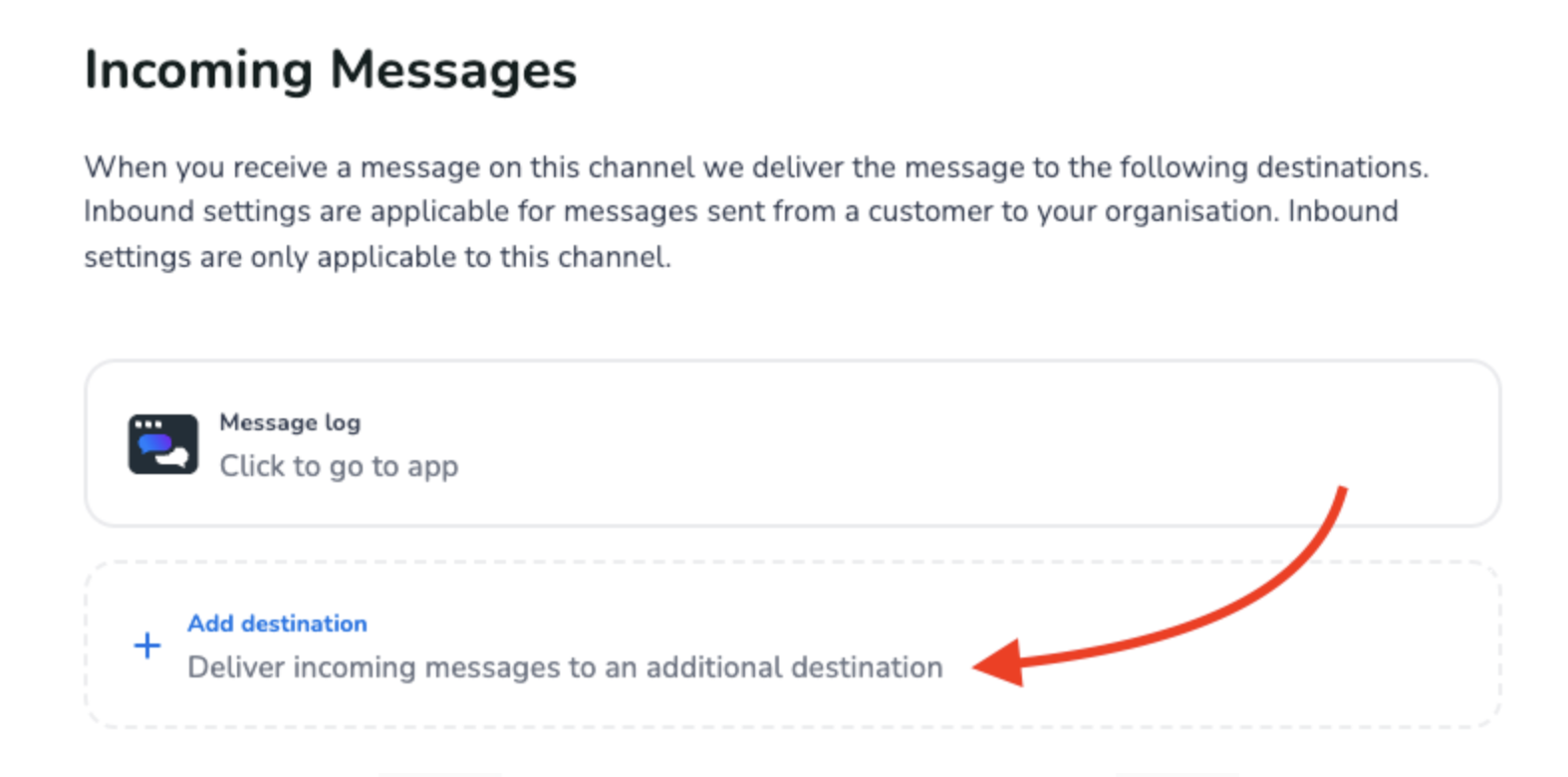
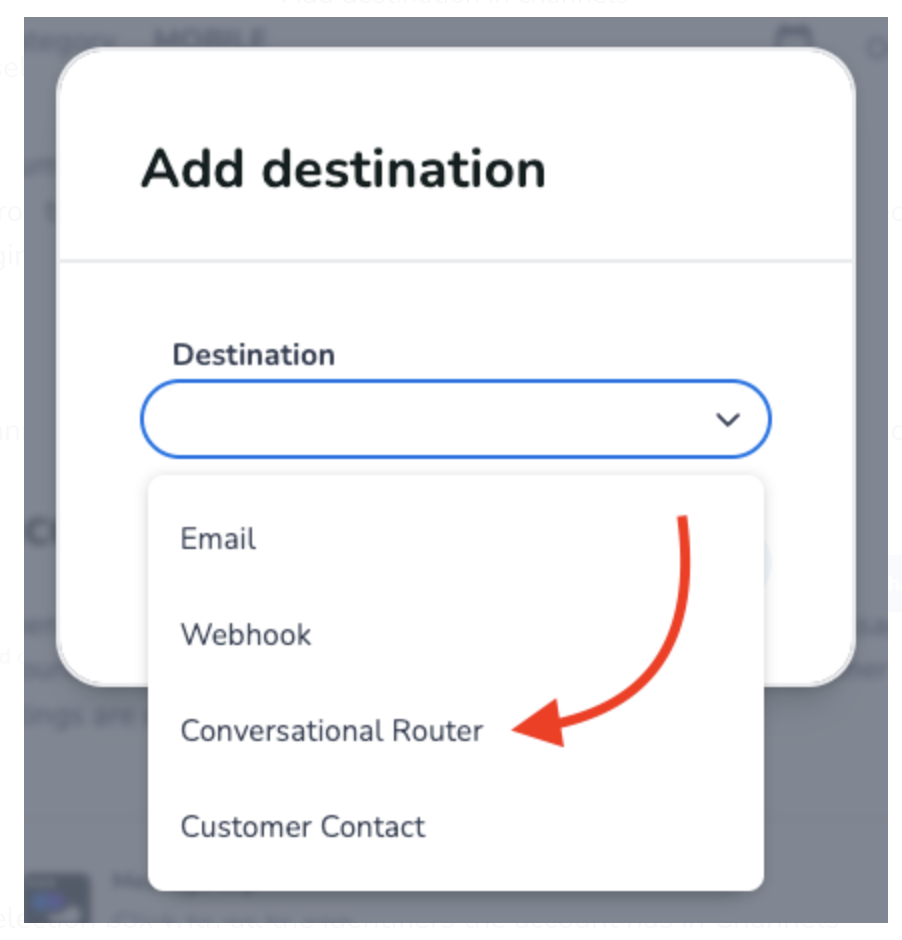
After these settings are processed by all systems, incoming (MO) messages will be forwarded to the Conversational Router.
Configuration
After configuring your channel identifiers, open the Channels page in your Router account and click Connect channel:
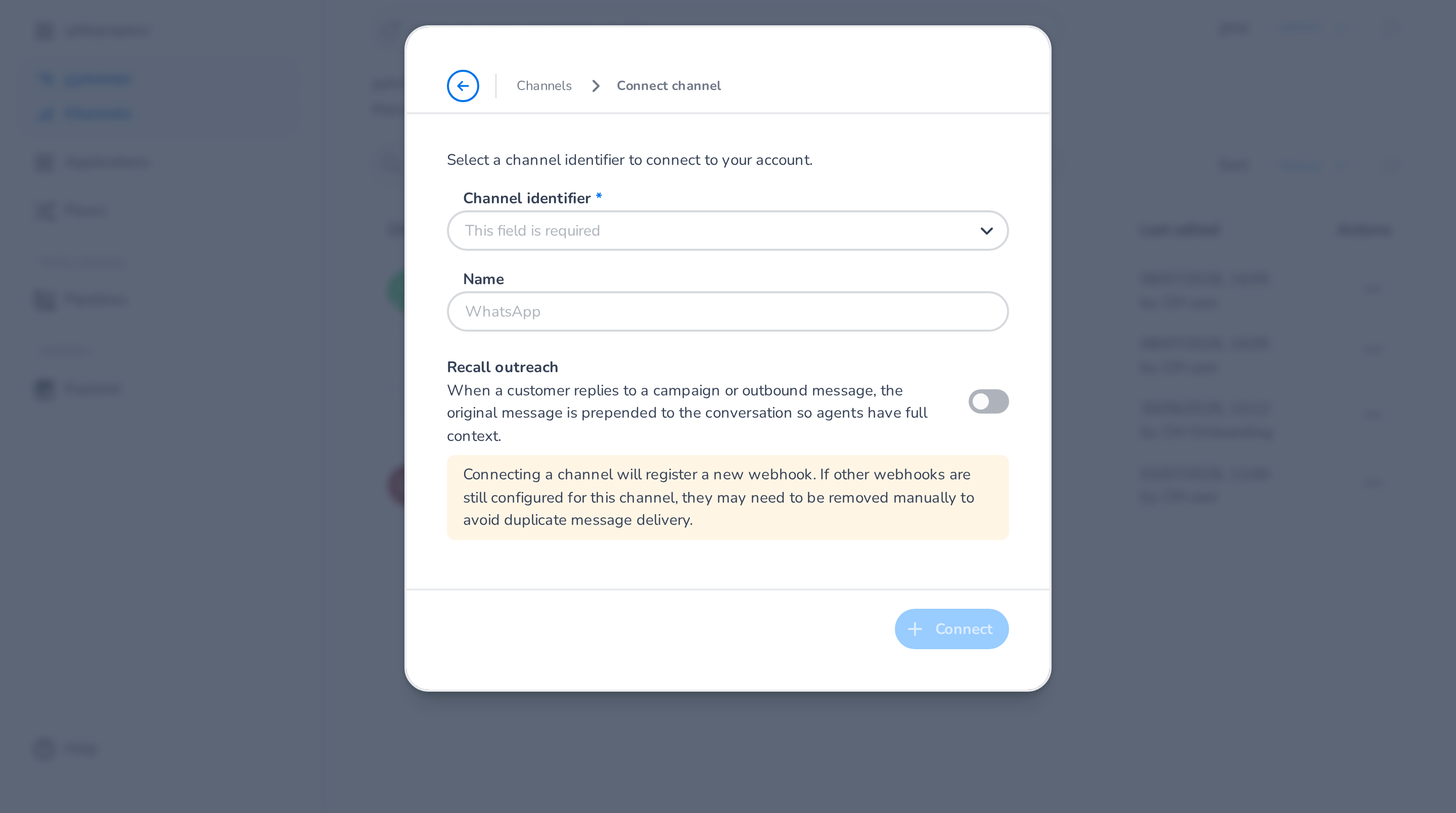
You are shown two settings:
- Channel identifier: a selection box with all the identifiers your account has in Channels.
- Name: the display name. Use a clear, descriptive label so it's easy to identify in flows and states.
Depending on the channel type there may be additional settings — for example, SMS and WhatsApp channels offer Recall outreach, which prepends the original outbound message to the conversation when a customer replies to a campaign, so agents have full context.
🚧 Webhook registration
Connecting a channel registers a new webhook for its identifier. If other webhooks are still configured for that channel, they may need to be removed manually to avoid duplicate message delivery.